Corsair vs Seagate: Nvme SSDs Compared by Specs
As an Amazon Associate we earn from qualifying purchases. Links on this page are affiliate links.
When you compare corsair vs seagate nvme SSD options, the distinction is clear. The Corsair MP400 is a true NVMe drive using PCIe Gen3. The Seagate FireCuda listed here is a hybrid SATA drive. Both offer storage for your system, but they use different connections and form factors. You need to know which interface your motherboard supports before buying either drive for your PC or laptop.
Key differences
| Aspect | Corsair MP400 2TB Gen3 NVMe M.2 SSD | Seagate FireCuda 1TB 2.5-Inch SATA SSHD |
|---|---|---|
| Interface | PCIe Gen3 x4 NVMe | SATA 6GB/s |
| Form Factor | M.2 2280 | 2.5 Inch |
| NAND Type | 3D QLC | not listed |
| Max Read Speed | 3,480 MB/s | not listed |
| Max Write Speed | 3,000 MB/s | not listed |
Which one should you choose?
Choose Corsair MP400 2TB Gen3 NVMe M.2 SSD if
- You want faster sequential read and write speeds for large files.
- Your motherboard has an available M.2 slot for a compact drive.
- You prefer QLC NAND for higher capacity per dollar.
Choose Seagate FireCuda 1TB 2.5-Inch SATA SSHD if
- You need a 2.5-inch drive for older laptops or desktops.
- Your system only supports SATA connections.
- You want a hybrid drive that combines flash and traditional storage.
Verdict: The Corsair MP400 is the better choice for modern systems that support NVMe and M.2 slots. It offers significantly higher speeds and a smaller form factor. The Seagate FireCuda SSHD is only suitable if you are limited to SATA ports and 2.5-inch bays.
Corsair MP400 vs Seagate FireCuda Specs
Interface type
The Corsair MP400 uses a PCIe Gen3 x4 NVMe interface. This connection allows the drive to communicate directly with your motherboard’s CPU lanes, bypassing the older SATA bottleneck. You get higher bandwidth potential for data movement. The Seagate FireCuda 1TB relies on a SATA 6GB/s interface. SATA is the standard connection for traditional hard drives and older SSDs. It limits sequential transfer speeds to around 600 MB/s. If you need the faster data pathways that modern systems provide, the NVMe standard is the superior choice for performance.
Transfer speed
Sequential read speeds define how fast you can load large files. The Corsair MP400 lists max read speeds of up to 3,480 MB/s. Its sequential write speed reaches 3,000 MB/s. These numbers are significantly higher than SATA limits. The Seagate FireCuda does not list specific sequential read or write speeds in its key specs. As a hybrid drive, it uses NAND flash to accelerate specific data blocks, but it cannot match the raw throughput of an NVMe drive. For copying large game libraries or video files, the Corsair drive offers a clear speed advantage.
Form factor
Physical size matters for installation. The Corsair MP400 uses an M.2 2280 form factor. It measures approximately 0.87 inches by 3.15 inches. You install it directly into an M.2 slot on your motherboard. This saves space and requires no cables. The Seagate FireCuda is a 2.5-inch drive. It measures 2.75 inches by 3.95 inches with a height of 0.28 inches. This form factor is typical for desktops and laptops with dedicated drive bays. It requires a SATA data cable and power connection. If you have a modern motherboard with M.2 slots, the Corsair drive is easier to install.
NAND type
The type of flash memory affects endurance and density. The Corsair MP400 uses high-density 3D QLC NAND. QLC stores four bits per cell, offering more storage capacity per dollar. It can provide good value for bulk storage. The Seagate FireCuda is a Solid State Hybrid Drive (SSHD). It combines a traditional spinning hard disk with a small amount of NAND flash. The flash acts as a cache to speed up access to frequently used data. It does not use NAND as the primary storage medium like a pure SSD. The Corsair drive offers a pure solid-state experience.
Endurance rating
Endurance indicates how much data you can write before the drive wears out. The Corsair MP400 specifies an endurance rating of up to 400TB Written for the 2TB capacity. This is a substantial amount of data for typical users. The Seagate FireCuda does not list a Terabytes Written (TBW) endurance rating in the provided specifications. Hybrid drives often have different endurance profiles due to their hybrid nature. Without a specified TBW number, you cannot compare the long-term write durability of the Seagate drive against the Corsair drive. The Corsair data is more explicit.
Which drive fits your needs
You want fast NVMe speeds in M.2 slot
The Corsair MP400 uses a PCIe Gen3 x4 NVMe interface for direct motherboard connection. It delivers sequential read speeds up to 3,480 MB/s and write speeds up to 3,000 MB/s. This M.2 2280 form factor fits directly into your system without cables. You get significantly higher bandwidth than SATA options for quicker data transfers.
You need a 2.5-inch SATA drive for laptops
The Seagate FireCuda uses a SATA 6GB/s interface and a 2.5-inch form factor. This design is compatible with older systems or laptops that lack M.2 slots. It combines flash memory with traditional storage to help load games and maps faster than standard hard drives. The low power consumption makes it suitable for mobile setups.
You need 2TB capacity for high endurance
The Corsair MP400 offers a 2TB capacity using high-density 3D QLC NAND. This configuration stores more data in the same physical space compared to previous generations. It provides endurance up to 400TB written, ensuring reliable data storage over years of use. The drive includes a comprehensive five-year warranty for added peace of mind.
The products compared

Corsair MP400 2TB Gen3 NVMe M.2 SSD
Best for: Gen3 systems needing high capacity storage
- Storage Capacity
- 2TB
- Interface
- PCIe Gen3 x4, NVMe
- Form Factor
- M.2 2280
- Max Read Speed
- 3,480 MB/s
- Max Write Speed
- 3,000 MB/s
- NAND Type
- QLC
View on Amazon: Corsair MP400 2TB Gen3 NVMe M.2 SSD Affiliate link
The Corsair MP400 is a 2TB M.2 2280 NVMe SSD using PCIe Gen3 x4. It offers sequential read speeds up to 3,480 MB/s and write speeds up to 3,000 MB/s. It uses high-density 3D QLC NAND for efficient storage density. This drive suits users who need reliable capacity and fast Gen3 speeds without the premium of Gen4. It includes a five-year warranty and Corsair SSD Toolbox software for management.
Pros
- Sequential read speeds up to 3,480 MB/s
- 2TB storage capacity in standard M.2 2280 form factor
- Endurance rating up to 400TB written
- Includes Corsair SSD Toolbox for firmware updates
Cons
- Uses QLC NAND which typically has lower sustained write performance than TLC
- Limited to PCIe Gen3 interface speeds
- No mention of DRAM cache in specifications
Good fit if
- You have a motherboard with PCIe Gen3 M.2 slots
- You need high storage capacity for media libraries
- You want a drive with a five-year warranty
Skip if
- You require maximum PCIe Gen4 bandwidth
- You need DRAM cache for heavy sustained workloads
- You prefer TLC NAND for better endurance
Verdict: Corsair MP400 2TB Gen3 NVMe SSD is a solid choice for users with Gen3 systems who need large storage capacity and reliable endurance. It delivers strong sequential speeds for everyday tasks and media storage.
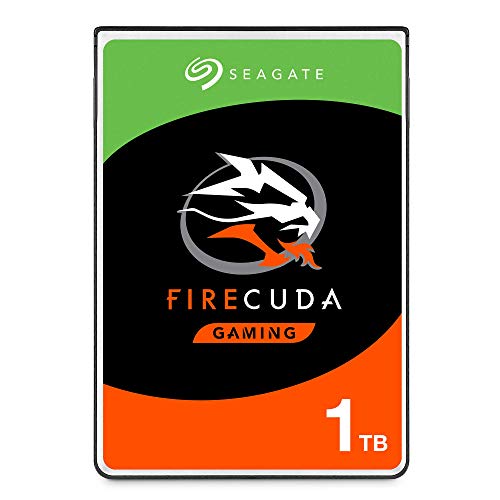
Seagate FireCuda 1TB 2.5-Inch SATA SSHD
Best for: Laptops needing SATA flash acceleration
- Storage Capacity
- 1TB
- Interface
- SATA 6GB/s
- Form Factor
- 2.5 Inch
- Compatibility
- Laptop, Gaming
- Dimensions
- 3.95 × 2.75 × 0.28 inches
- Weight
- 3.39 ounces
View on Amazon: Seagate FireCuda 1TB 2.5-Inch SATA SSHD Affiliate link
This is a 2.5-inch SATA hybrid drive, not an NVMe SSD. It combines a traditional hard disk with flash memory to accelerate boot times and game loading. The interface is SATA 6GB/s, limiting speeds compared to PCIe options. It offers 1TB of storage in a compact form factor suitable for laptops and gaming PCs. You should choose this if you need hybrid performance rather than pure SSD speed.
Pros
- 1TB storage capacity
- SATA 6GB/s interface
- Flash accelerated performance
- 2.5-inch form factor
Cons
- SATA interface limits speed compared to NVMe
- Hybrid drive architecture is slower than pure SSDs
- No PCIe or NVMe support
Good fit if
- You want flash acceleration for older systems
- You need a 2.5-inch drive for a laptop
- You prefer hybrid storage over pure SSDs
Skip if
- You require NVMe PCIe speeds
- You need M.2 form factor
- You want maximum sequential read performance
Verdict: Seagate FireCuda 1TB SSHD is a hybrid drive for users who want faster boot times without upgrading to NVMe. It fits laptops needing 2.5-inch SATA storage with flash help.
Specifications side by side
| Spec | Corsair MP400 2TB Gen3 NVMe M.2 SSD | Seagate FireCuda 1TB 2.5-Inch SATA SSHD |
|---|---|---|
| Storage Capacity | 2TB | 1TB |
| Interface | PCIe Gen3 x4, NVMe | SATA 6GB/s |
| Form Factor | M.2 2280 | 2.5 Inch |
| Max Read Speed | 3,480 MB/s | not stated |
| Max Write Speed | 3,000 MB/s | not stated |
| Compatibility | not stated | Laptop, Gaming |
| NAND Type | QLC | not stated |
| Size | 2TB | 1TB |
| Dimensions | 0.87 × 3.15 × 0.08 inches | 3.95 × 2.75 × 0.28 inches |
| Weight | not stated | 3.39 ounces |
| Color | Black | Black |
| Model | CSSD-F2000GBMP400R2 | ST1000LX015 |
Frequently asked questions
Is the Corsair MP400 compatible with PCIe Gen4 motherboards?
Yes, the Corsair MP400 is a PCIe Gen3 NVMe drive. It fits into Gen4 slots but will operate at Gen3 speeds. This means you get reliable performance without needing the latest motherboard support. It is a solid choice for users who want high capacity storage in a standard M.2 form factor.
Does the Seagate FireCuda use the NVMe protocol?
No, the Seagate FireCuda listed here is a SATA SSHD. It uses the SATA III interface, not NVMe. This hybrid drive combines a hard disk with flash memory for faster boot times. It is designed for laptops needing 2.5-inch SATA storage rather than high-speed NVMe connectivity.
What NAND type does the Corsair MP400 use?
The Corsair MP400 2TB uses QLC NAND flash memory. QLC offers higher density, allowing for larger capacities like 2TB at a competitive footprint. This makes it suitable for media storage and everyday tasks where extreme endurance is less critical than sheer volume.
Can I install the Seagate FireCuda in an M.2 slot?
No, the Seagate FireCuda is a 2.5-inch drive. It requires a standard SATA connector and space for a 2.5-inch form factor. It is not compatible with M.2 slots. You need a motherboard or laptop with available 2.5-inch drive bays to use this specific model.
Is the Corsair MP400 suitable for gaming?
Yes, the Corsair MP400 provides strong sequential speeds for gaming loads. It delivers up to 3,480 MB/s read speeds. This ensures fast game loading times and smooth data streaming. It is a reliable option for gamers using Gen3 systems who need large storage capacity.
Does the Seagate FireCuda improve load times significantly?
Yes, the Seagate FireCuda uses flash acceleration to improve load times. It acts as a hybrid drive, caching frequently used data on NAND. This helps reduce boot times and speeds up application launches compared to a standard mechanical drive, though it does not match NVMe speeds.