Best Nvme SSDs for Gaming in 2026: 15 Picks Ranked by Specs
As an Amazon Associate we earn from qualifying purchases. Links on this page are affiliate links.
Selecting the right nvme SSD for gaming requires balancing interface bandwidth against your hardware support. We compared 15 storage drives strictly using the specifications published on their official product listings. The KIOXIA Exceria 1TB PCIe 5.0 SSD earns the top spot because its PCIe 5.0 connection delivers up to 1,600,000 IOPS random read performance for compatible systems.
This guide helps you decide whether a Gen3, Gen4, or Gen5 M.2 drive fits your gaming rig and storage capacity requirements.
Quick picks
The best fit for you
- You want PCIe 5.0 bandwidth with high random IOPS. KIOXIA Exceria 1TB PCIe 5.0 SSD Its PCIe 5.0 interface delivers up to 1,600,000 IOPS random read performance.
- You need fast external USB-C storage for portable gaming. Seagate FireCuda 2TB External NVMe SSD The USB-C host interface provides portable transfer speeds up to 2000 MB/s.
- You need a drive for 2.5-inch SATA laptop bays. Seagate FireCuda 1TB 2.5-Inch SATA SSHD The 2.5-inch form factor and SATA III interface support standard laptop bays.
- You need PS5 compatible storage with high write endurance. Inland Performance Plus 1TB NVMe SSD It offers PS5 compatibility, built-in heatsink cooling, and 700 TBW endurance.
Our 15 picks

KIOXIA Exceria 1TB PCIe 5.0 SSD
Best for: PCIe 5.0 gaming systems needing high IOPS
- Compatibility
- Gaming (what this guide is about)
- Storage Capacity
- 1TB
- Interface
- PCIe 5.0 Gen5 x4
- Form Factor
- M.2 2280
- Dimensions
- 3.19 × 0.09 × 0.87 inches
The KIOXIA Exceria G3 1TB is an internal M.2 2280 SSD built for gaming setups. It runs on a PCIe 5.0 x4 interface and uses BiCS FLASH 3D QLC NAND flash memory. It delivers random read speeds up to 1,600,000 IOPS and random write speeds up to 1,450,000 IOPS. This drive suits you if you have a PCIe 5.0 compatible system and want high random input-output performance for your game installations.
Pros
- PCIe 5.0 Gen5 x4 interface
- Up to 1,600,000 IOPS random read speeds
- Up to 1,450,000 IOPS random write speeds
- Standard M.2 2280 form factor
Cons
- Uses QLC NAND rather than TLC NAND
- Sequential read and write speeds are not listed in published specifications
Good fit if
- You have a motherboard that supports PCIe 5.0 M.2 drives.
- You prioritize random read throughput up to 1,600,000 IOPS for system responsiveness.
Skip if
- You prefer drives built with TLC NAND rather than QLC flash.
- You need verified sequential transfer benchmarks before purchasing.
Verdict: KIOXIA Exceria G3 1TB PCIe 5.0 SSD delivers PCIe 5.0 connectivity with up to 1,600,000 IOPS random read performance for gaming rigs. Its 3D QLC memory provides dense storage in a standard M.2 2280 form factor.
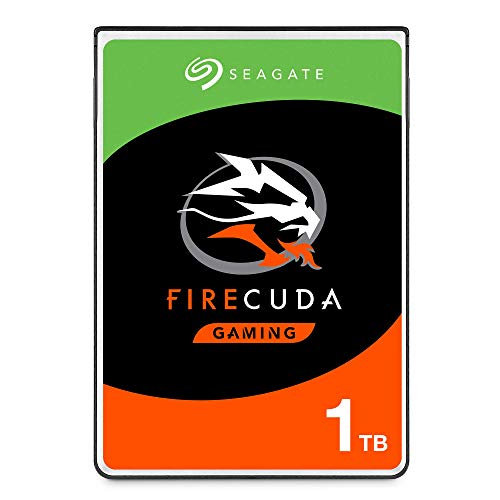
Seagate FireCuda 1TB 2.5-Inch SATA SSHD
Best for: laptops needing 2.5-inch SATA gaming storage
- Compatibility
- Laptop, Gaming (what this guide is about)
- Storage Capacity
- 1TB
- Interface
- SATA 6GB/s
- Form Factor
- 2.5 Inch
- Dimensions
- 3.95 × 2.75 × 0.28 inches
- Weight
- 3.39 ounces
The Seagate FireCuda 1TB is a 2.5-inch internal solid-state hybrid drive built for laptops and desktop PCs. It connects through a standard SATA III interface and blends 1TB of mechanical capacity with onboard flash acceleration for gaming setups. Measuring 0.28 inches tall and weighing 0.212 pounds, it fits traditional drive bays easily. You will find it suits systems where you need secondary gaming storage and lack open M.2 PCIe slots.
Pros
- 1TB storage capacity
- Standard 2.5-inch SATA III interface
- Slim 0.28-inch profile fits standard laptop drive bays
- Five-year limited warranty
Cons
- Uses SATA III interface instead of faster NVMe PCIe
- Hybrid drive mechanism rather than full solid-state storage
- Requires a 2.5-inch drive bay instead of an M.2 slot
Good fit if
- You need 1TB of storage for a gaming laptop or desktop with a 2.5-inch bay.
- You prefer a drive backed by a five-year limited warranty.
- You lack available M.2 NVMe slots on your motherboard.
Skip if
- You want true NVMe transfer speeds over PCIe lanes.
- You require an M.2 form factor for your system.
- You want a pure solid-state drive rather than hybrid storage.
Verdict: Seagate FireCuda 1TB 2.5-Inch SATA SSHD delivers hybrid storage in a slim 2.5-inch package with a five-year warranty. It fits systems needing SATA expansion rather than high-speed NVMe PCIe storage.
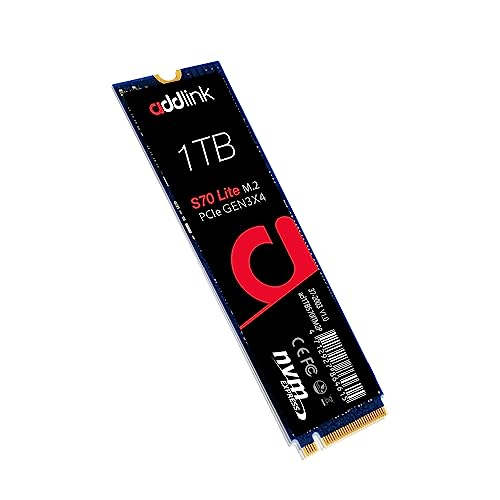
Addlink S70 Lite 1TB Gen3 NVMe SSD
Best for: standard Gen3 PC and laptop gaming storage
- Compatibility
- Laptop, Desktop, Gaming (what this guide is about)
- Storage Capacity
- 1TB
- Interface
- PCIe Gen3x4
- Form Factor
- M.2 2280
- Max Read Speed
- Up to 3200MB/s
- Max Write Speed
- 2600MB/s
The Addlink S70 Lite is a 1TB internal M.2 2280 solid-state drive built for gaming desktops and laptops. It operates on the PCIe Gen3x4 interface, delivering sequential read speeds up to 3,200 MB/s and write speeds up to 2,600 MB/s using 3D NAND flash and SLC caching. If you need a reliable primary drive or extra storage for game installations without requiring an integrated heatsink, this drive fits standard M.2 slots cleanly.
Pros
- Sequential read speeds up to 3,200 MB/s and write speeds up to 2,600 MB/s
- Low-power design operates without an attached heatsink
- SLC caching paired with 3D NAND flash for sustained performance
- Backed by a 5-year limited manufacturer warranty
Cons
- Limited to PCIe Gen3 bandwidth rather than faster Gen4 or Gen5 standards
- Product line capacity caps at 1TB
Good fit if
- You have a desktop motherboard or laptop with an open M.2 2280 slot.
- You want 1TB of storage with read speeds up to 3,200 MB/s for gaming.
- You need a low-power drive that runs cool without an external heatsink.
Skip if
- You need PCIe Gen4 or Gen5 transfer speeds exceeding 3,200 MB/s.
- You require single-drive capacities greater than 1TB.
Verdict: Addlink S70 Lite 1TB Gen3 M.2 NVMe SSD delivers reliable PCIe 3.0 transfer speeds up to 3,200 MB/s without requiring an auxiliary heatsink. It provides a dependable 1TB storage solution for gaming systems that do not need Gen4 bandwidth.

Samsung 970 EVO Plus 2TB NVMe M.2 SSD
Best for: Reliable high-endurance PC game storage
- Compatibility
- Gaming (what this guide is about)
- Storage Capacity
- 2TB
- Interface
- NVMe
- Form Factor
- M.2
- Max Read Speed
- Up to 3,500 MB/s
- Max Write Speed
- Up to 3,300 MB/s
The Samsung 970 EVO Plus 2TB is an internal M.2 NVMe SSD designed for PC gaming setups. It delivers sequential read speeds up to 3,500 MB/s and sequential write speeds up to 3,300 MB/s using Samsung V-NAND 3-bit MLC storage. With 1,200 TBW endurance and Dynamic Thermal Guard thermal monitoring, it provides dependable capacity for your gaming library if your system relies on standard NVMe speeds.
Pros
- Sequential read speeds up to 3,500 MB/s and write speeds up to 3,300 MB/s
- High write endurance rating of 1,200 TBW
- Dynamic Thermal Guard monitors operating temperatures to mitigate throttling
- Samsung Magician software suite for drive monitoring and maintenance
Cons
- Peak read speeds top out at 3,500 MB/s
- No integrated heatsink included
Good fit if
- You need 2TB of internal storage for PC gaming.
- You want high write endurance rated at 1,200 TBW.
- You use Samsung Magician tools to monitor drive health.
Skip if
- You require sequential transfer speeds higher than 3,500 MB/s.
- You need an SSD that comes with a built-in heatsink.
Verdict: Samsung 970 EVO Plus 2TB NVMe SSD delivers reliable 3,500 MB/s read speeds and 1,200 TBW endurance for standard PC gaming builds. It is a capable M.2 drive if your system does not demand higher Gen4 bandwidth.

Seagate FireCuda 520 1TB PCIe 4.0 SSD
Best for: mid-range PCIe 4.0 gaming desktop setups
- Compatibility
- Laptop, Desktop, Gaming (what this guide is about)
- Storage Capacity
- 1TB
- Interface
- PCIe Gen4 X4
- Max Read Speed
- Up to 5000MB/s
- Max Write Speed
- Up to 4400MB/s
- Dimensions
- 3.15 × 0.87 × 0.08 inches
The Seagate FireCuda 520 1TB is an internal PCIe Gen4 x4 NVMe 1.3 solid-state drive built for gaming desktops and laptops. It delivers sequential read speeds up to 5000MB/s and sequential write speeds up to 4400MB/s. With an endurance rating up to 2800TB TBW and a 1.8-million-hour MTBF, this drive suits you if you need reliable storage backed by free data migration software.
Pros
- Sequential read speeds up to 5000MB/s and write speeds up to 4400MB/s
- High endurance rating of up to 2800TB TBW with 1.8M hours MTBF
- Includes 3-year Rescue Service data recovery support
- Free Seagate DiscWizard software included for drive cloning
Cons
- Sequential speeds peak at 5000MB/s, below top-tier 7300MB/s PCIe 4.0 options
- Uses older NVMe 1.3 revision rather than newer protocols
- Lacks a pre-installed heatsink at standard 0.08-inch thickness
Good fit if
- You want PCIe 4.0 speeds up to 5000MB/s for desktop or laptop gaming.
- You value bundled data protection with the 3-year Rescue Service.
- You plan to clone an existing system drive using DiscWizard.
Skip if
- You require maximum PCIe 4.0 read speeds exceeding 7000MB/s.
- You need a factory-fitted heatsink for thermal management.
Verdict: Seagate FireCuda 520 1TB PCIe 4.0 NVMe SSD offers dependable mid-tier Gen4 speeds paired with high write endurance and data recovery coverage.

Seagate FireCuda 2TB External NVMe SSD
Best for: portable USB-C external PC gaming storage
- Compatibility
- Laptop, Gaming (what this guide is about)
- Storage Capacity
- 2TB
- Interface
- USB 3.2 Gen 2x2, NVMe
- Form Factor
- External Portable
- Cooling
- Aluminum Enclosure
- Host Interface
- USB-C
The Seagate FireCuda 2TB External USB-C SSD gives you portable high-speed storage for PC and laptop gaming. It uses an NVMe drive inside an aluminum enclosure with a USB 3.2 Gen 2x2 interface, reaching transfer speeds up to 2000MB/s. It is powered directly through your USB port and includes customizable RGB lighting. You will find this drive ideal if you need plug-and-play gaming storage without opening your computer case.
Pros
- Transfer speeds up to 2000MB/s via USB 3.2 Gen 2x2
- Bus-powered design requires no external power adapter
- Sturdy aluminum enclosure assists with heat dissipation
- Built-in customizable RGB lighting
Cons
- External enclosure takes up desk space compared to internal M.2 drives
- Reaching maximum 2000MB/s speed requires a USB 3.2 Gen 2x2 port
Good fit if
- You want portable 2TB NVMe storage connecting directly over USB-C.
- You want customizable RGB lighting that can sync with a FireCuda Gaming Dock.
Skip if
- You prefer an internal M.2 SSD installed directly on your motherboard.
- You lack a USB 3.2 Gen 2x2 port to leverage its full speed.
Verdict: Seagate FireCuda 2TB External USB-C SSD delivers high-speed portable performance up to 2000MB/s for PC and laptop systems. Its bus-powered aluminum body and integrated RGB lighting make it a solid plug-and-play storage upgrade.

Samsung T7 2TB Portable NVMe SSD
Best for: portable game storage across multiple devices
- Compatibility
- Gaming (what this guide is about)
- Storage Capacity
- 2TB
- Interface
- USB 3.2 Gen 2, PCIe NVMe
- Form Factor
- External Portable
- Max Read Speed
- 1,050 MB/s
- Max Write Speed
- 1,000 MB/s
The Samsung T7 is a portable NVMe drive offering 2TB of external storage for your gaming library. It connects via USB 3.2 Gen 2, reaching transfer speeds up to 1,050 MB/s read and 1,000 MB/s write. An aluminum enclosure provides shock resistance with drop protection up to 6 feet. It suits you if you need to carry your games across PCs and mobile devices without opening your system.
Pros
- Read speeds up to 1,050 MB/s and write speeds up to 1,000 MB/s
- USB 3.2 Gen 2 interface with PCIe NVMe technology
- Aluminum unibody with drop protection up to 6 feet
- Lightweight build at 0.13 pounds
Cons
- Peak speed of 1,050 MB/s is lower than internal PCIe NVMe drives
- Connects via external USB cable rather than an internal M.2 slot
Good fit if
- You want portable 2TB external storage for game data
- You need a drop-resistant aluminum drive for travel
- You play games across both PC and mobile devices
Skip if
- You require internal M.2 PCIe Gen4 or Gen5 transfer speeds
- You prefer an internal SSD installed directly onto your motherboard
Verdict: Samsung T7 2TB Portable NVMe SSD delivers reliable external speeds up to 1,050 MB/s in a rugged shell. It is a solid pick when you need off-board game storage without opening your PC.

Gigastone 1TB 2.5-Inch SATA III SSD
Best for: 24/7 NAS caching and secondary game storage
- Compatibility
- NAS, Gaming (what this guide is about)
- Storage Capacity
- 1TB
- Interface
- SATA III
- Form Factor
- 2.5" (7mm)
- Max Read Speed
- Up to 550 MB/s
- Cache Type
- SLC Caching
The Gigastone 1TB 2.5-Inch SATA III SSD delivers sequential transfer speeds up to 550 MB/s using TLC 3D NAND flash with SLC caching. Unlike M.2 NVMe drives on this 15-drive list, this drive uses a 7mm 2.5-inch SATA III interface. It features power loss protection, error correction code (ECC), and 24/7 reliability for NAS setups, PC systems, or PS4 consoles. It suits you if you need steady SATA storage for shared network gaming libraries.
Pros
- Sequential transfer speeds up to 550 MB/s with SLC caching
- TLC 3D NAND with power loss protection and ECC
- Verified compatibility with Synology, QNAP, and Asustor NAS systems
- Includes a 5-year replacement warranty and lifetime technical support
Cons
- SATA III interface tops out at 550 MB/s sequential throughput
- 2.5-inch 7mm form factor requires a drive bay instead of an M.2 slot
- Not suggested for use in enterprise server models or SAN environments
Good fit if
- You need a 2.5-inch SATA drive designed for 24/7 NAS operation and shared gaming storage.
- You want TLC 3D NAND storage with built-in power loss protection and ECC data protection.
- You are expanding storage in a compatible Synology, QNAP, Asustor, PC, or PS4 system.
Skip if
- You want high-speed PCIe NVMe transfer rates for modern M.2 motherboard slots.
- You require storage intended for enterprise rackmount servers or SAN environments.
Verdict: Gigastone 1TB 2.5-Inch SATA III SSD provides dependable 24/7 TLC storage and power loss protection for network-attached storage and older console systems. Its transfer rate tops out at SATA III boundaries, making it best suited for network backups and secondary game libraries rather than ultra-fast NVMe slots.

GIGABYTE AORUS 1TB PCIe 4.0 NVMe SSD
Best for: entry-level PCIe 4.0 gaming builds
- Compatibility
- Gaming (what this guide is about)
- Storage Capacity
- 1 TB
- Interface
- NVMe 1.3, PCI-Express 4.0 x4
- Max Read Speed
- Up to 5000 MB/s
- Max Write Speed
- Up to 4400 MB/s
- Cache Type
- DDR4 1 GB
The GIGABYTE AORUS Gen4 1TB NVMe SSD is an internal M.2 drive built for gaming systems. It runs on a PCIe 4.0 x4 interface using a Phison E16 controller and 3D TLC NAND flash. You get sequential read speeds up to 5000 MB/s, sequential write speeds up to 4400 MB/s, and a dedicated 1 GB DDR4 external cache buffer. This suits you if you need mid-range PCIe 4.0 storage performance with dedicated DRAM.
Pros
- Sequential read speeds reach up to 5000 MB/s
- Sequential write speeds reach up to 4400 MB/s
- Includes a 1 GB DDR4 external cache buffer
- Uses 3D TLC NAND with a Phison E16 controller
Cons
- Sequential read speed caps at 5000 MB/s on PCIe 4.0
- Largest listed style capacity is limited to 1 TB
Good fit if
- You want a PCIe 4.0 drive with a dedicated DDR4 cache buffer.
- You need read throughput up to 5000 MB/s for gaming installs.
Skip if
- You require storage capacities of 2 TB or greater.
- You need Gen4 sequential transfer speeds exceeding 5000 MB/s.
Verdict: GIGABYTE AORUS Gen4 1TB NVMe SSD delivers solid PCIe 4.0 performance paired with a dedicated 1 GB DDR4 cache buffer. It provides reliable read speeds up to 5000 MB/s for standard Gen4 gaming configurations.

WD_BLACK SN850 2TB Gen4 NVMe SSD
Best for: high-throughput PCIe Gen4 gaming rigs
- Compatibility
- Gaming (what this guide is about)
- Storage Capacity
- 2TB
- Interface
- Gen4 PCIe
- Form Factor
- M.2 2280
- Max Read Speed
- 7,000 MB/s
- NAND Type
- 3D NAND
The WD_BLACK SN850 2TB is an internal M.2 2280 NVMe SSD built on PCIe Gen4 technology and 3D NAND flash. It delivers read throughput up to 7,000 MB/s and random performance up to 1,000,000 IOPS. You can manage drive parameters using the downloadable WD_BLACK Dashboard software. This unit fits you if you need high-throughput PCIe Gen4 storage for gaming systems.
Pros
- PCIe Gen4 technology with read speeds up to 7,000 MB/s
- Up to 1,000,000 IOPS random read and write performance
- 2TB capacity built on 3D NAND flash
- Compatible with WD_BLACK Dashboard monitoring software
Cons
- Base model does not include an integrated heatsink
- Manufacturer specifications exclude NAS and server environments
Good fit if
- You run a PCIe Gen4 motherboard configured for gaming
- You need 2TB capacity with up to 1,000,000 IOPS throughput
- You manage drive settings and health through WD_BLACK Dashboard software
Skip if
- You intend to use storage in server or NAS environments
- You need a factory-attached heatsink included on the drive
Verdict: WD_BLACK SN850 2TB Gen4 NVMe SSD delivers transfer rates up to 7,000 MB/s for PCIe Gen4 gaming systems. It provides 2TB of 3D NAND storage supported by dedicated dashboard utility software.
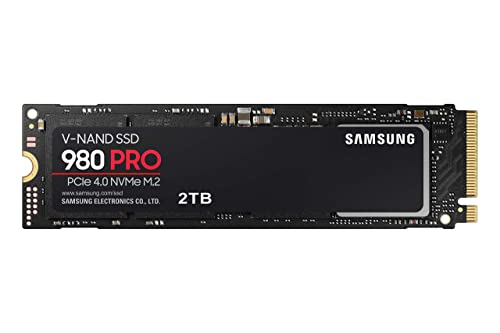
Samsung 980 PRO 2TB PCIe 4.0 NVMe SSD
Best for: PCIe 4.0 gaming desktops and laptops
- Compatibility
- Gaming (what this guide is about)
- Storage Capacity
- 2TB
- Interface
- PCIe 4.0 NVMe
- Form Factor
- M.2 2280
- Max Read Speed
- Up to 7,000 MB/s
- Cooling
- Heat spreader label
The Samsung 980 PRO is an internal M.2 2280 NVMe SSD built for gaming setups. It connects via PCIe 4.0 and delivers sequential read speeds up to 7,000 MB/s using Samsung's Elpsis controller. With 2TB of storage, you get ample room for game installations. It suits you if you need fast load times on a PCIe 4.0 system and want dedicated nickel heat spreading on the controller.
Pros
- Up to 7,000 MB/s sequential read speeds over PCIe 4.0
- Elpsis controller with nickel coating for heat management
- Heat spreader label designed for NAND thermal control
- Standard M.2 2280 form factor fits desktops and laptops
Cons
- Base model relies on a heat spreader label rather than an integrated heatsink
- Sequential read speeds peak at 7,000 MB/s, lower than PCIe 5.0 capabilities
Good fit if
- You need up to 7,000 MB/s read speeds for gaming on a PCIe 4.0 interface.
- You want 2TB of high-speed internal storage in an M.2 2280 slot.
Skip if
- You require an integrated physical heatsink without buying an upgraded variant.
- You want next-generation PCIe 5.0 bandwidth.
Verdict: Samsung 980 PRO 2TB PCIe 4.0 NVMe SSD delivers solid 7,000 MB/s read throughput and 2TB of capacity for PCIe 4.0 gaming rigs. Its built-in nickel controller coating and heat spreader label manage thermal output in standard M.2 slots.

Mushkin Gamma 2TB PCIe 4.0 NVMe SSD
Best for: high-speed QLC storage in PC and PS5 systems
- Compatibility
- PS5, Gaming (what this guide is about)
- Storage Capacity
- 2TB
- Interface
- PCIe Gen4 x4, NVMe 1.3
- Form Factor
- M.2 2280
- Max Read Speed
- 7,175 MB/s
- Max Write Speed
- 6,800 MB/s
The Mushkin Gamma 2TB Gen4 NVMe SSD is an internal M.2 2280 drive designed for desktop PCs, laptops, and PS5 gaming consoles. It runs on a PCIe 4.0 x4 interface powered by a Phison E18 controller, delivering sequential speeds up to 7,175 MB/s read and 6,800 MB/s write. It includes hardware encryption alongside high-capacity QLC flash. This drive suits you if you need fast Gen4 transfer rates for your game installations.
Pros
- Sequential read speeds up to 7,175 MB/s and write speeds up to 6,800 MB/s
- Phison E18 controller on a PCIe 4.0 x4 interface
- Hardware encryption support
- Compatibility with PS5, desktop PCs, and laptops
- Five-year limited warranty
Cons
- Uses QLC NAND flash
- Uses NVMe 1.3 protocol rather than newer standards
- No heatsink included in the specifications
Good fit if
- You need fast Gen4 sequential read speeds reaching up to 7,175 MB/s for game installs.
- You want an internal 2TB M.2 2280 drive verified for desktop PCs, laptops, or PS5 consoles.
- You require built-in hardware encryption for data security.
Skip if
- You prefer TLC flash memory over QLC NAND.
- You require an SSD built on the newer NVMe 1.4 or 2.0 protocol.
- You want an M.2 SSD that includes a factory heatsink.
Verdict: Mushkin Gamma 2TB Gen4 NVMe SSD pairs a Phison E18 controller with PCIe 4.0 speeds up to 7,175 MB/s read for PC and PS5 gaming. Its QLC configuration delivers high sequential performance backed by hardware encryption and a five-year warranty.

Inland Performance Plus 1TB NVMe SSD
Best for: PS5 and PC gamers wanting high endurance
- Compatibility
- PS5, Gaming (what this guide is about)
- Storage Capacity
- 1TB
- Interface
- PCIe Gen4 x4
- Form Factor
- 2280
- Max Read Speed
- 7,100 MB/s
- Max Write Speed
- 6,300 MB/s
This M.2 2280 PCIe Gen4 x4 drive delivers sequential read speeds up to 7,100 MB/s and write speeds up to 6,300 MB/s using an E18 controller and TLC flash. It includes a DRAM cache, 700 TBW endurance, and compatibility with the PS5. If you want fast load times and a six-year warranty for your gaming setup, this drive fits your system.
Pros
- Sequential read speeds up to 7,100 MB/s and write speeds up to 6,300 MB/s
- High endurance rating of 700 TBW with 1.6 million hours MTBF
- Onboard DRAM cache paired with 176-layer 3D TLC flash
- Six-year limited warranty coverage
Cons
- Base listing variation does not include a heatsink pre-installed
- Sequential write speed is lower than its sequential read speed
Good fit if
- You need a Gen4 SSD verified for PS5 and desktop gaming systems.
- You prioritize high write endurance and a long six-year warranty period.
Skip if
- You require single-drive capacities higher than the available 4TB option.
- You want sequential write performance that matches the 7,100 MB/s read speed.
Verdict: Inland Performance Plus 1TB NVMe SSD delivers fast Gen4 read speeds and dependable 700 TBW endurance for PS5 and PC gaming. It balances strong TLC NAND performance with an extended six-year warranty.

XPG GAMMIX S70 Blade 512GB NVMe SSD
Best for: compact high-speed Gen4 PC and PS5 gaming
- Compatibility
- Gaming (what this guide is about)
- Storage Capacity
- 512GB
- Interface
- PCIe Gen4 NVMe 1.4
- Max Read Speed
- 7,400 MB/s
- Max Write Speed
- 6,800 MB/s
- Form Factor
- M.2 2280
The XPG GAMMIX S70 Blade 512GB NVMe SSD is an M.2 2280 drive built for high-speed gaming systems. It connects over a PCIe Gen4 NVMe 1.4 interface, delivering sequential read speeds up to 7,400 MB/s and write speeds up to 6,800 MB/s on PC hardware. For console use, it reaches 6,100 MB/s read speeds inside a PlayStation 5. It suits you if you want fast Gen4 speeds in a compact 512GB capacity.
Pros
- Up to 7,400 MB/s read and 6,800 MB/s write speeds on PC
- Sequential read speeds reach 6,100 MB/s on PlayStation 5
- PCIe Gen4 NVMe 1.4 interface with backward PCIe 3.0 compatibility
- Backed by a 5-year limited manufacturer warranty
Cons
- May not function properly inside an external enclosure
- Speeds drop to 3,400 MB/s read and 3,000 MB/s write on PCIe 3.0 ports
- Requires PS5 firmware 21.02-04.00.00.42 or higher for console operation
Good fit if
- You need a fast PCIe Gen4 M.2 2280 SSD for a PC or PlayStation 5.
- You want sequential read speeds reaching up to 7,400 MB/s.
- You only require 512GB of internal storage for your system.
Skip if
- You plan to install the drive inside an external enclosure.
- You need more than 512GB of space for larger game installations.
- You run a PlayStation 5 on firmware older than version 21.02-04.00.00.42.
Verdict: XPG GAMMIX S70 Blade 512GB NVMe SSD provides fast Gen4 read speeds up to 7,400 MB/s for PC and console builds. It delivers full PCIe Gen4 bandwidth backed by a 5-year warranty for smaller storage setups.
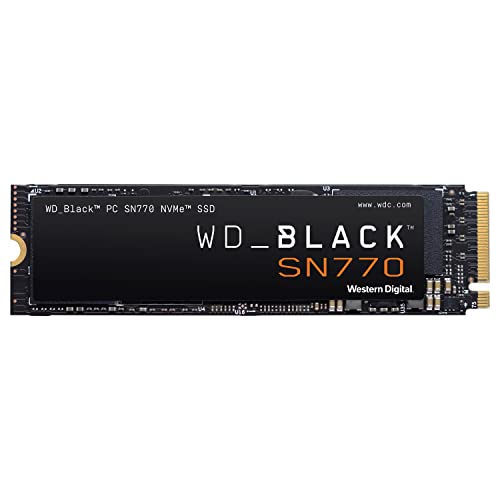
WD_BLACK SN770 2TB Gen4 NVMe SSD
Best for: PCIe Gen4 gaming rigs needing DirectStorage support
- Compatibility
- Gaming (what this guide is about)
- Storage Capacity
- 2TB
- Interface
- PCIe Gen4
- Form Factor
- M.2 2280
- Max Read Speed
- 5150MB/s
- Max Write Speed
- 4850MB/s
The WD_BLACK SN770 2TB Gen4 NVMe SSD is an internal M.2 2280 drive built for gaming storage. You get sequential read speeds up to 5,150 MB/s and sequential write performance up to 4,850 MB/s over a PCIe Gen4 interface. It also supports Microsoft DirectStorage for faster game loading. This drive fits you if you want dependable mid-range Gen4 transfer speeds alongside 2TB of dedicated game capacity.
Pros
- Sequential read speeds reach up to 5,150 MB/s and writes up to 4,850 MB/s
- Supports Microsoft DirectStorage technology for compatible games
- Backwards-compatible with PCIe Gen3 motherboards
- WD_BLACK Dashboard utility allows drive health monitoring
Cons
- WD_BLACK Dashboard software is restricted to Windows systems only
- Sequential read rate reaches 5,150 MB/s rather than top-tier Gen4 saturation
Good fit if
- You want 2TB of PCIe Gen4 storage with speeds reaching 5,150 MB/s.
- You play games built to take advantage of Microsoft DirectStorage.
Skip if
- You run a non-Windows OS and need native dashboard monitoring tools.
- You require maximum PCIe Gen4 speeds beyond 5,150 MB/s.
Verdict: WD_BLACK SN770 2TB Gen4 NVMe SSD delivers solid 5,150 MB/s read speeds and DirectStorage support in an M.2 2280 form factor. It provides a reliable balance of capacity and Gen4 performance for your gaming PC.
Specifications side by side
| Spec | KIOXIA Exceria 1TB PCIe 5.0 SSD | Seagate FireCuda 1TB 2.5-Inch SATA SSHD | Addlink S70 Lite 1TB Gen3 NVMe SSD | Samsung 970 EVO Plus 2TB NVMe M.2 SSD | Seagate FireCuda 520 1TB PCIe 4.0 SSD | Seagate FireCuda 2TB External NVMe SSD | Samsung T7 2TB Portable NVMe SSD | Gigastone 1TB 2.5-Inch SATA III SSD | GIGABYTE AORUS 1TB PCIe 4.0 NVMe SSD | WD_BLACK SN850 2TB Gen4 NVMe SSD | Samsung 980 PRO 2TB PCIe 4.0 NVMe SSD | Mushkin Gamma 2TB PCIe 4.0 NVMe SSD | Inland Performance Plus 1TB NVMe SSD | XPG GAMMIX S70 Blade 512GB NVMe SSD | WD_BLACK SN770 2TB Gen4 NVMe SSD |
|---|---|---|---|---|---|---|---|---|---|---|---|---|---|---|---|
| Storage Capacity | 1TB | 1TB | 1TB | 2TB | 1TB | 2TB | 2TB | 1TB | 1 TB | 2TB | 2TB | 2TB | 1TB | 512GB | 2TB |
| Interface | PCIe 5.0 Gen5 x4 | SATA 6GB/s | PCIe Gen3x4 | NVMe | PCIe Gen4 X4 | USB 3.2 Gen 2x2, NVMe | USB 3.2 Gen 2, PCIe NVMe | SATA III | NVMe 1.3, PCI-Express 4.0 x4 | Gen4 PCIe | PCIe 4.0 NVMe | PCIe Gen4 x4, NVMe 1.3 | PCIe Gen4 x4 | PCIe Gen4 NVMe 1.4 | PCIe Gen4 |
| Form Factor | M.2 2280 | 2.5 Inch | M.2 2280 | M.2 | not specified | External Portable | External Portable | 2.5" (7mm) | not specified | M.2 2280 | M.2 2280 | M.2 2280 | 2280 | not specified | M.2 2280 |
| Max Read Speed | not specified | not specified | Up to 3200MB/s | Up to 3,500 MB/s | Up to 5000MB/s | not specified | 1,050 MB/s | Up to 550 MB/s | Up to 5000 MB/s | 7,000 MB/s | Up to 7,000 MB/s | 7,175 MB/s | 7,100 MB/s | 7,400 MB/s | 5150MB/s |
| Max Write Speed | not specified | not specified | 2600MB/s | Up to 3,300 MB/s | Up to 4400MB/s | not specified | 1,000 MB/s | not specified | Up to 4400 MB/s | not specified | not specified | 6,800 MB/s | 6,300 MB/s | 6,800 MB/s | 4850MB/s |
| Cache Type | not specified | not specified | SLC caching | not specified | not specified | not specified | not specified | SLC Caching | DDR4 1 GB | not specified | not specified | not specified | DRAM cache | not specified | not specified |
| Cooling | not specified | not specified | not specified | not specified | not specified | Aluminum Enclosure | not specified | not specified | not specified | not specified | Heat spreader label | not specified | No Heatsink | not specified | not specified |
| Compatibility | Gaming | Laptop, Gaming | Laptop, Desktop, Gaming | Gaming | Laptop, Desktop, Gaming | Laptop, Gaming | Gaming | NAS, Gaming | Gaming | Gaming | Gaming | PS5, Gaming | PS5, Gaming | Gaming | Gaming |
| NAND Type | not specified | not specified | 3D NAND | not specified | not specified | not specified | not specified | TLC | TLC | 3D NAND | not specified | QLC | not specified | not specified | not specified |
| Security | not specified | not specified | not specified | not specified | not specified | not specified | not specified | not specified | not specified | not specified | not specified | Hardware Encryption | not specified | not specified | not specified |
| Size | 1 To | 1TB | 1TB | 2TB | 1TB | 2TB | 2TB | 1TB | not specified | 2TB | 2TB | 2TB | 1TB | 512GB | 2TB |
| Host Interface | not specified | not specified | not specified | not specified | not specified | USB-C | not specified | not specified | not specified | not specified | not specified | not specified | not specified | not specified | not specified |
| Dimensions | 3.19 × 0.09 × 0.87 inches | 3.95 × 2.75 × 0.28 inches | 3.2 × 0.8 × 0.4 inches | 0.87 × 0.9 × 3.15 inches | 3.15 × 0.87 × 0.08 inches | 4.11 × 2.07 × 0.39 inches | 3.3 × 2.2 × 0.3 inches | not specified | 5.12 × 3.15 × 1.18 inches | 3.15 × 0.87 × 0.09 inches | 0.87 × 3.15 × 0.94 inches | 3.15 × 0.87 × 0.15 inches | not specified | 3.15 × 0.87 × 0.14 inches | 3.15 × 0.87 × 0.09 inches |
| Weight | not specified | 3.39 ounces | 0.7 ounces | 0.32 ounces | not specified | 7.76 ounces | 2.08 ounces | 1.41 ounces | 3.64 pounds | not specified | 1.92 ounces | not specified | not specified | 0.35 ounces | not specified |
| Model | EXCERIA G3 | ST1000LX015 | ad1TBS70M2P | FBASAMMZV7S2T0B | ZP1000GM3A002 | STJP2000400 | MU-PC2T0H/AM | GS-SSD-8400-1TB-B | GP-AG41TB | WDS200T1X0E | MZ-V8P2T0B | MKNSSDGA2TB-D8 | Performance Plus | AGAMMIXS70B-512G-CS | WDS200T3X0E |
| Color | not specified | Black | S70 Lite | Black | 520 | Black | Blue | 1TB HIGH ENDURANCE NAS SSD 1-Pack | Black | Black | Black | Gen.4 PCIe | No Heatsink | Black | Black |
Does a gaming compatibility designation matter?
A gaming compatibility rating indicates a drive functions for game installs and active play across PCs, laptops, or consoles like the PS5. In practice, this label covers drastically different technologies. Drives with this specification span 2.5-inch SATA options up to PCIe 5.0 models delivering 1,600,000 IOPS random read. Certain drives also highlight specific features such as DirectStorage support or dedicated DDR4 cache buffers. Because gaming compatibility alone does not define speed, you must evaluate the interface and read throughput your specific system accepts.
Worth it if
- You need verified compatibility for console expansion like the PS5 or software features like DirectStorage.
- You want high throughput up to 7,400 MB/s or high random read performance for active gaming libraries.
Skip it if
- You only require basic secondary storage or general network backup where standard drives suffice.
- You assume the gaming tag automatically guarantees high-speed NVMe performance, since some options utilize SATA III interfaces.
If you need an entire portable system instead of an individual drive, you can compare factory storage configurations across best gaming laptops with 256GB SSD.
How We Picked Gaming SSDs
To select the 15 drives for this 2026 guide, we identified listings that state gaming compatibility directly in the product title or published feature list. Each entry supports gaming systems across formats such as M.2 and 2.5-inch drives. We include only one capacity or variant per drive family to keep your choices clear.
All specifications come strictly from published manufacturer listings; drives are not physically handled. To organize the list, products in stock appear first, then by Amazon sales rank, with better-selling products first. This spec-based layout lets you compare interfaces like PCIe 5.0, PCIe 4.0, and SATA III to match your gaming hardware.
How to Choose the Best Gaming SSD
-
Evaluate Sequential Read Speeds
Sequential read speeds dictate how rapidly a drive streams large blocks of contiguous game data into memory. Standard PCIe 3.0 models reach transfer marks around 3,200 MB/s to 3,500 MB/s, which satisfies basic loading requirements. Higher-tier PCIe 4.0 options push bandwidth further for demanding systems. For example, the XPG GAMMIX S70 Blade reaches sequential read rates up to 7,400 MB/s. Check your motherboard generation support before targeting top transfer ratings to ensure your system can utilize the rated throughput.
-
Compare TLC and QLC Memory
Manufacturers build gaming solid-state drives using different NAND flash types, usually Triple-Level Cell (TLC) or Quad-Level Cell (QLC). TLC flash stores three bits per cell, offering stable sustained write performance for repeated game updates. QLC stores four bits per cell, providing dense storage volume in compact designs. The KIOXIA Exceria 1TB uses 3D QLC memory to reach up to 1,600,000 IOPS random read performance. Review the NAND type in the spec table to match your storage density preference.
-
Check for Dedicated DRAM Cache
Look at whether an internal solid-state drive includes an onboard volatile memory buffer. A dedicated DRAM cache stores mapping tables directly on the card, preventing delay when retrieving stored file locations during gaming sessions. For instance, the GIGABYTE AORUS 1TB features a dedicated 1 GB DDR4 cache buffer alongside its TLC flash memory. Drives without onboard RAM rely on alternative caching configurations, so review the cache specifications if sustained random access is a priority for your build.
-
Review Terabytes Written Endurance
A drive's endurance rating indicates how much total data you can write to the flash cells before memory wear occurs. This figure appears as Terabytes Written, or TBW. Gamers who routinely install modern titles, patch multi-gigabyte updates, and delete old files need higher endurance ratings to protect longevity. For example, the Samsung 970 EVO Plus provides an endurance rating of 1,200 TBW on its 2TB model. Check this published value if your library involves frequent writing cycles.
-
Inspect Integrated Thermal Management
High-speed PCIe controllers generate concentrated heat during extended gaming sessions and heavy asset installations. Operating temperatures require mitigation to avoid thermal throttling down to lower transfer speeds. Examine what cooling hardware the drive includes from the factory. The Samsung 980 PRO utilizes a specialized nickel controller coating paired with a heat spreader label to disperse heat in compact desktop or laptop installations. Check your hardware clearance to determine whether a drive with pre-applied heat spreaders fits your slot.
-
Verify Hardware Encryption Capabilities
If you use your gaming computer for personal records or portable storage across multiple environments, evaluate the drive's integrated security features. Hardware encryption encodes your stored data directly through the drive controller without putting processing loads on your main system processor. For instance, the Mushkin Gamma 2TB Gen4 SSD specifies built-in hardware encryption alongside its Phison E18 controller. Confirm whether the listed specifications include hardware-level security if protecting offline files is essential for your setup.
Frequently asked questions
What read speeds should you expect from a PCIe 4.0 gaming NVMe SSD?
PCIe 4.0 gaming drives typically provide transfer rates between 5,000 MB/s and 7,400 MB/s. For example, the GIGABYTE AORUS Gen4 achieves up to 5,000 MB/s, while the WD_BLACK SN850 hits 7,000 MB/s and the XPG GAMMIX S70 Blade tops out at 7,400 MB/s. These metrics represent substantial bandwidth jumps over older PCIe 3.0 interfaces for rapid game loading.
Can you install an internal NVMe SSD into a PS5 console?
Yes, you can install an M.2 NVMe SSD into a PS5 if the drive specifies console compatibility. Models like the Mushkin Gamma 2TB and Inland Performance Plus 1TB state PS5 compatibility in their specifications. When selecting an expansion drive for this setup, verify that your drive matches the physical M.2 slot constraints and interface speed requirements before installation.
What role does DRAM cache play on a gaming SSD?
A dedicated DRAM cache stores directory mapping tables to maintain rapid data retrieval during intensive gaming operations. Drives such as the GIGABYTE AORUS Gen4 include a dedicated 1 GB DDR4 cache buffer to manage file tracking. While DRAMless models still function for standard installations, integrated cache buffers help the drive organize repeated read and write requests efficiently under sustained workloads.
How does QLC NAND differ from TLC NAND in gaming drives?
QLC NAND stores four bits per cell for high storage density, while TLC stores three bits per cell. Models like the KIOXIA Exceria G3 utilize 3D QLC memory to provide high capacity and up to 1,600,000 IOPS random read speeds. In contrast, TLC options like the Inland Performance Plus 1TB emphasize sustained endurance, delivering ratings such as 700 TBW.
Should you choose an external USB-C drive or an internal M.2 SSD for gaming?
You should choose based on portability versus direct motherboard bandwidth. Internal M.2 drives plug directly into PCIe lanes for maximum throughput, while external drives provide portable game storage over USB cables. For example, the Seagate FireCuda External SSD hits 2,000 MB/s over USB-C, and the Samsung T7 offers 1,050 MB/s. External models suit players moving games between PCs.
What is the benefit of DirectStorage technology on a gaming SSD?
DirectStorage allows an NVMe SSD to transfer compressed game assets directly to your graphics card memory without overloading the processor. Drives like the WD_BLACK SN770 2TB feature DirectStorage support along with 5,150 MB/s read speeds. This data transfer path reduces asset loading times and helps streamline high-fidelity world rendering in games designed to utilize modern storage pipelines.
How do thermal solutions protect NVMe SSD performance during gaming?
Integrated thermal features manage operating temperatures to prevent the controller from throttling transfer speeds during prolonged gaming sessions. For example, the Samsung 980 PRO 2TB incorporates a nickel controller coating and a heat spreader label to dissipate heat within standard M.2 slots. Keeping operating temperatures down helps the SSD sustain steady throughput while loading demanding game files.