Corsair Nvme SSDs: 9 Picks Ranked by Specs
As an Amazon Associate we earn from qualifying purchases. Links on this page are affiliate links.
Choosing the right corsair nvme SSD depends on your system interface and storage requirements. Corsair offers internal M.2 2280 and M.2 2242 form factors alongside compact portable drives, with sizes ranging from 1TB to 4TB. This guide compares 9 products based on the specifications published on their listings.
The Corsair MP400 2TB Gen3 NVMe M.2 SSD leads our rankings because it provides dependable capacity for high-capacity PCIe Gen3 motherboard storage upgrades. You can use these specifications to find the right drive for your build.
Quick picks
Our 9 picks

Corsair MP400 2TB Gen3 NVMe M.2 SSD
Best for: high-capacity PCIe Gen3 motherboard storage upgrades
- Storage Capacity
- 2TB
- Interface
- PCIe Gen3 x4, NVMe
- Form Factor
- M.2 2280
- Max Read Speed
- 3,480 MB/s
- Max Write Speed
- 3,000 MB/s
- NAND Type
- QLC
The Corsair MP400 2TB Gen3 NVMe SSD provides large solid-state capacity on an M.2 2280 form factor. It operates over a PCIe Gen3 x4 interface, reaching sequential read speeds up to 3,480 MB/s and sequential write speeds up to 3,000 MB/s. Built with 3D QLC NAND, it offers an endurance rating of 400TBW and includes a five-year warranty. This drive suits you if you need everyday storage expansion for your motherboard.
Pros
- Sequential read speeds reach up to 3,480 MB/s and write speeds reach up to 3,000 MB/s
- Standard M.2 2280 form factor connects directly to compatible motherboards
- Supported by CORSAIR SSD Toolbox software for drive maintenance
- Comes backed by a five-year warranty
Cons
- Uses PCIe Gen3 x4 rather than faster PCIe Gen4 or Gen5 interfaces
- 3D QLC NAND limits total endurance to 400TB Written
Good fit if
- You need 2TB of high-density M.2 storage for a PCIe Gen3 system.
- You want direct desktop drive control via CORSAIR SSD Toolbox software.
Skip if
- You require Gen4 or Gen5 speeds exceeding 3,480 MB/s.
- You run write-intensive workloads needing more than 400TBW endurance.
Verdict: Corsair MP400 2TB Gen3 NVMe SSD provides dependable PCIe Gen3 throughput and high-density 3D QLC storage in an M.2 2280 design. It functions well for standard motherboard storage expansion.

Corsair MP600 PRO LPX 1TB Gen4 SSD with Heatsink
Best for: PS5 console storage expansion
- Storage Capacity
- 1TB
- Interface
- PCIe Gen4 x4
- Form Factor
- M.2
- Max Read Speed
- Up to 7,100MB/sec
- Max Write Speed
- 5,800MB/sec
- Cooling
- Low-Profile Aluminum Heatspreader
View on Amazon: Corsair MP600 PRO LPX 1TB Gen4 SSD with Heatsink
The Corsair MP600 PRO LPX 1TB is a PCIe Gen4 x4 M.2 NVMe 1.4 SSD built for gaming consoles and PCs. It delivers sequential read speeds up to 7,100 MB/s and sequential write speeds up to 6,800 MB/s. With an included low-profile aluminum heatspreader measuring 0.43 inches high, this drive fits PlayStation 5 expansion slots right away. It suits you if you want fast, ready-to-install storage for your game library.
Pros
- Sequential read speeds reach up to 7,100 MB/s
- Pre-installed low-profile aluminum heatspreader
- Meets Sony PS5 M.2 expansion performance requirements
- PCIe Gen4 x4 interface using NVMe 1.4
Cons
- Height of 0.43 inches limits clearance in compact laptop slots
- Sequential write speed of 6,800 MB/s is lower than the read speed
Good fit if
- You need a plug-and-play PCIe Gen4 SSD for a PS5 console.
- You want an integrated aluminum heatspreader to manage temperatures.
- You require sequential reads up to 7,100 MB/s for fast loading.
Skip if
- You need an ultra-thin bare drive for a compact laptop slot.
- You require larger capacity options like 2TB or 4TB for broad libraries.
Verdict: Corsair MP600 PRO LPX 1TB Gen4 NVMe SSD delivers fast Gen4 transfer rates paired with a pre-fitted low-profile heatsink. It provides a straightforward, high-speed storage upgrade designed specifically for PS5 consoles and compatible desktop PCs.

Corsair MP700 PRO 1TB PCIe 5.0 SSD
Best for: PCIe 5.0 systems with motherboard heatsinks
- Storage Capacity
- 1TB
- Interface
- PCIe Gen5 x4
- Form Factor
- M.2 2280
- Max Read Speed
- 11,700MB/sec
- NAND Type
- TLC
- Dimensions
- 0.87 × 3.15 × 0.12 inches
The Corsair MP700 PRO 1TB is an M.2 2280 internal drive powered by a PCIe Gen5 x4 interface and 3D TLC NAND flash. It supports NVMe 2.0 and delivers sequential read speeds up to 11,700 MB/s alongside Microsoft DirectStorage compatibility. It fits you if you own an Intel Z790 or AMD X670 system with dedicated M.2 cooling and want maximum bandwidth for storage tasks.
Pros
- PCIe Gen5 x4 interface supporting NVMe 2.0
- Sequential read speeds reach up to 11,700 MB/s
- High-density 3D TLC NAND flash memory
- Supports Microsoft DirectStorage for compatible graphics cards
Cons
- Requires separate SSD cooling for operation
- Base model does not include an integrated cooler
- Full bandwidth requires newer Intel Z790 or AMD X670 platforms
Good fit if
- You run a motherboard supporting PCIe 5.0 M.2 slots.
- You have existing M.2 heatsink cooling installed in your chassis.
- You want sequential read performance reaching 11,700 MB/s.
Skip if
- You do not have a heatsink or cooler for the M.2 slot.
- You are using a motherboard limited to PCIe Gen4 or older.
Verdict: Corsair MP700 PRO 1TB PCIe 5.0 SSD delivers extreme sequential throughput for modern platforms. You must supply your own thermal solution to satisfy its required cooling.

Corsair MP700 Elite 1TB PCIe 5.0 SSD
Best for: entry-level PCIe 5.0 desktop builds
- Storage Capacity
- 1TB
- Interface
- PCIe 5.0 x4
- Max Read Speed
- Up to 10,000MB/s
- Max Write Speed
- Up to 8,500MB/s
- Form Factor
- M.2 2280
- NAND Type
- TLC
The Corsair MP700 Elite 1TB is a PCIe 5.0 x4 NVMe solid-state drive in a standard M.2 2280 form factor. It delivers sequential read speeds up to 10,000MB/s and sequential write speeds up to 8,500MB/s using 3D TLC NAND flash. Rated for 1,200TB Written, it suits you if you want entry Gen5 transfer rates and DirectStorage support for fast game loading on compatible hardware.
Pros
- PCIe 5.0 x4 sequential read speeds reaching up to 10,000MB/s
- Sequential write performance up to 8,500MB/s
- High endurance rating of up to 1,200TB Written
- Supports Microsoft DirectStorage with compatible graphics hardware
Cons
- Sequential write rate of 8,500MB/s trails its 10,000MB/s read ceiling
- DirectStorage requires a DirectX 12 GPU with Shader Model 6.0 support
- Standard model lacks an included heatspreader
Good fit if
- You have a PCIe 5.0 motherboard slot ready for up to 10,000MB/s reads.
- You want durable 3D TLC NAND backed by a 1,200TBW endurance rating.
- You run a compatible DirectX 12 GPU to take advantage of DirectStorage.
Skip if
- You need sequential read performance beyond 10,000MB/s.
- You require more than 1TB of storage on a single drive.
Verdict: Corsair MP700 Elite 1TB PCIe 5.0 SSD delivers balanced Gen5 performance with up to 10,000MB/s reads and solid 1,200TBW endurance. It serves as a practical entry point into PCIe 5.0 storage for modern desktop systems.

Corsair MP600 Micro 1TB Gen4 NVMe SSD
Best for: handheld gaming PCs and compact laptops
- Storage Capacity
- 1TB
- Interface
- PCIe 4.0 x4
- Form Factor
- M.2 2242
- Max Read Speed
- 7,000MB/sec
- Max Write Speed
- 6,200MB/sec
- Compatibility
- Laptop
The Corsair MP600 Micro 1TB is a compact PCIe 4.0 NVMe drive built in the smaller M.2 2242 form factor. It uses 3D TLC NAND to deliver sequential read speeds up to 7,000MB/s and sequential writes up to 6,200MB/s. If you need Gen4 transfer rates inside small devices like the Lenovo Legion Go or slim laptops with 42mm slots, this drive provides high-speed storage in a tight footprint.
Pros
- Sequential read speeds reach up to 7,000MB/s and writes up to 6,200MB/s
- Compact M.2 2242 form factor fits thin laptops and the Lenovo Legion Go
- High-density 3D TLC NAND flash architecture
Cons
- Requires a 42mm mounting slot rather than the standard M.2 2280 length
- Performance drops automatically when used in older PCIe Gen3 systems
Good fit if
- You own a handheld console or compact laptop that accepts M.2 2242 drives.
- You want PCIe 4.0 read speeds up to 7,000MB/s in a small form factor.
- You prefer 3D TLC NAND memory for your operating system and game storage.
Skip if
- You need a standard full-length M.2 2280 drive for a desktop motherboard.
- You only have a PCIe Gen3 slot and want to avoid reduced interface speeds.
Verdict: Corsair MP600 Micro 1TB M.2 2242 SSD provides up to 7,000MB/s Gen4 transfer speeds in a compact 42mm size. It delivers fast TLC storage for compatible handheld devices and slim laptops.

Corsair EX300U 1TB Portable USB-C SSD
Best for: MagSafe mobile storage and on-the-go USB-C backups
- Storage Capacity
- 1TB
- Interface
- USB 3.2 Type-C Gen 2
- Form Factor
- External
- Max Read Speed
- Up to 1,100MB/sec
- Max Write Speed
- 1,100MB/sec
- Compatibility
- Mac
The Corsair EX300U 1TB Portable USB-C SSD gives you pocket-sized external storage with a USB 3.2 Gen 2 Type-C interface. It delivers sequential transfer speeds up to 1,100MB/s read and 1,100MB/s write across Windows, macOS, iOS, iPadOS, and Android. A built-in MagSafe-compatible magnetic ring lets you attach the 0.08-pound drive directly to mobile phones or metal surfaces, making it a practical pick if you need portable, multiplatform external storage on the go.
Pros
- Up to 1,100MB/s sequential read and write speeds
- USB 3.2 Gen 2 Type-C interface with up to 10Gbps bandwidth
- MagSafe-compatible magnetic ring attaches directly to phones and metal surfaces
- Multiplatform compatibility across Windows, macOS, iOS, iPadOS, and Android
- Compact 2.53-inch square footprint weighing under 0.09 pounds
Cons
- Transfer speeds max out at 1,100MB/s unlike faster internal M.2 SSDs
- Uses USB 3.2 Gen 2 rather than faster USB4 connectivity
Good fit if
- You need portable external storage compatible with phones, tablets, and computers.
- You want a MagSafe-compatible magnetic drive to mount directly to your phone.
- You want a lightweight drive weighing under 0.09 pounds for mobile travel.
Skip if
- You need internal M.2 NVMe storage speeds exceeding 1,100MB/s.
- You require high-bandwidth USB4 connection speeds for large file transfers.
Verdict: Corsair EX300U 1TB Portable USB-C SSD delivers 1,100MB/s transfer speeds and convenient MagSafe mounting across multiple operating systems. It is an effective solution when you want compact, magnetic external storage for your phone or laptop.
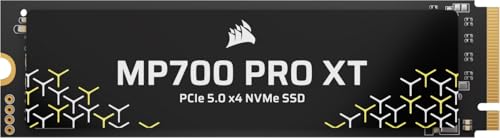
Corsair MP700 PRO XT 2TB PCIe 5.0 SSD
Best for: PCIe 5.0 gaming rigs needing peak speeds
- Storage Capacity
- 2TB
- Interface
- PCIe 5.0 x4, NVMe 2.0
- Form Factor
- M.2
- Max Read Speed
- 14,900 MB/s
- Max Write Speed
- 14,500 MB/s
- Compatibility
- Gaming
The Corsair MP700 PRO XT 2TB is an internal M.2 NVMe SSD using a PCIe 5.0 x4 interface and 3D TLC NAND. It delivers sequential read speeds up to 14,900 MB/s and sequential write speeds up to 14,500 MB/s. It suits you if your motherboard supports PCIe Gen5 and you want high throughput for gaming or heavy file transfers.
Pros
- Sequential read speeds reach up to 14,900 MB/s
- Sequential write speeds reach up to 14,500 MB/s
- Uses a PCIe 5.0 x4 interface with NVMe 2.0
- Built with high-density 3D TLC NAND
Cons
- No integrated heatsink included on the 0.09-inch thin drive
- Requires PCIe 5.0 motherboard support to reach maximum rated speeds
Good fit if
- You have a PCIe 5.0 M.2 slot on your motherboard
- You need sequential transfer rates up to 14,900 MB/s for gaming loads
Skip if
- You use a system limited to PCIe 4.0 or PCIe 3.0 slots
- You lack a motherboard M.2 heatsink to manage drive temperatures
Verdict: Corsair MP700 PRO XT 2TB PCIe 5.0 SSD provides top-tier sequential speeds up to 14,900 MB/s for modern Gen5 gaming setups. It requires compatible motherboard hardware and adequate cooling to achieve its rated transfer rates.

Corsair EX400U Survivor 1TB Rugged External SSD
Best for: rugged high-speed portable USB4 storage
- Storage Capacity
- 1TB
- Interface
- USB4
- Form Factor
- External SSD
- Max Read Speed
- 4,000 MB/s
- Max Write Speed
- 3,600 MB/s
- Compatibility
- Mac
View on Amazon: Corsair EX400U Survivor 1TB Rugged External SSD
The Corsair EX400U Survivor 1TB Rugged External SSD delivers portable NVMe storage over a USB4 interface. It reaches sequential read speeds up to 4,000MB/s and write speeds up to 3,600MB/s when connected to USB4 or Thunderbolt 4 ports. Built with an IP55-rated water- and dust-resistant shell, it weighs 0.18 pounds. You will find it suitable if you need fast external storage for editing large files between PC, Mac, or iPad systems.
Pros
- Up to 4,000MB/s sequential read and 3,600MB/s sequential write speeds
- USB4 interface offering up to 40Gbps data bandwidth
- IP55 water- and dust-resistant exterior protection
- Lightweight build weighing 0.18 pounds
Cons
- Full transfer speeds require USB4 or Thunderbolt 4 ports
- External enclosure form factor instead of internal M.2 installation
Good fit if
- You need portable storage with read speeds up to 4,000MB/s.
- You want an IP55-rated protective shell for field use.
- You move files across USB-C laptops, desktops, and iPadOS devices.
Skip if
- You need an internal M.2 NVMe drive for a PCIe slot.
- You only have older USB-A or standard USB 3.2 ports.
Verdict: Corsair EX400U Survivor 1TB Rugged External SSD brings high NVMe throughput to a compact, IP55-rated enclosure. It delivers peak performance when paired with host hardware featuring USB4 or Thunderbolt 4 connectivity.

Corsair MP700 PRO SE 4TB PCIe 5.0 SSD
Best for: PCIe 5.0 systems needing high-speed 4TB storage
- Storage Capacity
- 4TB
- Interface
- PCIe 5.0 x4, NVMe 2.0
- Form Factor
- M.2 2280
- Max Read Speed
- Up to 14,000MB/sec
- Max Write Speed
- 12,000MB/sec
- NAND Type
- TLC
The Corsair MP700 PRO SE is a high-capacity 4TB M.2 2280 drive built for PCIe 5.0 motherboards. It delivers sequential read speeds up to 14,000MB/s and sequential write speeds up to 12,000MB/s using 3D TLC NAND flash memory. It also supports Microsoft DirectStorage with compatible graphics hardware. This drive suits you if you need maximum throughput and large internal storage for demanding data workloads or fast system boots.
Pros
- Up to 14,000MB/s sequential read and 12,000MB/s sequential write speeds
- Generous 4TB capacity using high-density 3D TLC NAND
- PCIe 5.0 x4 interface running on the NVMe 2.0 standard
- Microsoft DirectStorage support for compatible gaming hardware
Cons
- Requires separate SSD cooling hardware to run
- Full DirectStorage capability requires a DirectX12 GPU with Shader Model 6.0
Good fit if
- You have a PCIe 5.0 motherboard such as an Intel Z790 or AMD X670 system.
- You want 4TB of capacity alongside sequential read rates reaching 14,000MB/s.
- You already own a motherboard heatsink or custom M.2 cooling solution.
Skip if
- You lack dedicated M.2 cooling in your PC setup.
- You use an older motherboard without PCIe 5.0 slots.
Verdict: Corsair MP700 PRO SE 4TB PCIe 5.0 SSD delivers sequential speeds up to 14,000MB/s across a high-capacity 4TB footprint. It is built strictly for modern PCIe 5.0 motherboards that provide dedicated M.2 cooling.
Specifications side by side
| Spec | Corsair MP400 2TB Gen3 NVMe M.2 SSD | Corsair MP600 PRO LPX 1TB Gen4 SSD with Heatsink | Corsair MP700 PRO 1TB PCIe 5.0 SSD | Corsair MP700 Elite 1TB PCIe 5.0 SSD | Corsair MP600 Micro 1TB Gen4 NVMe SSD | Corsair EX300U 1TB Portable USB-C SSD | Corsair MP700 PRO XT 2TB PCIe 5.0 SSD | Corsair EX400U Survivor 1TB Rugged External SSD | Corsair MP700 PRO SE 4TB PCIe 5.0 SSD |
|---|---|---|---|---|---|---|---|---|---|
| Storage Capacity | 2TB | 1TB | 1TB | 1TB | 1TB | 1TB | 2TB | 1TB | 4TB |
| Interface | PCIe Gen3 x4, NVMe | PCIe Gen4 x4 | PCIe Gen5 x4 | PCIe 5.0 x4 | PCIe 4.0 x4 | USB 3.2 Type-C Gen 2 | PCIe 5.0 x4, NVMe 2.0 | USB4 | PCIe 5.0 x4, NVMe 2.0 |
| Form Factor | M.2 2280 | M.2 | M.2 2280 | not specified | M.2 2242 | External | M.2 | External SSD | M.2 2280 |
| Max Read Speed | 3,480 MB/s | Up to 7,100MB/sec | 11,700MB/sec | Up to 10,000MB/s | 7,000MB/sec | Up to 1,100MB/sec | 14,900 MB/s | 4,000 MB/s | Up to 14,000MB/sec |
| Max Write Speed | 3,000 MB/s | 5,800MB/sec | not specified | Up to 8,500MB/s | 6,200MB/sec | 1,100MB/sec | 14,500 MB/s | 3,600 MB/s | 12,000MB/sec |
| Cooling | not specified | Low-Profile Aluminum Heatspreader | not specified | not specified | not specified | not specified | not specified | not specified | not specified |
| Compatibility | not specified | PS5 | not specified | not specified | Laptop | Mac | Gaming | Mac | not specified |
| NAND Type | QLC | not specified | TLC | TLC | TLC | not specified | not specified | not specified | TLC |
| Size | 2TB | 1TB | 1TB | 1TB | 1TB | not specified | 2TB | 1TB | 4TB |
| Host Interface | not specified | not specified | not specified | not specified | not specified | USB-C | not specified | not specified | not specified |
| Dimensions | 0.87 × 3.15 × 0.08 inches | 3.15 × 0.91 × 0.43 inches | 0.87 × 3.15 × 0.12 inches | 3.15 × 0.87 × 0.09 inches | 0.87 × 1.65 × 0.12 inches | 2.53 × 2.52 × 0.47 inches | 3.17 × 0.87 × 0.09 inches | 3.23 × 1.57 × 0.67 inches | 3.17 × 0.87 × 0.09 inches |
| Weight | not specified | 1.41 ounces | not specified | not specified | not specified | 1.33 ounces | not specified | 2.82 ounces | not specified |
| Color | Black | Black | Black | Black | Black | Gray (1TB) | Black | Black | Black |
| Model | CSSD-F2000GBMP400R2 | CSSD-F1000GBMP600PLP | CSSD-F1000GBMP700PNH | CSSD-F1000GBMP700ENH | CSSD-F1000GBMP600MCR2 | CSSD-EX300U1TB | CSSD-F20GBMP700PXNH | CSSD-EX400US1TB | CSSD-F4000GBMP700PNHS |
Understanding the Corsair SSD Lineup
Internal drives divide by interface speed and form factor. High-speed PCIe 5.0 options like the Corsair MP700 PRO SE reach 14,000MB/s and require motherboard heatsinks, targeting cutting-edge desktop builds. Mainstream builders can choose PCIe 4.0 or Gen3 drives instead. The Corsair MP600 PRO LPX features an integrated heatsink sized for PS5 consoles, while the Corsair MP400 relies on QLC flash for standard motherboard slots.
External drives focus on portable connectivity. The Corsair EX300U offers 1,100MB/s transfers over USB-C for mobile phones and laptops, while IP55-rated enclosures protect data in transit. You should select an internal PCIe drive for direct motherboard integration and fast boot drives. Choose a portable USB model when you need off-system backups or cross-device file sharing.
Where Corsair SSDs Fit Best
Corsair fits setups needing 1TB to 4TB capacities across internal M.2 and external USB drives. Form factors range from standard M.2 2280 sticks to compact M.2 2242 cards and pocket-sized portable enclosures. None of the listed products include RGB lighting.
The range also has notable spec gaps. You will find no capacities under 1TB and none over 4TB. Cooling is another factor. Only one Gen4 SSD supplies an integrated heatsink. Every PCIe 5.0 option lacks a built-in cooler, requiring your motherboard to supply thermal hardware.
If you balance system airflow around your drive, you can compare the best corsair case fans by CFM specs.
Key Specs for Choosing Corsair SSDs
-
Verify Physical Form Factor
Check your system drive bay specifications before buying an internal drive. Most standard desktop motherboards and full-size laptops accept M.2 2280 drives measuring 80 millimeters long. Handheld gaming systems and ultra-compact notebooks often mandate shorter hardware. The Corsair MP600 Micro uses an M.2 2242 form factor measuring 42 millimeters in length. Installing an 80-millimeter drive into a 42-millimeter space is physically impossible. You must verify the maximum supported card length in your device manual before selecting your SSD.
-
Compare NAND Flash Types
Look closely at the NAND memory architecture listed on the spec sheet. Corsair uses both TLC and QLC NAND across its internal lineup. Triple-level cell NAND stores three bits per cell and delivers higher endurance for write-heavy workloads. Quad-level cell designs store four bits per cell, which provides dense storage capacity. The Corsair MP400 uses 3D QLC memory to supply 2TB of space for everyday expansion. If you write massive files daily, pick TLC drives. Choose QLC when you prioritize raw capacity for general file storage.
-
Account for Thermal Clearance
Examine the cooling hardware included with the drive versus your installation slot. High-speed NVMe drives generate heat under heavy transfer loads. Some drives come bare and require your motherboard to supply a dedicated metal heatsink. Other models include pre-installed cooling blocks. The Corsair MP600 PRO LPX includes a low-profile heatsink sized specifically to clear the internal expansion bay of a PS5 console. If you install an SSD inside a cramped enclosure or console, verify whether the physical height clears clearance limits before choosing a bare or pre-heatsinked drive.
-
Match External Port Standards
Check the connection standard on your host computer when choosing a portable SSD. Standard USB-C ports cap transfer rates around 1,100MB/s, which matches everyday portable backup needs. If you require maximum external throughput, confirm that your host machine supports USB4 or Thunderbolt 4 ports. The Corsair EX400U Survivor leverages USB4 connectivity alongside an IP55 water- and dust-resistant enclosure. Matching an external drive to your fastest available port prevents connection bottlenecks. If your computer only features standard USB ports, you will not access full USB4 transfer capabilities.
-
Check PCIe Generation Support
Review the PCIe generation of your motherboard's M.2 slots prior to purchase. PCIe generations are backward-compatible, but drives run only at the speed of the host slot. A Gen5 drive plugged into a Gen4 slot will operate at Gen4 speeds. The Corsair MP700 PRO XT achieves up to 14,900 MB/s, but only when installed in an active PCIe 5.0 slot with proper cooling. Check your CPU and motherboard documentation. You avoid wasting unused bandwidth by selecting an SSD that matches your platform's native interface generation.
-
Evaluate Terabytes Written Ratings
Check the Terabytes Written specification to evaluate drive lifespan under constant data writes. TBW measures the total amount of data you can write to the drive over its operational lifespan. The Corsair MP700 Elite lists a 1,200TBW endurance rating for its 1TB capacity. Users who install operating systems and games rarely exhaust standard endurance thresholds. If you edit high-bitrate video, render large 3D files, or continuously transfer huge archives, prioritize drives with higher TBW numbers. Matching endurance to your workload ensures long-term storage stability.
Frequently asked questions
Which Corsair NVMe SSD works best for the PlayStation 5?
The Corsair MP600 PRO LPX 1TB is engineered directly for PS5 console storage expansion. It features a pre-fitted low-profile heatsink that fits standard console clearance requirements, alongside PCIe Gen4 interface transfer speeds. You can install it straight into the internal expansion bay without needing an aftermarket cooler.
What is the fastest Corsair PCIe 5.0 SSD on this list?
The Corsair MP700 PRO XT 2TB delivers the highest rated speed, achieving sequential rates up to 14,900 MB/s over PCIe 5.0. It exceeds the MP700 PRO SE 4TB, which reaches 14,000MB/s. Both drives target high-end Gen5 motherboard builds and require dedicated cooling solutions to maintain peak data throughput.
Do Corsair PCIe 5.0 SSDs require additional cooling?
Yes, Corsair PCIe 5.0 drives require dedicated thermal management to function properly. Models such as the MP700 PRO 1TB and MP700 PRO SE 4TB do not ship with integrated coolers. You must install them under a compatible motherboard heatsink or an adequate thermal solution to satisfy operational cooling requirements during continuous workloads.
Which Corsair SSD fits compact handheld gaming PCs?
The Corsair MP600 Micro 1TB is designed specifically for handheld gaming PCs and slim laptops. It uses a smaller M.2 2242 form factor measuring 42mm in length rather than standard 80mm cards. The drive utilizes TLC flash memory and delivers PCIe Gen4 read speeds reaching up to 7,000MB/s.
What is the difference between QLC and TLC in Corsair drives?
The difference lies in flash cell density and workload endurance. The Corsair MP400 2TB uses high-density 3D QLC memory, fitting high-capacity PCIe Gen3 storage expansions. Drives like the Corsair MP700 Elite and MP600 Micro feature TLC flash, which provides higher endurance ratings, such as 1,200TBW on the MP700 Elite.
What host connection does the Corsair EX400U Survivor SSD use?
The Corsair EX400U Survivor 1TB external SSD achieves peak data performance using USB4 or Thunderbolt 4 host ports. This rugged drive features an IP55 rating against dust and water ingress in a compact housing. It is also compatible with Mac systems to deliver fast NVMe data transfers on the go.
Can you attach the Corsair EX300U portable SSD magnetically?
Yes, the Corsair EX300U 1TB Portable USB-C SSD features MagSafe mounting support for direct magnetic attachment to compatible phones and laptops. It transfers data at up to 1,100MB/s through its USB-C host interface. The drive works across multiple operating systems, including Mac, providing straightforward pocket storage for backups.