Corsair MP400 2TB Gen3 NVMe vs Corsair MP700 PRO XT 2TB: Spec Comparison
As an Amazon Associate we earn from qualifying purchases. Links on this page are affiliate links.
We compare the corsair mp400 2tb m 2 nvme vs mp700 pro xt 2tb to help you choose. Both drives offer 2TB of storage in a compact M.2 2280 package. They share the same physical footprint for easy installation. The main difference lies in their interface generation and speed. The MP400 uses Gen3 technology, while the MP700 PRO XT utilizes Gen5. This gap creates a significant performance divide for different use cases.
Key differences
| Aspect | Corsair MP400 2TB Gen3 NVMe M.2 SSD | Corsair MP700 PRO XT 2TB PCIe 5.0 SSD |
|---|---|---|
| Interface | PCIe Gen3 x4, NVMe | PCIe 5.0 x4, NVMe 2.0 |
| Max Read Speed | 3,480 MB/s | 14,900 MB/s |
| Max Write Speed | 3,000 MB/s | 14,500 MB/s |
| NAND Type | 3D QLC | 3D TLC |
| Endurance (TBW) | 400TB | 5,600TB |
Which one should you choose?
Choose Corsair MP400 2TB Gen3 NVMe M.2 SSD if
- You need a drive that fits older motherboards with PCIe Gen3 slots.
- You prioritize lower power consumption and heat generation for passive cooling builds.
- You want a cost-effective solution for general computing and storage.
Choose Corsair MP700 PRO XT 2TB PCIe 5.0 SSD if
- You require maximum sequential transfer speeds for large file handling.
- You are building a modern system with PCIe Gen5 support.
- You need higher endurance ratings for heavy write workloads.
Verdict: The MP400 suits users with Gen3 hardware or those seeking efficient, reliable storage for everyday tasks. The MP700 PRO XT is the clear choice for enthusiasts needing Gen5 speeds and superior endurance. Your decision depends entirely on your motherboard's capabilities and performance needs.
MP400 vs MP700 PRO XT Specs
Transfer Speed
The Corsair MP700 PRO XT delivers significantly higher sequential speeds. Its maximum read speed reaches 14,900 MB/s, while write speeds hit 14,500 MB/s. This makes it ideal for moving massive files or loading large game assets quickly. In contrast, the Corsair MP400 2TB Gen3 NVMe offers more modest performance. Its sequential read speed tops out at 3,480 MB/s, with write speeds at 3,000 MB/s. While adequate for general storage tasks, the MP700 PRO XT is clearly superior for bandwidth-intensive workflows. You will notice the difference if you frequently transfer large datasets.
Interface
The two drives use different generations of the PCIe standard. The MP700 PRO XT utilizes the PCIe 5.0 x4 interface combined with NVMe 2.0. This newer standard provides a much wider bandwidth for data transfer. The MP400 2TB Gen3 NVMe relies on the older PCIe Gen3 x4 interface. While Gen3 is still widely compatible and reliable, it cannot match the raw throughput potential of Gen5. If your motherboard supports PCIe 5.0, the MP700 PRO XT can fully utilize its capabilities. Otherwise, you are limited to the MP400's Gen3 speeds. The interface choice directly impacts maximum performance potential.
NAND Type
NAND flash memory type affects endurance and density. The MP400 2TB Gen3 NVMe uses high-density 3D QLC NAND. QLC stores four bits per cell, offering more capacity per dollar but generally lower endurance. The MP700 PRO XT uses high-density 3D TLC NAND. TLC stores three bits per cell, typically providing better performance consistency and higher endurance ratings. The MP700 PRO XT is rated for up to 5,600 TB Written, whereas the MP400 is rated for 400 TB Written. For heavy write workloads, the TLC NAND in the MP700 PRO XT offers greater longevity.
Endurance
Endurance ratings indicate how much data you can write before the drive wears out. The MP700 PRO XT boasts an impressive endurance rating of up to 5,600 TB Written. This is suitable for professional workstations or heavy gaming setups. The MP400 2TB Gen3 NVMe has a rated endurance of 400 TB Written. While this is sufficient for most average users, it is significantly lower than the MP700 PRO XT. If you plan to constantly overwrite large files, the higher endurance of the MP700 PRO XT provides more peace of mind. Both drives come with a five-year warranty.
Compatibility
Compatibility depends on your motherboard's supported PCIe generation. The MP400 2TB Gen3 NVMe uses a Gen3 interface, ensuring wide-ranging compatibility with older and current motherboards. It fits into any M.2 slot that supports PCIe Gen3 or Gen4. The MP700 PRO XT requires a PCIe 5.0 slot to achieve its full speed potential. While it may work in older slots, it will be bottlenecked. The MP400 is the safer choice for older systems. The MP700 PRO XT is best for new builds with PCIe 5.0 support. Check your motherboard specifications before choosing.
Form Factor
Both drives share the same physical M.2 2280 form factor. This means they have the same length and width, allowing them to fit into the same motherboard slots. The MP400 has a height of 0.08 inches, while the MP700 PRO XT is slightly taller at 0.09 inches. This minor difference is unlikely to affect compatibility with most standard heatsinks or low-profile cases. Both drives are designed for direct installation without cables. You do not need to worry about space constraints regarding length or width. The physical footprint is identical, making the swap easy if you upgrade later.
Which Corsair SSD Should You Choose
Users with older motherboards or limited budgets
The MP400 uses a PCIe Gen3 x4 interface, ensuring wide-ranging compatibility with older systems that do not support newer standards. Its sequential read speed of 3,480 MB/s and write speed of 3,000 MB/s provide fast performance for general computing tasks. This drive fits directly into your motherboard with no need for cables, making installation straightforward for standard setups.
Gamers seeking maximum speed and low latency
The MP700 PRO XT leverages PCIe 5.0 x4 and NVMe 2.0 to deliver up to 14,900 MB/s read speeds. This high-bandwidth interface is ideal for loading games and booting Windows rapidly. The drive is explicitly designed for gaming, offering direct storage readiness. Its power-efficient design helps manage heat generation while maintaining these top-tier transfer rates for demanding applications.
Creators needing high endurance and TLC reliability
If you write large files frequently, the MP700 PRO XT offers superior endurance rated for up to 5,600 TB Written. It uses high-density 3D TLC NAND, which balances performance and long-term reliability better than QLC options. This makes it a dependable choice for professionals who need consistent speed and data integrity over years of heavy use without degradation.
The products compared

Corsair MP400 2TB Gen3 NVMe M.2 SSD
Best for: Budget Gen3 builds and general storage
- Storage Capacity
- 2TB
- Interface
- PCIe Gen3 x4, NVMe
- Form Factor
- M.2 2280
- Max Read Speed
- 3,480 MB/s
- Max Write Speed
- 3,000 MB/s
- NAND Type
- QLC
View on Amazon: Corsair MP400 2TB Gen3 NVMe M.2 SSD Affiliate link
The Corsair MP400 2TB is a Gen3 NVMe drive with sequential read speeds up to 3,480 MB/s and write speeds up to 3,000 MB/s. It uses QLC NAND and fits the standard M.2 2280 slot. This model offers strong endurance for daily tasks and fits well in systems that do not require PCIe Gen4 or Gen5 speeds. It provides a practical upgrade path for older motherboards or budget builds.
Pros
- Sequential read speeds up to 3,480 MB/s
- Sequential write speeds up to 3,000 MB/s
- High endurance rating of up to 400TB written
- Standard M.2 2280 form factor for easy installation
- Includes CORSAIR SSD Toolbox for firmware updates
Cons
- Uses QLC NAND which may have lower sustained write performance than TLC
- Limited to PCIe Gen3 interface speeds
- No included heatsink for thermal management
Good fit if
- You need a reliable upgrade for a PCIe Gen3 compatible motherboard
- You want high capacity storage for general use and media libraries
- You prefer a drive with a long endurance rating for heavy writing
Skip if
- You require the maximum throughput available in PCIe Gen5 systems
- You need the highest possible sustained write speeds for professional video editing
- You want a drive that includes a built-in heatsink for passive cooling
Verdict: The Corsair MP400 2TB Gen3 NVMe SSD is a solid choice for users upgrading older systems or building budget PCs who need reliable storage without paying for Gen4 or Gen5 performance. It fits users who prioritize capacity and endurance over raw speed.
Corsair MP700 PRO XT 2TB PCIe 5.0 SSD
Best for: PCIe 5.0 systems needing max speed
- Storage Capacity
- 2TB
- Interface
- PCIe 5.0 x4, NVMe 2.0
- Form Factor
- M.2
- Max Read Speed
- 14,900 MB/s
- Max Write Speed
- 14,500 MB/s
- Compatibility
- Gaming
View on Amazon: Corsair MP700 PRO XT 2TB PCIe 5.0 SSD Affiliate link
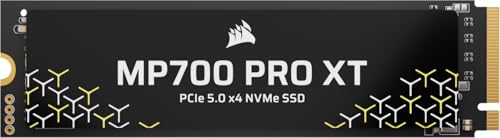
The Corsair MP700 PRO XT 2TB is a high-speed NVMe drive built for PCIe 5.0 x4 systems. It delivers sequential read speeds up to 14,900 MB/s and write speeds up to 14,500 MB/s. The drive uses high-density 3D TLC NAND and offers an endurance rating of 5,600 TBW. You get this performance in a standard M.2 form factor. It suits users who need fast data transfers for gaming and large file management.
Pros
- Sequential read speeds up to 14,900 MB/s
- Sequential write speeds up to 14,500 MB/s
- Endurance rating of 5,600 TBW
- Supports NVMe 2.0 interface
Cons
- Requires a PCIe 5.0 compatible motherboard to reach top speeds
- No included thermal solution mentioned in specifications
- Higher power draw than PCIe 4.0 alternatives
Good fit if
- You have a PCIe 5.0 compatible motherboard
- You need fast large file transfers
- You want high endurance for heavy workloads
Skip if
- You have a PCIe 4.0 motherboard
- You are on a tight budget
- You need a drive for a console
Verdict: Corsair MP700 PRO XT 2TB PCIe 5.0 SSD is the right choice for users with PCIe 5.0 systems who need maximum throughput. It delivers industry-leading speeds for demanding tasks.
Specifications side by side
| Spec | Corsair MP400 2TB Gen3 NVMe M.2 SSD | Corsair MP700 PRO XT 2TB PCIe 5.0 SSD |
|---|---|---|
| Storage Capacity | 2TB | 2TB |
| Interface | PCIe Gen3 x4, NVMe | PCIe 5.0 x4, NVMe 2.0 |
| Form Factor | M.2 2280 | M.2 |
| Max Read Speed | 3,480 MB/s | 14,900 MB/s |
| Max Write Speed | 3,000 MB/s | 14,500 MB/s |
| Compatibility | not stated | Gaming |
| NAND Type | QLC | not stated |
| Size | 2TB | 2TB |
| Dimensions | 0.87 × 3.15 × 0.08 inches | 3.17 × 0.87 × 0.09 inches |
| Color | Black | Black |
| Model | CSSD-F2000GBMP400R2 | CSSD-F20GBMP700PXNH |
Frequently asked questions
Is the Corsair MP400 compatible with my older PC?
Yes, the MP400 uses a PCIe Gen3 x4 interface. This ensures wide compatibility with older motherboards that lack support for newer standards. It is a solid choice for upgrading systems that do not support Gen4 or Gen5 speeds. You get reliable storage without needing the latest hardware.
Does the MP700 PRO XT need a special cooler?
The MP700 PRO XT reaches speeds up to 14,900 MB/s. Such high throughput generates significant heat during sustained operations. While the data does not list a specific cooler, high-speed PCIe 5.0 drives often require active cooling solutions to maintain performance and prevent thermal throttling during heavy workloads.
Can I use the MP400 for gaming?
Yes, the MP400 is suitable for general gaming and storage needs. It offers 2TB of capacity with sequential read speeds of 3,480 MB/s. While it lacks the extreme speeds of Gen5 drives, it provides reliable performance for loading games and storing large libraries on budget or older builds.
What type of NAND does the MP400 use?
The MP400 utilizes QLC NAND flash memory. This type of NAND offers high capacity at a lower cost per gigabyte. It is designed for users who prioritize storage volume and endurance over maximum raw speed. It fits well in systems where budget and capacity are the main concerns.
Is the MP700 PRO XT overkill for my needs?
It depends on your system and tasks. The MP700 PRO XT is built for PCIe 5.0 systems needing maximum throughput. If your motherboard supports Gen5 and you move massive files or edit high-resolution video, it delivers industry-leading speeds. For standard gaming or office work, it may exceed your requirements.
Do both drives fit in the same slot?
Yes, both drives share the same M.2 2280 form factor. They measure approximately 3.15 inches in length and 0.87 inches in width. This standard size allows for easy installation in most modern desktops and laptops that feature an M.2 slot, regardless of whether you choose the Gen3 or Gen5 model.
Which drive has better sequential write speeds?
The MP700 PRO XT has significantly higher write speeds. It reaches 14,500 MB/s, making it ideal for moving massive files quickly. The MP400 offers 3,480 MB/s writes. The difference is substantial, with the MP700 PRO XT being much faster for heavy data transfer tasks and demanding professional workflows.