Best TEAMGROUP 2TB Nvme SSDs: 8 Spec-Based Picks
As an Amazon Associate we earn from qualifying purchases. Links on this page are affiliate links.
Selecting the right TEAMGROUP 2TB nvme SSD depends on your system's available expansion slots and thermal constraints. We compared 8 models based strictly on the specifications published on their official product listings. The TEAMGROUP MP33 2TB PCIe Gen3 M.2 SSD earns the top pick because it provides reliable 3D NAND TLC flash with an SLC cache across a PCIe 3.0 interface.
This guide helps you decide which drive fits your hardware setup by comparing interface speeds, cooling designs, and form factor compatibility.
Quick picks
The best fit for you
- You need standard PCIe 3.0 storage for your system TEAMGROUP MP33 2TB PCIe Gen3 M.2 SSD It provides an M.2 2280 form factor using PCIe 3.0 bandwidth, 3D TLC flash, and SLC caching.
- You want high-speed PCIe 4.0 expansion with dedicated cooling TEAMGROUP T-Force A440 2TB Heatsink SSD It delivers speeds up to 7,000 MB/s over PCIe 4.0 with an aluminum heatsink and DRAM cache.
- You need top speeds for a PCIe 5.0 motherboard TEAMGROUP T-Force GA PRO 2TB PCIe 5.0 SSD It utilizes a PCIe 5.0 interface equipped with dedicated DRAM cache and an included heatsink.
- You need extreme endurance for a 2.5-inch bay TEAMGROUP T-Create Expert 2TB SATA SSD It features a 10,000 TBW endurance rating and a 12-year warranty over a 2.5-inch SATA interface.
Our 8 picks

TEAMGROUP MP33 2TB PCIe Gen3 M.2 SSD
Best for: everyday PCIe Gen3 system storage upgrades
- Size
- 2TB (what this guide is about)
- Storage Capacity
- 2TB
- Interface
- PCIe Gen3x4, NVMe 1.3
- Form Factor
- M.2 2280
- Max Read Speed
- 1,800 MB/s
- Max Write Speed
- 1,500 MB/s
The TEAMGROUP MP33 is a 2TB internal SSD built on the M.2 2280 form factor. It uses a PCIe Gen3x4 NVMe 1.3 interface alongside 3D NAND TLC flash and SLC caching. You get rated sequential speeds reaching up to 1800 MB/s read and 1500 MB/s write. This drive suits you if you need high-capacity M.2 storage for everyday desktop or laptop computing without PCIe Gen4 requirements.
Pros
- Sequential read up to 1800 MB/s and write up to 1500 MB/s
- 3D NAND TLC flash with SLC cache technology
- Standard M.2 2280 form factor fits laptops and desktops
- PCIe Gen3x4 NVMe 1.3 interface
Cons
- Transfer rates are limited compared to PCIe Gen4 drives
- No integrated heatsink listed in specifications
Good fit if
- You need a 2TB NVMe M.2 drive for a PCIe Gen3 desktop or laptop.
- You want TLC 3D NAND with SLC caching for everyday computing.
Skip if
- You require read speeds faster than the rated 1800 MB/s.
- You need a drive with an included heatsink for cooling.
Verdict: TEAMGROUP MP33 2TB PCIe Gen3 M.2 SSD provides 2TB of 3D NAND TLC storage on a Gen3x4 interface. It delivers balanced NVMe speeds for compatible laptops and desktop systems.
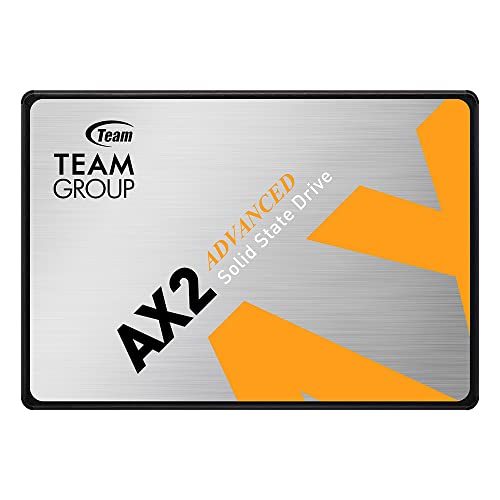
TEAMGROUP AX2 2TB 2.5-Inch SATA SSD
Best for: budget 2.5-inch desktop and laptop upgrades
- Size
- 2TB (what this guide is about)
- Storage Capacity
- 2TB
- Interface
- SATA III 6Gb/s
- Form Factor
- 2.5 Inch
- Max Read Speed
- Up to 540 MB/s
- Max Write Speed
- Up to 490 MB/s
The TEAMGROUP AX2 is an internal 2.5-inch SATA III solid-state drive built with 3D TLC NAND flash. It delivers sequential read speeds up to 540 MB/s and write speeds up to 490 MB/s across a standard 6Gb/s interface. If you need 2TB of bulk storage for a desktop or laptop with SATA drive bays, this drive gives you dependable solid-state responsiveness alongside essential TRIM, ECC, and wear-leveling features.
Pros
- Sequential read speeds up to 540 MB/s and write speeds up to 490 MB/s
- Built with 3D TLC NAND flash
- Includes TRIM, ECC, S.M.A.R.T., and wear-leveling support
- Standard 2.5-inch form factor compatible with laptops and desktops
Cons
- SATA III speeds are limited compared to NVMe drives
- Requires a 2.5-inch drive bay rather than an M.2 slot
Good fit if
- You need a 2.5-inch SATA drive to upgrade an older laptop or desktop PC.
- You want 2TB of TLC solid-state storage for secondary game or data storage.
Skip if
- You have an open M.2 slot and want faster NVMe PCIe bandwidth.
- You need data transfer speeds exceeding the 6Gb/s SATA interface limit.
Verdict: TEAMGROUP AX2 2TB 2.5-Inch SATA SSD delivers reliable SATA III read speeds up to 540 MB/s using standard 3D TLC NAND. It serves as a dependable high-capacity drive for machines that require a traditional 2.5-inch form factor.

TEAMGROUP T-Create Expert 2TB SATA SSD
Best for: extreme endurance 2.5-inch SATA storage
- Size
- 2TB (what this guide is about)
- Storage Capacity
- 2TB
- Interface
- SATA III
- Form Factor
- 2.5 Inch
- Max Read Speed
- 560 MB/s
- Max Write Speed
- 520 MB/s
The TEAMGROUP T-Create Expert 2TB SATA SSD is a 2.5-inch internal solid-state drive built for high-endurance workloads. It pairs a SATA III interface offering read speeds up to 560 MB/s and write speeds up to 520 MB/s with an SMI controller. With a 10,000 TBW endurance rating and a 12-year limited warranty, this drive suits you if you need maximum write endurance in a 2.5-inch bay.
Pros
- 10,000 TBW endurance rating
- 12-year manufacturer limited warranty
- Read speeds up to 560 MB/s and write speeds up to 520 MB/s
- SMI controller with customized enterprise-level chip
Cons
- SATA III interface limits maximum read speeds to 560 MB/s
- 2.5-inch form factor requires drive bay and cables rather than an M.2 slot
Good fit if
- You need heavy-write endurance rated up to 10,000 TBW.
- You want a 2.5-inch SATA drive backed by a 12-year limited warranty.
Skip if
- You require the higher data throughput of PCIe NVMe drives.
- You need an M.2 form factor that connects directly to the motherboard.
Verdict: TEAMGROUP T-Create Expert 2TB SATA SSD provides an exceptional 10,000 TBW endurance rating and a 12-year warranty for 2.5-inch drive bays. It trades the high transfer speeds of NVMe drives for SATA III reliability.

TEAMGROUP T-Force A440 2TB Heatsink SSD
Best for: PCIe 4.0 desktop and PS5 storage expansion
- Size
- 2TB (what this guide is about)
- Storage Capacity
- 2TB
- Interface
- PCIe Gen4 x4, NVMe
- Form Factor
- M.2 2280
- Max Read Speed
- 7,000 MB/s
- Cache Type
- DRAM, SLC Cache
The TEAMGROUP T-Force A440 is a 2TB PCIe 4.0 M.2 2280 solid-state drive built with 3D TLC NAND and a Phison E18 controller. It features dedicated DRAM caching and reaches sequential read speeds up to 7,000 MB/s and write speeds up to 5,500 MB/s. It includes both an aluminum heatsink and a slim 3.7mm graphene heatsink. This setup suits you if you need fast Gen4 storage for a desktop or PlayStation 5 console.
Pros
- Sequential read speeds reach up to 7,000 MB/s
- Equipped with dedicated DRAM cache and SLC cache
- Includes both aluminum and 3.7mm graphene heatsinks
- Built with a Phison E18 controller and 3D TLC NAND
Cons
- Sequential write speed maxes out at 5,500 MB/s
- The taller aluminum heatsink will not fit the PS5 SSD slot
Good fit if
- You want PCIe Gen4x4 read performance reaching up to 7,000 MB/s.
- You want the flexibility of an aluminum heatsink or a low-profile graphene heatsink.
- You need a drive with DRAM caching for desktop or PS5 use.
Skip if
- You require sequential write speeds higher than 5,500 MB/s.
- You only have PCIe Gen3 slots and cannot use Gen4 speeds.
Verdict: TEAMGROUP T-Force A440 2TB Heatsink SSD delivers up to 7,000 MB/s PCIe 4.0 speeds backed by dedicated DRAM. It provides versatile cooling with both aluminum and graphene options for desktops and PS5 installations.

TEAMGROUP MS30 2TB SATA M.2 SSD
Best for: SATA-based M.2 desktop and laptop upgrades
- Size
- 2TB (what this guide is about)
- Storage Capacity
- 2TB
- Interface
- SATA III 6Gb/s
- Form Factor
- M.2 2280
- Max Read Speed
- Up to 550 MB/s
- Max Write Speed
- Up to 500 MB/s
The TEAMGROUP MS30 gives you 2TB of storage in an M.2 2280 form factor using a SATA III interface. It relies on 3D TLC NAND with SLC caching to deliver read speeds up to 530 MB/s and write speeds up to 480 MB/s. This makes it a practical option if your desktop or laptop motherboard needs a B & M key SATA M.2 module rather than a faster PCIe NVMe drive.
Pros
- Sequential read speeds up to 530 MB/s and writes up to 480 MB/s
- Standard M.2 2280 form factor for desktops and laptops
- Uses 3D NAND TLC flash with SLC cache support
- Supports Intel Smart Response Technology for HDD caching
Cons
- SATA III interface is significantly slower than NVMe PCIe drives
- Requires an M.2 slot that specifically accepts SATA B & M keys
Good fit if
- You need 2TB of storage for an M.2 slot wired strictly for SATA.
- You want to use Intel Smart Response Technology to accelerate an existing HDD.
Skip if
- You require the faster data transfer rates of a PCIe NVMe drive.
- Your motherboard M.2 slot only supports M-key PCIe SSDs.
Verdict: TEAMGROUP MS30 2TB SATA M.2 SSD delivers large-capacity storage for systems with SATA-only M.2 slots. It suits everyday computing needs when PCIe NVMe bandwidth is not supported by your hardware.

TEAMGROUP T-Force M200 2TB Portable SSD
Best for: external PS5 storage and portable backups
- Size
- 2TB (what this guide is about)
- Storage Capacity
- 2TB
- Interface
- USB 3.2 Gen 2x2 Type-C
- Form Factor
- Portable
- Max Read Speed
- Up to 1800MB/s
- Max Write Speed
- Up to 1500MB/s
The TEAMGROUP T-Force M200 2TB is an external portable SSD featuring a USB 3.2 Gen 2x2 Type-C interface. It delivers read speeds up to 1800MB/s and write speeds up to 1500MB/s. Built with dual metallic graphene cooling and 2-meter drop resistance, it weighs 83 grams. It suits you if you need rugged portable storage to archive PlayStation 5 games, run PlayStation 4 titles, or transfer files across multiple operating systems.
Pros
- Read speeds up to 1800MB/s and write speeds up to 1500MB/s via USB 3.2 Gen 2x2
- Drop resistance up to 2 meters with dual metallic graphene cooling
- Lightweight 83-gram body with tactical hanging hole design
- 5-year limited manufacturer warranty
Cons
- Cannot run native PS5 games directly; only archives them or plays PS4 games
- Requires a USB 3.2 Gen 2x2 host port to achieve maximum rated speeds
- External form factor rather than an internal M.2 2280 NVMe expansion card
Good fit if
- You want an external drive to archive PS5 games and play PS4 titles directly.
- You need a drop-resistant portable drive with transfer speeds up to 1800MB/s.
- You switch frequently between PCs, Macs, and gaming consoles.
Skip if
- You want an internal M.2 SSD to install inside the PS5 console expansion bay.
- You need to play native PS5 titles directly from the drive.
Verdict: TEAMGROUP T-Force M200 2TB Portable SSD provides rugged, fast external storage that works well for offloading console libraries and carrying data on the go. Its external design means it serves for PS5 game archiving and PS4 playback rather than internal M.2 expansion.

TEAMGROUP MP44L 2TB PCIe 4.0 SSD
Best for: laptop and desktop builds needing slim storage
- Size
- 2TB (what this guide is about)
- Storage Capacity
- 2TB
- Interface
- PCIe Gen 4x4
- Form Factor
- M.2 2280
- Max Read Speed
- 4,800 MB/s
- Max Write Speed
- 4,400 MB/s
The TEAMGROUP MP44L 2TB is an internal M.2 2280 solid-state drive built on the PCIe 4.0 interface. It delivers sequential read speeds up to 4,800 MB/s and write speeds up to 4,400 MB/s using SLC caching. Its sub-1mm graphene-coated aluminum label provides heat dissipation without clearance issues. This drive fits your laptop or desktop if you need balanced Gen4 speeds and a low-profile design for tight installations.
Pros
- Sequential read speeds up to 4,800 MB/s and write speeds up to 4,400 MB/s
- Slim graphene-coated aluminum label under 1mm thick prevents clearance issues
- PCIe 4.0 x4 interface operating on the NVMe 1.4 standard
- Five-year or TBW limited warranty coverage
Cons
- Uses SLC caching without dedicated onboard DRAM
- Sequential speeds reach 4,800 MB/s, well below maximum PCIe 4.0 bandwidth
Good fit if
- You need a slim M.2 2280 drive that fits thin laptop slots without heatsink clearance issues.
- You want PCIe 4.0 sequential transfer speeds up to 4,800 MB/s for desktop or notebook workloads.
Skip if
- You require top-tier PCIe 4.0 speeds reaching beyond 7,000 MB/s.
- You need an SSD with dedicated DRAM cache for sustained heavy write loads.
Verdict: TEAMGROUP MP44L 2TB PCIe 4.0 SSD offers dependable mid-range Gen4 read speeds up to 4,800 MB/s in a compact format. Its ultra-thin graphene label ensures easy thermal management in both laptops and desktops.

TEAMGROUP T-Force GA PRO 2TB PCIe 5.0 SSD
Best for: PCIe 5.0 systems needing DRAM-cached 2TB storage
- Size
- 2TB (what this guide is about)
- Storage Capacity
- 2TB
- Interface
- PCIe Gen5x4
- Form Factor
- M.2 2280
- Max Read Speed
- 10,000 MB/s
- Max Write Speed
- 8,500 MB/s
The TEAMGROUP T-Force GA PRO is an M.2 2280 NVMe solid-state drive built on the PCIe 5.0 interface. It pairs 3D TLC NAND flash with both dedicated DRAM cache and an SLC dynamic cache. Cooling relies on a slim patented graphene heatsink. This drive suits you if you own a Gen5-compatible motherboard and need fast 2TB storage for high-demand gaming or data-heavy workloads.
Pros
- PCIe 5.0 interface for next-generation bandwidth
- Equipped with both dedicated DRAM and SLC caching
- Built with 3D TLC NAND flash memory
- Includes a patented low-profile graphene heatsink
- Supports S.M.A.R.T. software monitoring
Cons
- Capacity options top out at 2TB with no 4TB variant listed
- Requires a PCIe 5.0 M.2 slot to reach Gen5 transfer rates
Good fit if
- You have a motherboard with a native PCIe 5.0 M.2 slot
- You want a 2TB drive that includes dedicated onboard DRAM cache
- You need a low-profile heatsink design to fit tight clearance spaces
Skip if
- You only have PCIe 3.0 or PCIe 4.0 slots available
- You require a larger 4TB capacity on a single drive
Verdict: TEAMGROUP T-Force GA PRO 2TB PCIe 5.0 SSD pairs next-gen PCIe 5.0 bandwidth with dedicated DRAM cache and 3D TLC flash. It is an ideal high-speed match if your system supports Gen5 M.2 hardware.
Specifications side by side
| Spec | TEAMGROUP MP33 2TB PCIe Gen3 M.2 SSD | TEAMGROUP AX2 2TB 2.5-Inch SATA SSD | TEAMGROUP T-Create Expert 2TB SATA SSD | TEAMGROUP T-Force A440 2TB Heatsink SSD | TEAMGROUP MS30 2TB SATA M.2 SSD | TEAMGROUP T-Force M200 2TB Portable SSD | TEAMGROUP MP44L 2TB PCIe 4.0 SSD | TEAMGROUP T-Force GA PRO 2TB PCIe 5.0 SSD |
|---|---|---|---|---|---|---|---|---|
| Storage Capacity | 2TB | 2TB | 2TB | 2TB | 2TB | 2TB | 2TB | 2TB |
| Interface | PCIe Gen3x4, NVMe 1.3 | SATA III 6Gb/s | SATA III | PCIe Gen4 x4, NVMe | SATA III 6Gb/s | USB 3.2 Gen 2x2 Type-C | PCIe Gen 4x4 | PCIe Gen5x4 |
| Form Factor | M.2 2280 | 2.5 Inch | 2.5 Inch | M.2 2280 | M.2 2280 | Portable | M.2 2280 | M.2 2280 |
| Max Read Speed | 1,800 MB/s | Up to 540 MB/s | 560 MB/s | 7,000 MB/s | Up to 550 MB/s | Up to 1800MB/s | 4,800 MB/s | 10,000 MB/s |
| Max Write Speed | 1,500 MB/s | Up to 490 MB/s | 520 MB/s | not specified | Up to 500 MB/s | Up to 1500MB/s | 4,400 MB/s | 8,500 MB/s |
| Cache Type | SLC Cache | not specified | not specified | DRAM, SLC Cache | SLC Cache | not specified | SLC Cache | DRAM SLC Cache |
| Cooling | not specified | not specified | not specified | Aluminum Heatsink, Graphene Heatsink | not specified | Graphene cooling technology | Graphene coating on aluminum foil | Graphene Heatsink |
| Compatibility | Laptop, Desktop | Laptop, Desktop | not specified | not specified | Laptop, Desktop | PS5 | Laptop, Desktop | not specified |
| NAND Type | 3D NAND, TLC | 3D NAND, TLC | not specified | 3D NAND, TLC | 3D NAND, TLC | not specified | not specified | TLC |
| Size | 2TB | 2TB | 2TB | 2TB | 2TB | 2TB | 2TB | 2TB |
| Material | not specified | not specified | not specified | Aluminum | not specified | not specified | not specified | not specified |
| Dimensions | 3.15 × 0.87 × 0.15 inches | 3.94 × 2.75 × 0.28 inches | 3.94 × 2.75 × 0.28 inches | 23.6 × 23.6 × 33.5 inches | 3.15 × 0.87 × 0.14 inches | 4.13 × 2.19 × 0.43 inches | 3.15 × 0.87 × 0.14 inches | not specified |
| Weight | not specified | 1.6 ounces | not specified | 1.62 ounces | 0.35 ounces | 2.93 ounces | not specified | 0.8 ounces |
| Color | Gen3x4 Read 1,800MB/s | AX2 | EXPERT (Read/Write up to 560/520 MB/s) | A440 | 2280 | Black | Multicolor | not specified |
| Model | TM8FP6002T0C101 | T253A3002T0C101 | T253TE002T3C701 | A0039238 | TM8PS7002T0C101 | T8FED9002T0C102 | TM8FPK002T0C101 | TM8FFJ002T0C129 |
Choosing the Right TEAMGROUP 2TB Drive
-
Verify Onboard Cache Architecture
Check whether a drive includes dedicated DRAM or relies strictly on SLC caching. DRAM cache holds mapping tables directly in fast memory, assisting sustained write tasks and demanding random operations. Basic everyday storage drives frequently employ SLC caching alone, which functions well for regular boot operations and lighter application loading. If you perform heavy input tasks or manage large continuous file writes, select a model equipped with DRAM, such as the TEAMGROUP T-Force A440.
-
Evaluate Total Terabytes Written
Examine the Terabytes Written specification to ensure the drive matches your projected daily workload. Standard drives support routine read and write cycles for typical operating system usage. Intensive writing environments demand higher endurance figures to prevent premature wear. Look at the published lifespan metrics and warranty coverage terms when planning constant data logging or continuous file saves. For maximum longevity, the TEAMGROUP T-Create Expert specifies a 10,000 TBW endurance rating alongside a 12-year warranty period.
-
Account for Thermal Clearance
Check the physical clearance around your motherboard slot before choosing your cooling style. Thick aluminum heatsinks control heat during high-load periods, but they can obstruct neighboring components or fail to clear compact laptop chassis. Laptops and slim enclosures require low-profile designs to prevent physical interference during assembly. A drive like the TEAMGROUP MP44L utilizes an ultra-thin graphene label for thermal spread, ensuring it fits easily into tight mobile housings without sacrificing essential physical clearance.
-
Distinguish Internal and External Formats
Determine whether your system demands an internal component or portable external data access. Internal drives fit onto system boards to run operating systems, store primary application binaries, or expand local console storage directly. External portable drives connect over cables for quick file transfer across multiple machines or backing up console games. If you need portable file transportation or external console backups, a specialized option like the TEAMGROUP T-Force M200 provides durable portable storage without requiring internal hardware installation.
-
Check Physical Bay Dimensions
Verify whether your computer houses standard 2.5-inch drive bays or solely provides M.2 slots. Older desktop towers and certain workstations require standard 2.5-inch form factors that mount securely with traditional drive caddies and SATA power cabling. M.2 connectors save space, but they cannot mount in empty drive trays without adapters. If your chassis only features vacant 2.5-inch mounting locations, choosing a dedicated drive such as the TEAMGROUP AX2 provides a direct physical fit without extra mounting brackets.
Frequently asked questions
Can you install a TEAMGROUP M.2 SATA SSD into any M.2 slot?
You cannot install an M.2 SATA drive into an NVMe-only M.2 slot. The TEAMGROUP MS30 uses SATA III protocol within the M.2 2280 form factor, which requires dedicated SATA bus wiring on your motherboard. If your slot only connects to PCIe lanes, the drive will not detect. Check your motherboard documentation to verify whether your specific slot supports both SATA and PCIe protocols before mounting the drive.
Which TEAMGROUP 2TB SSD works for internal PS5 storage expansion?
The TEAMGROUP T-Force A440 meets PS5 internal expansion specifications. This drive uses a PCIe 4.0 interface and achieves speeds up to 7,000 MB/s, satisfying the high bandwidth demand of the console. It also includes an aluminum heatsink to manage operating temperatures inside the enclosed expansion bay. In contrast, the T-Force M200 is an external portable drive meant for file backups rather than internal M.2 bay installation.
What is the main difference between the TEAMGROUP MP33 and MP44L?
The primary difference is the PCIe bus generation and transfer performance. The TEAMGROUP MP33 runs on PCIe 3.0 bandwidth with speeds up to 1,800 MB/s read. The newer TEAMGROUP MP44L utilizes PCIe 4.0 to reach read speeds up to 4,800 MB/s. Both models share the M.2 2280 form factor and utilize SLC caching, making the MP44L faster when installed in Gen4-ready motherboard slots.
When should you choose a 2.5-inch SATA SSD instead of an M.2 drive?
Choose a 2.5-inch drive when your system lacks open M.2 slots or only provides legacy drive bays. Models like the TEAMGROUP AX2 and T-Create Expert connect through standard SATA cables in older desktop cases and notebooks. While transfer rates cap at SATA III limits between 540 MB/s and 560 MB/s, they provide 2TB of storage capacity without consuming valuable motherboard PCIe lanes.
What distinguishes the TEAMGROUP T-Force GA PRO from PCIe 4.0 drives?
The TEAMGROUP T-Force GA PRO operates on the PCIe 5.0 interface rather than PCIe 4.0. It features dedicated DRAM caching alongside SLC cache to manage heavy read and write workloads across TLC flash. Because Gen5 hardware produces substantial thermal output during active operation, this M.2 2280 drive includes a dedicated heatsink. You will need a compatible PCIe 5.0 slot to reach its maximum throughput.
Does the TEAMGROUP MP44L need an aftermarket heatsink for cooling?
The TEAMGROUP MP44L comes equipped with an ultra-thin graphene label engineered to handle basic heat dissipation. Because it avoids thick aluminum fins, it fits directly into tight laptop compartments and desktop slots without clearance conflicts. If your desktop motherboard already features an integrated metal heatsink cover, you can secure it directly over the drive's graphene label without needing extra cooling accessories.
Can you run PS5 games directly from the TEAMGROUP T-Force M200?
You cannot launch native PlayStation 5 titles directly from the TEAMGROUP T-Force M200. Because it is an external portable SSD, the console operating system only permits archiving PS5 games to free up internal capacity. However, you can play backward-compatible PlayStation 4 games straight from this external drive without moving them to internal storage. It connects via an external cable rather than an internal slot.