Security in Nvme SSDs: What It Is and Is It Worth It?
As an Amazon Associate we earn from qualifying purchases. Links on this page are affiliate links.
Understanding NVMe Drive Security Features
When you evaluate an SSD, security explained helps you decide if extra protection is necessary. Most drives offer basic safeguards, but some include advanced hardware features. These features protect your data from unauthorized access or physical theft. You should check the specifications to see which level of protection your drive provides.
Hardware encryption is a common feature in higher-end models. It uses a built-in controller to encrypt data on the fly. This process happens without slowing down your system significantly. The drive handles the encryption keys internally. If the drive is stolen, the data remains unreadable without the key. Look for AES-256 specifications. This indicates strong, industry-standard encryption. Not all drives include this. Many budget models rely on software encryption, which uses your CPU. This can impact performance.
Password protection adds another layer of defense. You set a password or passphrase before using the drive. The drive refuses to operate until you enter the correct credentials. This prevents anyone from accessing the storage device physically. Some drives support user and admin passwords. The user password allows limited access. The admin password provides full control. Ensure the drive supports this feature if you carry it in a laptop or external enclosure.
FIPS validation is a specific standard for government and enterprise use. It means the drive meets Federal Information Processing Standards. These standards require rigorous testing and certification. You will see this label on drives designed for sensitive data. It ensures the encryption and security protocols meet strict guidelines. This is less relevant for casual users but critical for compliance.
You care about these specs because data loss is permanent. Theft or loss of a device can expose personal or professional information. Hardware encryption and password protection mitigate this risk. Check the product details for these features. They are not always standard. Prioritize drives with these safeguards if you handle sensitive files. This simple check adds significant peace of mind.
Security Features Compared
Hardware Encryption
Hardware encryption performs data scrambling directly on the drive controller. This method is faster than software solutions because it does not use your computer's CPU. You get consistent performance regardless of your system load. The drive remains secure even if the host computer is compromised. This feature suits users who need reliable protection without slowing down their workflow. For example, the iStorage diskAshur2 1TB uses this approach for steady security. The main trade-off is that you cannot always change the encryption algorithm later. You must trust the manufacturer's implementation for long-term safety.
Password Protection
Password protection requires a code before the drive initializes. This adds a layer of access control beyond simple file permissions. You set a password that the drive checks internally. If you forget the code, data loss is often permanent. This feature is vital for portable drives that travel with you. The Western Digital 2TB My Passport SSD includes this for everyday secure storage. It prevents casual access by anyone holding the physical device. The downside is convenience. You must remember the password every time you connect the drive. Some enterprise drives lock out after too many failed attempts, which can be frustrating if you lose the code.
FIPS Validated
FIPS validation means the drive meets strict US government security standards. These standards verify that encryption and access controls work correctly. You get certified compliance for regulated industries. This is not just a marketing claim but a tested specification. The Apricorn Aegis Padlock 480GB is an example of rugged, certified storage. It fits professionals who handle sensitive data in harsh conditions. The trade-off is often higher cost and larger size. These drives prioritize durability and certification over raw speed. You choose this option when legal or regulatory requirements demand proof of security. It provides peace of mind for high-stakes data protection.
Is Hardware Security Worth The Cost
Who needs it
You should prioritize drives with hardware encryption and FIPS validation if you handle sensitive corporate data or regulated information. These features ensure that data remains unreadable even if the drive is physically removed from your system. Password protection adds an extra layer, preventing unauthorized access before the operating system loads. This is critical for compliance with strict industry standards. If your work involves financial records, medical data, or government contracts, the peace of mind provided by these verified security protocols is essential. The hardware-based approach also ensures that security does not slow down your daily tasks, keeping performance consistent while maintaining high-level protection for your most valuable assets.
Who can skip it
You can likely skip these advanced security features if you use your computer for general browsing, gaming, or casual work. Basic software encryption is often sufficient for personal files and media. The added cost of FIPS validation and hardware encryption is unnecessary for non-sensitive data. Instead, focus on speed, endurance, and storage capacity for your daily tasks. Ensure your operating system has standard encryption tools enabled. These built-in solutions provide adequate protection for most home users. Prioritize performance and value over specialized security certifications unless you have specific compliance requirements. Your time and resources are better spent on faster read/write speeds and larger storage capacities for everyday use.
NVMe Security Glossary
Hardware Encryption
Data scrambling performed directly by the drive controller. This method bypasses the CPU, ensuring consistent performance while keeping data unreadable to unauthorized users.
TCG Opal
A standard protocol for self-encrypting drives. It allows the operating system to manage access controls and encryption keys through a standardized interface.
FIPS 140-2
A US government standard for cryptographic modules. Validation ensures the drive meets strict requirements for securing sensitive information in corporate or government settings.
SED
Stands for Self-Encrypting Drive. The drive encrypts all data automatically upon writing. You manage access through a password or key without performance loss.
Sanitize Command
A command that securely erases all data on the drive. It prepares the SSD for disposal or reuse by making recovery impossible.
Platinum Security
A higher tier of TCG Opal features. It includes additional protections against physical attacks and offers more granular control over user access levels.
AES-256
A strong encryption standard using a 256-bit key. Most secure NVMe drives use this method to scramble data, making it extremely difficult to crack.
Quick picks
| # | Product | Best for | Price |
|---|---|---|---|
| 1 | iStorage diskAshur2 1TB Encrypted Portable SSD | password protected hardware encryption | Check price of iStorage diskAshur2 1TB Encrypted Portable SSD on Amazon |
| 2 | Apricorn Aegis Padlock 480GB Encrypted SSD | Rugged FIPS validated storage | Check price of Apricorn Aegis Padlock 480GB Encrypted SSD on Amazon |
| 3 | iStorage diskAshur PRO2 256GB Secure SSD | FIPS 140-2 Level 3 compliance | Check price of iStorage diskAshur PRO2 256GB Secure SSD on Amazon |
| 4 | Apricorn Aegis Fortress L3 8TB Encrypted SSD | High-capacity FIPS Level 3 storage | Check price of Apricorn Aegis Fortress L3 8TB Encrypted SSD on Amazon |
| 5 | Western Digital 2TB My Passport Portable SSD | users needing speed and basic encryption | Check price of Western Digital 2TB My Passport Portable SSD on Amazon |
| 6 | iStorage diskAshur3 2TB Encrypted SSD | FIPS 140-3 Level 3 compliance | Check price of iStorage diskAshur3 2TB Encrypted SSD on Amazon |
Our 6 picks
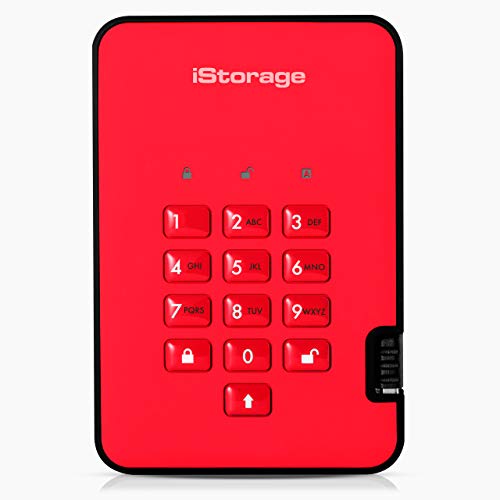
iStorage diskAshur2 1TB Encrypted Portable SSD
Best for: password protected hardware encryption
- Security
- Hardware Encryption, Password Protection (what this guide is about)
- Storage Capacity
- 1TB
- Interface
- USB 3.2
- Form Factor
- Portable
- Max Read Speed
- Up to 361MB/s
- Max Write Speed
- Up to 358MB/s
View on Amazon: iStorage diskAshur2 1TB Encrypted Portable SSD Affiliate link
The iStorage diskAshur2 SSD 1TB is a portable drive focused on security. It uses AES-XTS 256-bit hardware encryption and requires a 7-15 digit PIN for access. You do not need software to encrypt data in real time. It features a rugged IP56 dust and splashproof design. The drive supports USB 3.2 with read speeds up to 361MB/s. It suits users needing password protection and hardware encryption for compliance.
Pros
- AES-XTS 256-bit hardware encryption without software
- Password protection via 7-15 digit PIN
- IP56 dust and splashproof rating
- Read speeds up to 361MB/s
Cons
- No FIPS 140-2 Level 2 validation
- Maximum capacity is 1TB in this model
- Write speed capped at 358MB/s
Good fit if
- You need password protection for sensitive data
- You require hardware encryption without software
- You work in rugged or outdoor environments
Skip if
- You need FIPS validated encryption
- You require capacities larger than 1TB
- You prioritize maximum sequential write speeds
Verdict: The iStorage diskAshur2 SSD 1TB offers strong hardware encryption and password protection for users who value data security over raw speed. It is ideal for professionals carrying sensitive files in rugged conditions.
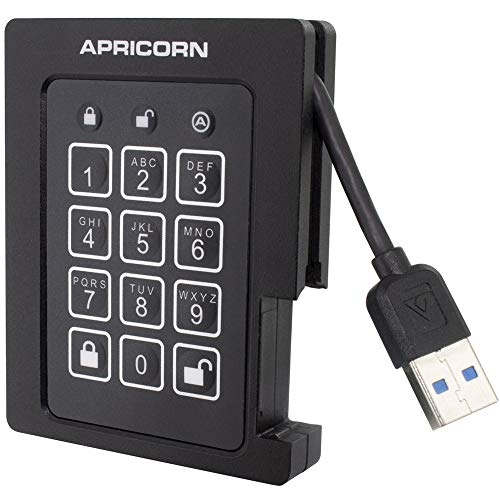
Apricorn Aegis Padlock 480GB Encrypted SSD
Best for: Rugged FIPS validated storage
- Security
- FIPS Validated (what this guide is about)
- Storage Capacity
- 480 GB
- Interface
- USB 3.0
- Form Factor
- External Portable
- Max Read Speed
- up to 230 MBs
- Max Write Speed
- up to 230 MBs
View on Amazon: Apricorn Aegis Padlock 480GB Encrypted SSD Affiliate link
This Apricorn drive is a ruggedized external SSD with FIPS 140-2 Level 2 validation. It uses USB 3.0 for connectivity and offers read and write speeds up to 230 MB/s. The 480 GB capacity fits in a compact 3.25 x 2.5 x 0.5 inch chassis. It withstands extreme temperatures from -40 to 70 degrees Celsius. You need this unit if you require certified hardware encryption for sensitive data in harsh environments.
Pros
- FIPS 140-2 Level 2 validated security
- Operates in temperatures from -40 to 70 degrees Celsius
- Shock and vibration resistant design
- Silent operation with no moving parts
Cons
- Slower speeds than modern NVMe standards
- Limited 480 GB capacity
- Larger form factor than slim portable drives
Good fit if
- You need FIPS validated encryption
- You work in extreme environments
- You prioritize rugged durability over speed
Skip if
- You require high-speed data transfer
- You need large storage capacity
- You prefer compact slim designs
Verdict: Apricorn Aegis Padlock 480GB FIPS SSD is a secure, rugged drive for users who need certified encryption in harsh conditions. It fits professionals who value durability and compliance over raw performance.
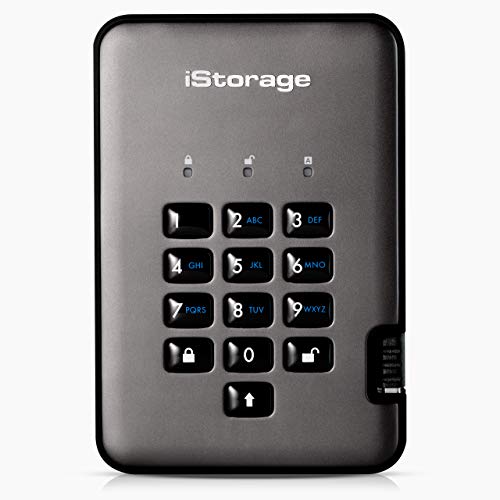
iStorage diskAshur PRO2 256GB Secure SSD
Best for: FIPS 140-2 Level 3 compliance
- Security
- Hardware Encryption, Password Protection, FIPS Validated (what this guide is about)
- Storage Capacity
- 256GB
- Interface
- USB 3.2
- Max Read Speed
- Up to 361MB/s
- Max Write Speed
- Up to 358MB/s
- Dimensions
- 4.88 × 3.31 × 0.79 inches
View on Amazon: iStorage diskAshur PRO2 256GB Secure SSD Affiliate link
The iStorage diskAshur PRO2 256GB is a rugged portable SSD with FIPS 140-2 Level 3 certification. It uses AES-XTS 256-bit hardware encryption and requires a 7-15 digit PIN for access. No software is needed. It offers read speeds up to 361MB/s and write speeds up to 358MB/s. The drive is IP56 rated for dust and water resistance. It suits users needing high-level security for sensitive data on the go.
Pros
- FIPS 140-2 Level 3 certification
- AES-XTS 256-bit hardware encryption
- IP56 dust and water resistance
- No software required for operation
Cons
- 256GB capacity is smaller than many competitors
- Read speeds are slower than NVMe drives
- Physical dimensions are bulkier than standard SSDs
Good fit if
- You need FIPS 140-2 Level 3 compliance
- You want hardware encryption without software
- You work in rugged or outdoor environments
Skip if
- You require large storage capacities
- You need maximum transfer speeds
- You prefer a compact, lightweight drive
Verdict: The iStorage diskAshur PRO2 256GB FIPS 3 is a secure, rugged drive for users prioritizing FIPS 140-2 Level 3 certification and hardware encryption over speed or capacity.

Apricorn Aegis Fortress L3 8TB Encrypted SSD
Best for: High-capacity FIPS Level 3 storage
- Security
- Hardware Encryption, FIPS Validated (what this guide is about)
- Storage Capacity
- 8TB
- Interface
- USB 3.0
- Form Factor
- Portable
- Dimensions
- 4.75 × 3 × 0.9 inches
- Weight
- 1 pounds
View on Amazon: Apricorn Aegis Fortress L3 8TB Encrypted SSD Affiliate link
The Apricorn Aegis Fortress L3 is an 8TB portable SSD with FIPS 140-2 Level 3 validation. It uses 256-bit AES XTS hardware encryption for strong data protection. You get separate admin and user modes, plus brute-force defense. This drive suits users needing high-capacity secure storage. It is rugged and built for reliable external use via USB 3.0.
Pros
- FIPS 140-2 Level 3 validated
- 256-bit AES XTS hardware encryption
- Separate admin and user modes
- Brute-force defense
Cons
- USB 3.0 interface limits speed
- 1 pound weight adds bulk
- No software management app mentioned
Good fit if
- You need 8TB of encrypted storage
- You require FIPS Level 3 compliance
- You want separate admin and user access
Skip if
- You need USB 3.1 or 3.2 speeds
- You prefer a lighter portable drive
- You want FIPS Level 2 only
Verdict: Apricorn Aegis Fortress L3 8TB delivers top-tier FIPS Level 3 security for large data sets. It fits users who prioritize strict compliance and high capacity over raw transfer speeds.
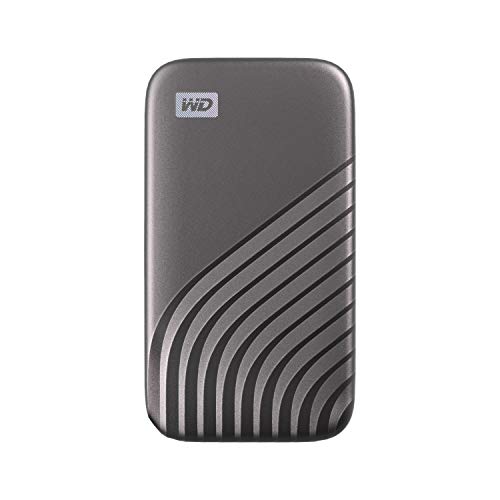
Western Digital 2TB My Passport Portable SSD
Best for: users needing speed and basic encryption
- Security
- Hardware Encryption, Password Protection (what this guide is about)
- Storage Capacity
- 2TB
- Interface
- USB 3.2 Gen-2
- Form Factor
- Portable External
- Max Read Speed
- 1050MB/s
- Max Write Speed
- 1000MB/s
View on Amazon: Western Digital 2TB My Passport Portable SSD Affiliate link
The Western Digital 2TB My Passport SSD offers NVMe speeds up to 1050MB/s read and 1000MB/s write. It includes password protection and 256-bit AES hardware encryption. This portable drive fits in your pocket and withstands drops up to 6.5 feet. It suits users who need fast transfers and basic security without the bulk of FIPS-validated models.
Pros
- 256-bit AES hardware encryption
- Password protection enabled
- Drop resistant up to 6.5 feet
- Read speeds up to 1050MB/s
Cons
- No FIPS 140-2 validation
- No biometric authentication
- Smaller capacity than 8TB alternatives
Good fit if
- You want fast NVMe transfers
- You need basic encryption
- You prefer a compact drive
Skip if
- You require FIPS validation
- You need 8TB capacity
- You want biometric security
Verdict: Western Digital 2TB My Passport SSD provides solid speed and standard encryption for everyday secure storage. It is a practical pick for users who do not need government-grade compliance.

iStorage diskAshur3 2TB Encrypted SSD
Best for: FIPS 140-3 Level 3 compliance
- Security
- Hardware Encryption, Password Protection (what this guide is about)
- Storage Capacity
- 2TB
- Interface
- USB
- Form Factor
- Portable SSD
- Max Read Speed
- Up to 448 MB/s
- Max Write Speed
- Up to 444 MB/s
View on Amazon: iStorage diskAshur3 2TB Encrypted SSD Affiliate link
The iStorage diskAshur3 SSD 2TB uses hardware encryption and password protection to secure your data. It features FIPS 140-3 Level 3 compliance and AES-XTS 256-bit encryption. The drive offers read speeds up to 448 MB/s and write speeds up to 444 MB/s. You can access files on any device with a USB port without installing software. The physical keypad allows for direct PIN entry.
Pros
- FIPS 140-3 Level 3 compliant firmware
- AES-XTS 256-bit hardware encryption
- Read speeds up to 448 MB/s
- No software installation required
Cons
- Write speeds are limited to 444 MB/s
- No FIPS 140-2 Level 2 validation
- Physical keypad reduces portability
Good fit if
- You need FIPS 140-3 Level 3 compliance
- You want hardware encryption without software
- You store sensitive data on portable drives
Skip if
- You require FIPS 140-2 Level 2 validation
- You need faster write speeds
- You prefer a compact form factor
Verdict: The iStorage diskAshur3 SSD 2TB fits users who need FIPS 140-3 Level 3 compliance and hardware encryption without software. It is a practical choice for secure portable storage.
Specifications side by side
| Spec | iStorage diskAshur2 1TB Encrypted Portable SSD | Apricorn Aegis Padlock 480GB Encrypted SSD | iStorage diskAshur PRO2 256GB Secure SSD | Apricorn Aegis Fortress L3 8TB Encrypted SSD | Western Digital 2TB My Passport Portable SSD | iStorage diskAshur3 2TB Encrypted SSD |
|---|---|---|---|---|---|---|
| Storage Capacity | 1TB | 480 GB | 256GB | 8TB | 2TB | 2TB |
| Interface | USB 3.2 | USB 3.0 | USB 3.2 | USB 3.0 | USB 3.2 Gen-2 | USB |
| Form Factor | Portable | External Portable | not stated | Portable | Portable External | Portable SSD |
| Max Read Speed | Up to 361MB/s | up to 230 MBs | Up to 361MB/s | not stated | 1050MB/s | Up to 448 MB/s |
| Max Write Speed | Up to 358MB/s | up to 230 MBs | Up to 358MB/s | not stated | 1000MB/s | Up to 444 MB/s |
| Security | Hardware Encryption, Password Protection | FIPS Validated | Hardware Encryption, Password Protection, FIPS Validated | Hardware Encryption, FIPS Validated | Hardware Encryption, Password Protection | Hardware Encryption, Password Protection |
| Size | 1TB | 480GB | 256GB | 8TB | 2TB | 2TB |
| Dimensions | 4.72 × 3.15 × 0.59 inches | 3.25 × 0.5 × 2.5 inches | 4.88 × 3.31 × 0.79 inches | 4.75 × 3 × 0.9 inches | 3.5 × 1.8 × 0.39 inches | 5.16 × 3.27 × 0.82 inches |
| Weight | 7.62 ounces | 1.6 ounces | 7.9 ounces | 1 pounds | not stated | not stated |
| Color | Fiery Red | Black | Graphite | black | Gray | Ruby Red |
| Model | IS-DA2-256-SSD-1000-R | ASSD-3PL256-480F | IS-DAP2-256-SSD-512-C-X | AFL3-S8TB | WDBAGF0020BGY | IS-DA3-256-SSD-2000-R |
Frequently asked questions
What is the difference between hardware encryption and software encryption on an NVMe drive?
Hardware encryption performs data scrambling directly on the drive controller. This method is faster than software solutions because it does not use your computer's CPU. You get consistent performance regardless of your system load. The drive remains secure even if the host computer is compromised, as the encryption key stays within the drive itself.
Do I need FIPS validation for my SSD?
You need FIPS validation if you handle sensitive corporate data or regulated information that requires strict compliance. Drives like the Apricorn Aegis Padlock and iStorage diskAshur PRO2 offer FIPS 140-2 Level 3 certification. This ensures the encryption meets government standards for data protection in harsh conditions or high-security environments.
Can I access my encrypted SSD without entering a password?
No, you cannot access the drive without correct authentication. Most secure drives, such as the iStorage diskAshur2, require password protection to unlock the hardware encryption. If you forget the password, the data remains unreadable. This ensures that physical theft of the drive does not lead to data exposure.
Which SSDs are best for carrying sensitive files?
The iStorage diskAshur2 1TB and the Apricorn Aegis Padlock 480GB are top choices for professionals. The diskAshur2 offers strong hardware encryption and password protection. The Apricorn drive is rugged and FIPS validated. Both ensure your data stays secure even if the drive is lost or stolen during transport.
Is hardware encryption slow on portable NVMe drives?
No, hardware encryption is not slow. It performs data scrambling directly on the drive controller, bypassing the CPU. This ensures consistent performance regardless of your system load. For example, the Western Digital My Passport SSD provides solid speed alongside standard encryption, making it practical for everyday secure storage without sacrificing transfer rates.
What does FIPS 140-3 Level 3 compliance mean for my data?
FIPS 140-3 Level 3 compliance indicates a high level of security certification for physical security and cryptographic modules. The iStorage diskAshur3 SSD 2TB meets this standard. It ensures that the drive’s encryption and access controls have been rigorously tested and validated against strict federal government requirements for protecting sensitive information.