Seagate vs SABRENT Nvme SSDs: Which Brand Fits You?
As an Amazon Associate we earn from qualifying purchases. Links on this page are affiliate links.
When you compare seagate vs SABRENT nvme SSD options, you are looking at two very different storage technologies. Both brands offer reliable internal drives for modern computing. The main difference lies in their interface and form factor. One uses a SATA connection in a traditional 2.5-inch package, while the other uses a high-speed NVMe connection on an M.2 stick. Your choice depends on whether you need legacy compatibility or maximum throughput.
Key differences
| Aspect | Seagate FireCuda 1TB 2.5-Inch SATA SSHD | SABRENT Rocket 2TB NVMe M.2 SSD |
|---|---|---|
| Interface | SATA 6GB/s | PCIe Gen3 x 4, NVMe 1.3 |
| Form Factor | 2.5 Inch | M.2 2280 |
| Storage Capacity | 1TB | 2TB |
| Warranty | Five-year limited warranty | not listed |
Which one should you choose?
Choose Seagate FireCuda 1TB 2.5-Inch SATA SSHD if
- You are upgrading an older laptop or desktop that only supports SATA connections.
- You need a 2.5-inch drive that fits into standard hard drive bays.
- You want a drive with a clearly stated five-year limited warranty.
Choose SABRENT Rocket 2TB NVMe M.2 SSD if
- You need the fastest possible data transfer speeds for gaming or video editing.
- You have a modern motherboard with an available M.2 slot.
- You want to clone your existing drive using included software tools.
Verdict: Choose the Seagate FireCuda if you are working with older hardware or need a traditional 2.5-inch form factor for a laptop. Select the SABRENT Rocket if your system supports M.2 NVMe drives and you require higher performance and larger capacity.
Seagate vs SABRENT Key Specs
Interface technology
The Seagate FireCuda 1TB drive uses a SATA 6GB/s interface, which is a legacy standard for internal storage. This connection limits data transfer rates compared to modern alternatives. In contrast, the SABRENT Rocket 2TB utilizes a PCIe Gen3 x 4 interface with NVMe 1.3 compliance. This architecture allows for significantly higher bandwidth and lower latency. You will notice faster load times and quicker file transfers with the NVMe drive. The SATA connection on the Seagate unit is sufficient for general tasks but cannot match the raw throughput potential of the PCIe standard found in the SABRENT model.
Form factor
Physical dimensions determine where you can install these drives. The Seagate FireCuda is a 2.5-inch drive, measuring 3.95 inches in length, 2.75 inches in width, and 0.28 inches in height. This traditional size fits into most desktops and laptops with standard drive bays. The SABRENT Rocket is an M.2 2280 drive, measuring only 3.15 inches in length, 0.86 inches in width, and 0.11 inches in height. The M.2 form factor is much smaller and lighter, making it ideal for modern laptops and motherboards with M.2 slots. You must check your motherboard for an available M.2 slot to use the SABRENT drive.
Storage capacity
Capacity affects how much data you can store. The Seagate FireCuda offers 1TB of storage space. This is a standard amount for many users. The SABRENT Rocket provides 2TB of storage. This is double the capacity of the Seagate drive. The SABRENT model also offers variations ranging from 256GB up to 4TB, giving you more flexibility if you need different sizes. If you store large game libraries or video files, the 2TB option on the SABRENT drive provides more headroom. You get more gigabytes for your storage needs with the SABRENT unit compared to the single terabyte option on the Seagate.
Warranty coverage
Warranty terms provide long-term protection for your investment. The Seagate FireCuda includes a five-year limited warranty. This is a standard and reliable coverage period for internal storage devices. The product data for the SABRENT Rocket does not explicitly list a warranty duration in the provided specifications. While SABRENT drives are generally known for reliability, the lack of explicit warranty data in the source text means we cannot confirm the exact terms. You have clear five-year coverage information with the Seagate drive. For the SABRENT drive, you should verify the warranty length on the manufacturer's website before purchasing to ensure you are aware of the support terms.
Power efficiency
Power consumption impacts battery life in laptops and overall system energy use. The Seagate FireCuda is described as having low power consumption, which helps extend laptop battery life and reduces heat output. This is a key benefit for mobile computing. The SABRENT Rocket supports power management features such as APST, ASPM, and L1.2. These features allow the drive to enter low-power states when idle. However, specific power draw figures are not provided in the data for either drive. The Seagate explicitly highlights its low power design, while the SABRENT relies on standard NVMe power management protocols. You likely benefit from optimized power usage with both, but Seagate makes it a featured selling point.
Which drive fits your storage needs?
Laptop or gaming PC users with SATA bays
The Seagate FireCuda uses a SATA 6GB/s interface and 2.5-inch form factor, fitting standard laptop and desktop bays. It offers 1TB of capacity with hybrid technology to accelerate boot times. This makes it ideal for users who need reliable internal storage without upgrading their motherboard slots or buying adapters.
Users needing high speed and large capacity
The SABRENT Rocket uses a PCIe Gen3 x 4 NVMe interface in an M.2 2280 form factor. It provides 2TB of storage, doubling the capacity of the Seagate option. This drive delivers significantly faster data transfer rates, making it suitable for heavy workloads and modern systems that support NVMe standards.
People migrating existing drives to new systems
The SABRENT Rocket includes free cloning software and supports sector size formatting options. This utility allows you to clone existing drives while choosing between 512-byte or 4K sector sizes. This feature simplifies the transition to a faster NVMe drive, ensuring compatibility with your current operating system and data.
The products compared
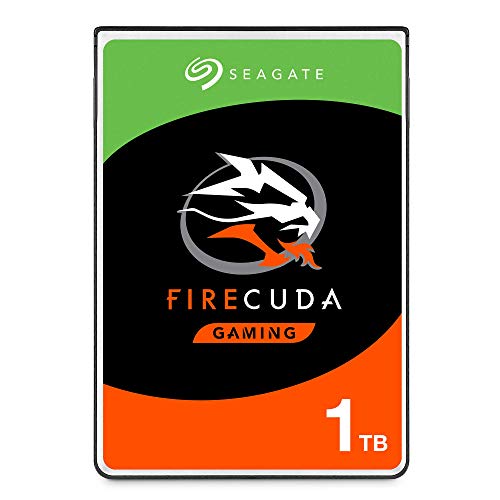
Seagate FireCuda 1TB 2.5-Inch SATA SSHD
Best for: Laptops needing more storage with some speed boost
- Storage Capacity
- 1TB
- Interface
- SATA 6GB/s
- Form Factor
- 2.5 Inch
- Compatibility
- Laptop, Gaming
- Dimensions
- 3.95 × 2.75 × 0.28 inches
- Weight
- 3.39 ounces
View on Amazon: Seagate FireCuda 1TB 2.5-Inch SATA SSHD Affiliate link
This Seagate FireCuda is a 1TB solid state hybrid drive. It uses a 2.5-inch SATA 6GB/s interface. The drive combines flash memory with a traditional hard disk. This setup aims to speed up game loading and boot times. It fits laptops and gaming PCs. The low power consumption supports efficient system builds. You get a five-year limited warranty for long-term use.
Pros
- 1TB storage capacity for games and files
- SATA 6GB/s interface for broad compatibility
- Flash acceleration improves load times
- Low power consumption for efficient setups
- Five-year limited warranty included
Cons
- SATA interface is slower than NVMe PCIe options
- 2.5-inch form factor is bulkier than M.2 drives
- Hybrid drive speed is lower than pure SSDs
Good fit if
- You need extra storage for a laptop
- You want faster loading than a standard HDD
- You are building a budget gaming PC
Skip if
- You require NVMe PCIe speeds
- You need an M.2 form factor
- You want the fastest possible boot times
Verdict: Seagate FireCuda 1TB SSHD suits users who want more storage than a small SSD provides but still want some speed benefits. It is a practical option for laptops or desktops where space allows for a 2.5-inch drive.

SABRENT Rocket 2TB NVMe M.2 SSD
Best for: high-capacity M.2 storage needs
- Storage Capacity
- 2TB
- Interface
- PCIe Gen3 x 4, NVMe 1.3
- Form Factor
- M.2 2280
- Dimensions
- 0.86 × 0.11 × 3.15 inches
View on Amazon: SABRENT Rocket 2TB NVMe M.2 SSD Affiliate link
The Sabrent Rocket is a 2TB internal solid state drive with an M.2 2280 form factor. It uses a PCIe Gen3 x 4 interface and complies with NVMe 1.3 standards. The drive supports power management features like APST and ASPM. It also includes TRIM and SMART command support. This model is suitable for users needing high capacity storage in a compact format.
Pros
- Generous 2TB storage capacity
- PCIe Gen3 x 4 interface for fast data transfer
- Supports NVMe 1.3 protocol
- Includes cloning software utility
Cons
- Limited to PCIe Gen3 speeds
- No included heatsink for thermal management
- Lacks Wi-Fi connectivity
Good fit if
- You need 2TB of fast internal storage
- You are building a compact M.2 2280 system
- You want NVMe 1.3 compliance
Skip if
- You require PCIe Gen4 speeds
- You need a drive with a built-in heatsink
- You prefer 2.5-inch SATA form factors
Verdict: Sabrent Rocket 2TB NVMe SSD offers reliable Gen3 performance for users who prioritize capacity and standard M.2 compatibility.
Specifications side by side
| Spec | Seagate FireCuda 1TB 2.5-Inch SATA SSHD | SABRENT Rocket 2TB NVMe M.2 SSD |
|---|---|---|
| Storage Capacity | 1TB | 2TB |
| Interface | SATA 6GB/s | PCIe Gen3 x 4, NVMe 1.3 |
| Form Factor | 2.5 Inch | M.2 2280 |
| Compatibility | Laptop, Gaming | not stated |
| Size | 1TB | 2TB |
| Dimensions | 3.95 × 2.75 × 0.28 inches | 0.86 × 0.11 × 3.15 inches |
| Weight | 3.39 ounces | not stated |
| Color | Black | Blue |
| Model | ST1000LX015 | SB-ROCKET-2TB |
Frequently asked questions
Can I use the Seagate FireCuda in a modern M.2 slot?
No, you cannot. The Seagate FireCuda 1TB uses a 2.5-inch SATA III interface. It requires a standard SATA port and power cable. Modern M.2 slots are designed for NVMe drives like the SABRENT Rocket. You would need a free 2.5-inch drive bay or a USB enclosure for this Seagate model.
Which drive offers more storage capacity?
The SABRENT Rocket 2TB offers more capacity. It provides 2TB of storage space. The Seagate FireCuda provides 1TB. If you need double the space for large files or games, the SABRENT drive is the better choice. It fits directly into an M.2 slot without extra cables.
Is the Seagate FireCuda an NVMe SSD?
No, it is not. The Seagate FireCuda is a SATA SSHD. It uses the SATA III interface, not NVMe. The SABRENT Rocket is the NVMe option in this comparison. It uses the PCIe Gen3 interface for faster data transfer. Choose Seagate only if your system lacks M.2 slots.
What form factor does the SABRENT Rocket use?
The SABRENT Rocket uses an M.2 2280 form factor. It is a small, stick-like drive. The Seagate FireCuda uses a larger 2.5-inch form factor. The M.2 design saves space inside your computer case. It connects directly to the motherboard via an M.2 slot.
Which drive is better for a laptop with limited space?
The SABRENT Rocket is better for tight spaces. Its M.2 2280 size is very compact. The Seagate FireCuda is a 2.5-inch drive that takes up more room. Many modern laptops only have M.2 slots. The SABRENT drive fits those slots directly without needing extra mounting hardware.
Does the Seagate drive support NVMe protocol?
No, it does not. The Seagate FireCuda uses the SATA III interface. It relies on the older SATA protocol for data transfer. The SABRENT Rocket supports the NVMe protocol over PCIe. This allows for significantly higher speeds. You must check your motherboard specifications to see which interface it supports.
Can I swap these drives easily between systems?
The SABRENT Rocket is easier to swap if both systems have M.2 slots. It is a single small piece. The Seagate FireCuda requires SATA data and power cables. You must manage cables when moving it. The M.2 form factor offers a cleaner installation with fewer connections to handle.