Cooling in Nvme SSDs: What It Is and Is It Worth It?
As an Amazon Associate we earn from qualifying purchases. Links on this page are affiliate links.
NVMe Cooling Basics Explained
Solid state drives generate heat during operation. This is especially true for high-performance NVMe models that use PCIe Gen 4 or Gen 5 interfaces. The controller and NAND chips work hard to move data quickly. This activity produces significant thermal energy. If the drive gets too hot, it will throttle its speed to protect itself. You might notice slower load times or stuttering in games. This is where cooling explained becomes relevant for your system build.
A heatsink is a metal plate attached to the SSD. It is usually made of aluminum or copper. The metal absorbs heat from the drive components. It then dissipates that heat into the surrounding air. This keeps the internal temperature lower. Lower temperatures allow the drive to maintain its maximum speeds for longer periods. You do not need a fan for most desktop builds. The airflow from your case fans is usually sufficient. Laptop users should check their clearance before adding a bulky heatsink.
You will see this spec labeled as "Heatsink" on product listings. Some vendors sell the drive with the heatsink already attached. Others offer it as an optional accessory. You must check the dimensions carefully. A large heatsink might block nearby slots or components. It can also prevent the drive from fitting into tight spaces.
Why does this matter to you? If you plan to edit large video files or transfer massive datasets, sustained performance is key. A cooled drive will not slow down as quickly. For basic web browsing or office work, a bare drive is fine. The extra bulk of a heatsink is unnecessary for light tasks. Always verify that your motherboard has a built-in M.2 heatsink before buying a separate one. This saves space and reduces clutter in your case.
NVMe SSD Cooling Options Compared
Heatsink
This option adds a physical metal plate to the drive. The plate absorbs heat from the controller and NAND chips. It then dissipates that heat into the surrounding air. This passive approach helps maintain stable speeds during long transfers. You should choose this if your system has good airflow. It also suits users who want a plug-and-play solution. For example, the Samsung 980 PRO 2TB SSD with Heatsink offers reliable thermal control. The trade-off is added bulk. The heatsink increases the height of the drive. This can prevent installation in tight spaces like some laptops or small form factor cases. You must check your clearance before buying.
No Heatsink
This option means the drive comes without any additional cooling hardware. You rely on your system case fans or motherboard VRM heatsinks to manage temperatures. This is ideal for tight builds where space is limited. It suits users who prefer to manage their own cooling solution or have excellent case airflow. For example, the Inland Performance Plus 1TB NVMe SSD fits users who want to add their own cooler later. The main benefit is lower profile and cost. The trade-off is that you must ensure your system provides adequate airflow. Without it, high-performance drives may throttle during sustained workloads. You need to plan your case ventilation carefully.
Is a Heatsink Worth It For You
Who needs it
You should choose a model with a heatsink if you plan to use your drive for heavy, sustained workloads. Large file transfers, video editing, and compiling code keep the controller and NAND chips active for long periods. Without adequate cooling, these components can overheat and throttle their performance to protect themselves. This means your transfer speeds will drop significantly during long sessions. A heatsink absorbs this thermal energy and dissipates it into the surrounding air. This passive cooling helps maintain stable speeds even under heavy load. If you often move large datasets or run demanding applications, the extra thermal mass ensures consistent performance. It prevents the slowdowns that occur when the drive gets too hot. For these users, the heatsink is a practical component that protects your drive's speed and longevity during intense use.
Who can skip it
You can skip the heatsink if your usage involves light tasks like web browsing, office work, or storing documents. These activities do not generate enough heat to cause thermal throttling. In these cases, the extra bulk of a heatsink is unnecessary. You might also skip it if you are installing the drive in a compact device with limited airflow. The added height could prevent the drive from fitting properly in tight spaces. Instead of worrying about cooling, you should prioritize capacity and interface compatibility. Ensure the drive fits your motherboard’s M.2 slot and offers enough storage for your files. If you are building a standard office PC or using a laptop with its own cooling solutions, the drive will likely stay cool enough on its own. Focus on finding a reliable drive with good endurance ratings rather than paying for extra metal plates that serve no purpose for your specific needs.
Key Cooling Terms
Thermal throttling
Speed reduction triggered when the drive gets too hot. The controller lowers performance to prevent damage and keep temperatures stable.
Heatsink
A metal plate attached to the SSD. It absorbs heat from the controller and NAND chips and releases it into the air.
Thermal pad
A soft material placed between the drive and heatsink. It ensures efficient heat transfer from the chips to the metal plate.
PCIe Gen 4
A fast interface standard for NVMe drives. It offers higher speeds than Gen 3 but generates more heat during heavy use.
Controller
The main chip managing data flow. It works hard during transfers, producing significant heat that cooling solutions aim to dissipate.
NAND chips
Memory components storing your data. They generate heat while reading and writing, contributing to the overall thermal load of the drive.
Sustained workload
Long periods of heavy data activity. Tasks like video editing or large file transfers keep the drive hot for extended times.
Quick picks
| # | Product | Best for | Price |
|---|---|---|---|
| 1 | 10Gtek 4-Slot M.2 PCIe 3.0 Expansion Card | multi-drive workstation expansion on non-bifurcation motherboards | Check price of 10Gtek 4-Slot M.2 PCIe 3.0 Expansion Card on Amazon |
| 2 | TEAMGROUP CARDEA A440 1TB PCIe 4.0 SSD | PS5 users needing specific heatsink heights | Check price of TEAMGROUP CARDEA A440 1TB PCIe 4.0 SSD on Amazon |
| 3 | Seagate FireCuda 530 1TB Heatsink SSD | PS5 upgrades and sustained high-speed workloads | Check price of Seagate FireCuda 530 1TB Heatsink SSD on Amazon |
| 4 | Inland Performance Plus 1TB NVMe SSD | PS5 expansion with separate cooling | Check price of Inland Performance Plus 1TB NVMe SSD on Amazon |
| 5 | Samsung 980 PRO 2TB SSD with Heatsink | PS5 expansion and PC thermal management | Check price of Samsung 980 PRO 2TB SSD with Heatsink on Amazon |
| 6 | Sandisk WD_Black SN850X 1TB NVMe SSD | tight builds needing speed without bulk | Check price of Sandisk WD_Black SN850X 1TB NVMe SSD on Amazon |
Our 6 picks

10Gtek 4-Slot M.2 PCIe 3.0 Expansion Card
Best for: multi-drive workstation expansion on non-bifurcation motherboards
- Cooling
- Heatsink (what this guide is about)
- Interface
- PCIe 3.0 x8
- Form Factor
- M.2 2280
- Material
- Aluminum
View on Amazon: 10Gtek 4-Slot M.2 PCIe 3.0 Expansion Card Affiliate link
This 10Gtek expansion card adds four M.2 NVMe slots to your workstation using an active aluminum heatsink and fan. Its onboard Broadcom PEX-8724 switch handles lane assignment, so you do not need PCIe bifurcation on your motherboard. The PCIe 3.0 x8 interface suits editors and technicians who need multiple high-capacity drives in a single slot.
Pros
- Integrated aluminum heatsink with cooling fan
- Broadcom PEX-8724 controller runs on non-bifurcation motherboards
- Supports four M.2 drives from 2230 up to 22110 form factors
Cons
- Interface speed capped at PCIe 3.0
- Does not support drive hot-swapping
- Requires a full PCIe x8 or x16 slot
Good fit if
- You want to run four M.2 SSDs without motherboard bifurcation.
- You use enterprise-length 22110 M.2 drives.
Skip if
- You need PCIe 4.0 throughput.
- You require hot-swappable storage.
Verdict: 10Gtek 4-Port NVMe PCIe Adapter with Fan suits workstation owners who need to consolidate up to four M.2 NVMe drives into one actively cooled PCIe 3.0 expansion slot.

TEAMGROUP CARDEA A440 1TB PCIe 4.0 SSD
Best for: PS5 users needing specific heatsink heights
- Cooling
- Heatsink (what this guide is about)
- Storage Capacity
- 1TB
- Interface
- PCIe Gen4 x4, NVMe
- Form Factor
- M.2 2280
- Max Read Speed
- 7,000 MB/s
- Max Write Speed
- 5,500 MB/s
View on Amazon: TEAMGROUP CARDEA A440 1TB PCIe 4.0 SSD Affiliate link
This drive uses a Phison E18 controller to reach 7,000 MB/s reads and 5,500 MB/s writes. It includes both a thin graphene heatsink and a thicker aluminum one. The graphene version fits PS5 slots with lids. The aluminum version requires lid removal. It uses DRAM and SLC cache for sustained performance.
Pros
- Dual heatsink options for different PS5 configurations
- 7,000 MB/s sequential read speed
- DRAM and SLC cache support
- Phison E18 controller
Cons
- Aluminum heatsink is too tall for PS5 slots with lids
- 1TB capacity is smaller than the 2TB option
- No app or software management tools listed
Good fit if
- You need a drive that fits inside a PS5 with its original lid
- You want DRAM cache for consistent performance
- You prefer graphene cooling for lower profiles
Skip if
- You require 2TB or more storage
- You cannot remove the PS5 M.2 slot lid
- You need a drive without a heatsink
Verdict: TEAMGROUP T-Force CARDEA A440 1TB offers flexible cooling for PS5 users who need specific height constraints. It suits those who prioritize DRAM cache and verified compatibility over maximum storage capacity.
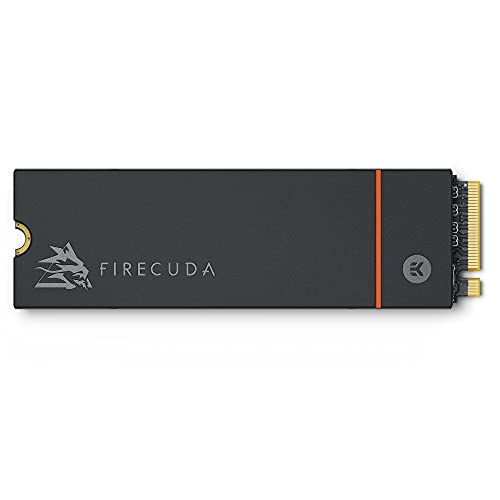
Seagate FireCuda 530 1TB Heatsink SSD
Best for: PS5 upgrades and sustained high-speed workloads
- Cooling
- Heatsink (what this guide is about)
- Storage Capacity
- 1 TB
- Interface
- PCIe Gen4 ×4 NVMe 1.4
- Form Factor
- M.2
- Max Read Speed
- Up to 7300MB/s
- Compatibility
- PS5
View on Amazon: Seagate FireCuda 530 1TB Heatsink SSD Affiliate link
The Seagate FireCuda 530 offers PCIe Gen4 speeds up to 7300MB/s. It includes a custom low-profile heatsink designed by EKWB to manage thermal throttling. This M.2 drive supports PS5 compatibility. You should choose this if you need high sustained performance for gaming or content creation while relying on the included cooling solution to maintain peak speeds.
Pros
- Max read speeds up to 7300MB/s
- Includes EKWB-designed low-profile heatsink
- Compatible with PS5 internal storage
- Uses TLC NAND for balanced endurance
Cons
- Limited to 1TB capacity in this listing
- Heatsink adds bulk compared to bare drives
- No DRAM cache listed in specifications
Good fit if
- You want high speeds with built-in cooling
- You are upgrading a PS5 console
- You need sustained performance for content creation
Skip if
- You prefer a bare drive for custom cooling
- You need more than 1TB of storage
- You require PCIe Gen5 speeds
Verdict: The Seagate FireCuda 530 1TB Heatsink delivers top-tier Gen4 performance with integrated EKWB cooling, making it an ideal fit for PS5 owners and creators who want a ready-to-use high-speed solution.

Inland Performance Plus 1TB NVMe SSD
Best for: PS5 expansion with separate cooling
- Cooling
- Heatsink (what this guide is about)
- Storage Capacity
- 1TB
- Interface
- PCIe Gen4 x4
- Max Read Speed
- 7,100 MB/s
- Max Write Speed
- 6,300 MB/s
- Cache Type
- DRAM cache
View on Amazon: Inland Performance Plus 1TB NVMe SSD Affiliate link
This Inland drive offers PCIe Gen4 x4 speeds up to 7,100 MB/s with a DRAM cache. It uses 176-layer TLC NAND and the E18 controller. The 2280 form factor fits standard slots. You get a 6-year warranty and 700 TBW endurance. The data lists a heatsink option, so you can choose the version that matches your cooling needs for PS5 or desktop use.
Pros
- Sequential read speeds up to 7,100 MB/s
- Includes DRAM cache for stability
- 6-year limited warranty
- 700 TBW endurance rating
- Available with or without a heatsink
Cons
- Caseless design on the base model lacks passive cooling
- Requires a heatsink for sustained high-speed writes
- No included thermal pad in the standard package
Good fit if
- You want PCIe Gen4 speeds for PS5 gaming
- You need a drive with DRAM cache
- You plan to add your own heatsink
Skip if
- You need a drive with a pre-attached heatsink
- You are looking for PCIe Gen3 speeds only
- You want a smaller 1TB capacity option
Verdict: Inland 1TB PS5 NVMe SSD delivers high Gen4 speeds with DRAM cache, fitting users who prefer to manage their own cooling solution.

Samsung 980 PRO 2TB SSD with Heatsink
Best for: PS5 expansion and PC thermal management
- Cooling
- Heatsink (what this guide is about)
- Storage Capacity
- 2TB
- Interface
- PCIe Gen 4 NVMe
- Form Factor
- M.2
- Compatibility
- PS5
- Dimensions
- 3.15 × 0.96 × 0.34 inches
View on Amazon: Samsung 980 PRO 2TB SSD with Heatsink Affiliate link
This drive pairs Samsung's PCIe Gen 4 NVMe interface with an integrated heatsink for thermal management. The 2TB capacity offers ample storage for large files. The heatsink disperses heat to maintain speed and prevent downtime from overheating. Its slim 8.6mm housing fits PS5 consoles and PCs. You get consistent performance for gaming and heavy-duty applications without the need for additional cooling solutions.
Pros
- Integrated heatsink disperses heat to maintain speed
- PCIe Gen 4 NVMe interface for high bandwidth
- 2TB storage capacity for large data sets
- Slim 8.6mm housing fits PS5 consoles
Cons
- Heatsink adds bulk compared to bare drives
- Only includes 2TB option in this variation
- No mention of DRAM cache in key specs
Good fit if
- You need a drive that fits a PS5
- You want passive cooling for a PC build
- You require 2TB of fast NVMe storage
Skip if
- You are using a PCIe 3.0 motherboard
- You need more than 2TB of space
- You prefer a drive without a heatsink
Verdict: Samsung 980 PRO 2TB Heatsink delivers reliable thermal control for PS5 and PC users who need 2TB of fast storage. It suits those who want a plug-and-play solution with built-in cooling.

Sandisk WD_Black SN850X 1TB NVMe SSD
Best for: tight builds needing speed without bulk
- Cooling
- Heatsink (what this guide is about)
- Storage Capacity
- 1TB
- Interface
- NVMe
- Dimensions
- 5 × 4 × 0.87 inches
- Weight
- 1.76 ounces
View on Amazon: Sandisk WD_Black SN850X 1TB NVMe SSD Affiliate link
This WD_Black SN850X offers 1TB of NVMe storage in a non-heatsink form factor. The data lists its interface as NVMe and cooling as heatsink, though the title specifies non-heatsink. It measures 4 inches by 0.87 inches by 5 inches and weighs 1.76 ounces. You get high-performance speeds for quick data access. This drive suits users who need capacity without the bulk of a heatsink, fitting various systems.
Pros
- 1TB storage capacity
- NVMe interface
- Non-heatsink design for compatibility
- Fast data transfer speeds
Cons
- Non-heatsink design may limit thermal performance under sustained loads
- Data lists cooling as heatsink but title says non-heatsink, causing confusion
- No DRAM cache mentioned in specs
Good fit if
- You need 1TB of fast NVMe storage
- You want a drive that fits in tight spaces
- You prioritize speed over bulk
Skip if
- You require a built-in heatsink for passive cooling
- You need more than 1TB of capacity
- You prefer a drive with a listed DRAM cache
Verdict: WD_Black SN850X 1TB NVMe SSD fits users who need high-speed storage without a heatsink. It is a good choice for tight builds where bulk is a concern.
Specifications side by side
| Spec | 10Gtek 4-Slot M.2 PCIe 3.0 Expansion Card | TEAMGROUP CARDEA A440 1TB PCIe 4.0 SSD | Seagate FireCuda 530 1TB Heatsink SSD | Inland Performance Plus 1TB NVMe SSD | Samsung 980 PRO 2TB SSD with Heatsink | Sandisk WD_Black SN850X 1TB NVMe SSD |
|---|---|---|---|---|---|---|
| Storage Capacity | not stated | 1TB | 1 TB | 1TB | 2TB | 1TB |
| Interface | PCIe 3.0 x8 | PCIe Gen4 x4, NVMe | PCIe Gen4 ×4 NVMe 1.4 | PCIe Gen4 x4 | PCIe Gen 4 NVMe | NVMe |
| Form Factor | not stated | M.2 2280 | M.2 | not stated | M.2 | not stated |
| Max Read Speed | not stated | 7,000 MB/s | Up to 7300MB/s | 7,100 MB/s | not stated | not stated |
| Max Write Speed | not stated | 5,500 MB/s | not stated | 6,300 MB/s | not stated | not stated |
| Cache Type | not stated | DRAM, SLC Cache | not stated | DRAM cache | not stated | not stated |
| Cooling | Aluminum Heatsink & Fan | Graphene & Aluminum Heatsink | Low-profile heatsink | No Heatsink | Heatsink | Non-heatsink |
| Compatibility | not stated | not stated | PS5 | PS5, Gaming | PS5 | not stated |
| NAND Type | not stated | 3D NAND, TLC | TLC | 3D NAND, TLC | not stated | not stated |
| Size | 1pc | 1TB | 1 TB | 1TB | 2TB | not stated |
| Material | Aluminum | Aluminum | not stated | not stated | not stated | not stated |
| Dimensions | not stated | 19.7 × 19.7 × 11 inches | 0.87 × 0.09 × 3.16 inches | not stated | 3.15 × 0.96 × 0.34 inches | 5 × 4 × 0.87 inches |
| Weight | not stated | 1.62 ounces | 0.35 ounces | not stated | 1.12 ounces | 1.76 ounces |
| Color | 4x M.2 (M Key), PEX-8724 | A440 | Black | No Heatsink | Black | black |
| Model | 10Gtek-LRNV9524-4I | TM8FPZ001T0C327 | ZP1000GM3A023 | Performance Plus | MZ-V8P2T0CW | WDBB9G0010BNC-WRSN |
Frequently asked questions
Do I need a heatsink for a PS5?
Yes, Sony requires a heatsink for PS5 expansion slots. The console’s internal airflow is limited, so passive cooling helps maintain performance. Models like the Samsung 980 PRO and Seagate FireCuda 530 include integrated heatsinks. These are designed to fit the specific height constraints of the PS5 bay. Without one, the drive may overheat and throttle.
What is the difference between a heatsink and no cooling?
A heatsink is a metal plate, usually aluminum, attached to the SSD. It absorbs heat from the controller and NAND chips. Drives without cooling, like the Inland Performance Plus, rely on case airflow. Heatsinks provide consistent thermal management during heavy workloads. This prevents the drive from slowing down due to high temperatures.
Can I use a PCIe expansion card for cooling?
Yes, cards like the 10Gtek 4-Slot M.2 PCIe 3.0 Expansion Card offer active cooling solutions. This card holds four NVMe drives and includes aluminum heatsinks. It is ideal for workstations or servers needing high storage density. The metal construction helps dissipate heat from multiple drives simultaneously, keeping temperatures stable.
Does a heatsink affect SSD speed?
A heatsink does not increase maximum speed but helps sustain it. High-performance drives like the TEAMGROUP CARDEA A440 use heatsinks to prevent thermal throttling. Throttling reduces speed when the drive gets too hot. By keeping temperatures lower, the heatsink allows the drive to maintain peak performance during long transfers or gaming sessions.
Are all NVMe SSDs compatible with heatsinks?
Most M.2 2280 NVMe SSDs can use heatsinks, but fit matters. The Samsung 980 PRO and Seagate FireCuda 530 come with pre-installed heatsinks. You can also buy drives like the WD_Black SN850X separately and add your own cooler. Ensure the heatsink height fits your case or console. Some models, like the Inland, are sold without any cooling.
What material are NVMe heatsinks made of?
Most NVMe heatsinks are made of aluminum. Aluminum is lightweight and conducts heat well. The 10Gtek expansion card and TEAMGROUP CARDEA A440 both use aluminum plates. This material helps absorb heat from the SSD components and release it into the air. Some drives, like the Seagate FireCuda 530, use specialized cooling solutions from EKWB.