Best M.2 SSD Enclosures in 2026: 15 Picks Ranked by Specs
As an Amazon Associate we earn from qualifying purchases. Links on this page are affiliate links.
A dedicated m2 SSD enclosure allows you to repurpose internal drives into fast, portable external storage. For this guide, 15 products were compared based strictly on the specifications published on the listings. The StarTech M.2 SATA USB-C Enclosure takes the top spot because its aluminum chassis and 10Gbps connection allow you to reach the full throughput limit of the SATA III interface across four drive lengths.
This guide helps you decide which enclosure best matches your hardware needs, whether you require tool-free installation, dual-protocol NVMe and SATA compatibility, or higher transfer speeds.
Quick picks
The best fit for you
- You want to repurpose an M.2 SATA drive StarTech M.2 SATA USB-C Enclosure Its SATA III interface and 10Gbps USB-C connection maximize throughput for legacy M.2 drives.
- You need the fastest data transfer speeds available ANYOYO Tool-Free 40Gbps M.2 NVMe Enclosure It supports 40Gbps transfer speeds for compatible NVMe drives across Thunderbolt and USB4.
- You need rugged external storage for gaming consoles ASUS TUF Gaming A1 Rugged M.2 SSD Enclosure It features certified IP68 water resistance alongside listed PS5 and gaming compatibility.
- You swap NVMe drives frequently without using tools Plugable Tool-Free M.2 NVMe SSD Enclosure Its tool-free chassis allows fast installation of M.2 NVMe drives without screws.
Our 15 picks

StarTech M.2 SATA USB-C Enclosure
Best for: repurposing M.2 SATA SSDs over USB-C
- Form Factor
- M.2 (what this guide is about)
- Max Transfer Speed
- 10Gbps
- Host Interface
- USB-C, Thunderbolt 3
- Drive Interface
- M.2 SATA
- Supported Form Factors
- 30mm, 42mm, 60mm, 80mm
- Cooling System
- Aluminum with ventilation
This external enclosure from StarTech.com converts an M.2 SATA SSD into a portable USB-C drive. It pairs a USB 3.1 Gen 2 10Gbps host connection with a SATA III internal interface running at up to 6Gbps. The ventilated aluminum housing accepts 30mm, 42mm, 60mm, and 80mm drive lengths. If you have an M.2 SATA drive and need plug-and-play storage for a USB-C or Thunderbolt 3 computer, this enclosure fits your hardware.
Pros
- Supports 30mm, 42mm, 60mm, and 80mm M.2 SATA SSDs
- USB 3.1 Gen 2 host connection rated up to 10Gbps
- Ventilated aluminum housing for heat dissipation
- Includes USB-C cable in the box
Cons
- Incompatible with M.2 NVMe and AHCI PCIe drives
- Internal transfer throughput capped at 6Gbps by SATA III
Good fit if
- You have a spare M.2 SATA SSD in 2230, 2242, 2260, or 2280 form factor.
- You connect to a host computer using USB-C or Thunderbolt 3 ports.
- You need an OS-independent enclosure requiring no drivers.
Skip if
- You own an M.2 NVMe or PCIe-based solid-state drive.
- You need data transfer rates exceeding SATA III 6Gbps speeds.
Verdict: StarTech.com Aluminum M.2 SATA Enclosure provides a durable, ventilated housing for M.2 SATA drives across four standard lengths. Its USB 3.1 Gen 2 connection ensures you reach the full throughput limit of the SATA III interface.

SSK Dual-Protocol M.2 NVMe and SATA SSD Enclosure
Best for: swapping between NVMe and SATA M.2 drives
- Form Factor
- M.2 (what this guide is about)
- Max Transfer Speed
- 10Gbps
- Host Interface
- USB-C, USB 3.2 Gen 2, Thunderbolt 3
- Drive Interface
- NVMe PCIe & SATA (M-Key, B+M Key)
- Supported Form Factors
- 2242, 2260, 2280
- Cooling System
- Aluminum alloy shell, thermal pad
View on Amazon: SSK Dual-Protocol M.2 NVMe and SATA SSD Enclosure
This SSK enclosure houses both NVMe PCIe and SATA M.2 drives in sizes 2242, 2260, and 2280. Powered by the RTL9210B controller, it supports speeds up to 10Gbps via USB 3.2 Gen 2 Type-C alongside UASP and TRIM. The aluminum body aids passive heat dissipation with the included thermal pads. It suits you if you frequently switch between SATA and NVMe drives or need both USB-A and USB-C cables included.
Pros
- Supports both NVMe PCIe and SATA M.2 drives (M-Key and B+M Key)
- 10Gbps transfer speed via USB 3.2 Gen 2 with UASP and TRIM support
- Includes both USB Type-C and USB Type-A cables
- Aluminum alloy shell with two included thermal pads
Cons
- Requires a screwdriver for drive installation instead of a tool-free design
- Does not support size 2230 drives or M.2 PCIe AHCI SSDs
Good fit if
- You need to read or transfer data from both SATA and NVMe M.2 drives.
- You connect to host machines with both USB-A and USB-C ports.
- You use 2242, 2260, or 2280 form factor M.2 solid-state drives.
Skip if
- You want a tool-free enclosure that opens without a screwdriver.
- You use miniature 2230 M.2 SSDs or legacy M.2 PCIe AHCI drives.
Verdict: SSK Dual-Protocol NVMe and SATA M.2 SSD Enclosure gives you flexible 10Gbps connectivity across both M.2 drive protocols with full cable support out of the box.

Plugable Tool-Free M.2 NVMe SSD Enclosure
Best for: tool-free M.2 NVMe drive swapping
- Form Factor
- M.2 (what this guide is about)
- Max Transfer Speed
- Up to 10Gbps
- Host Interface
- USB-C, USB4, Thunderbolt 3, TB4
- Drive Interface
- PCIe NVMe (Gen 3, Gen 4)
- Supported Form Factors
- 2230, 2242, 2260, 2280
- Cooling System
- Aluminum case with heatsink fins
This Plugable enclosure gives you an aluminum chassis with a tool-free design for PCIe Gen 3 and Gen 4 NVMe drives. It supports sizes 2230, 2242, 2260, and 2280 through a 10Gbps USB 3.1 Gen 2 interface with over 900MB/s speeds. You get both USB-C and USB-A cables in the box. It suits you if you need quick drive swaps across Windows, macOS, Linux, or ChromeOS systems without tools.
Pros
- Tool-free design installs drives without screwdrivers
- Supports 2230, 2242, 2260, and 2280 M.2 form factors
- Includes both USB-C and USB-A connection cables
- Aluminum case includes low-profile heatsink fins
Cons
- Does not support M.2 SATA SSDs
- Incompatible with AHCI and non-NVMe PCIe drives
Good fit if
- You need to swap M.2 NVMe drives quickly without tools.
- You use M.2 NVMe cards in sizes from 2230 up to 2280.
- You connect drives to both USB-C and USB-A host devices.
Skip if
- You have an M.2 SATA or AHCI SSD.
- You require host transfer speeds higher than 10Gbps.
Verdict: Plugable Tool-Free M.2 NVMe SSD Enclosure delivers straightforward 10Gbps connectivity and broad NVMe size support without needing mounting screws. It provides reliable everyday data access across multiple operating systems.

StarTech Rugged M.2 NVMe USB-C Enclosure
Best for: harsh environments requiring water and drop protection
- Form Factor
- M.2 (what this guide is about)
- Max Transfer Speed
- 10Gbps
- Host Interface
- USB 3.2 Gen 2x1, Thunderbolt 3
- Drive Interface
- PCIe NVMe M-Key
- Supported Form Factors
- 2230, 2242, 2260, 2280
- Cooling System
- Aluminum housing, internal thermal pad
This enclosure houses an M.2 NVMe PCIe SSD and connects through a 10Gbps USB-C interface for data transfers up to 1GB/s. It features solid aluminum construction with an IP67 water and dust resistance rating, alongside MIL-STD-810G drop certification. You get support for 2230, 2242, 2260, and 2280 drive sizes. It suits you if you need durable external storage for field work or travel.
Pros
- IP67 dustproof and water-resistant rating with MIL-STD-810G drop certification
- 10Gbps USB 3.1 Gen 2 transfer speeds with UASP support
- Supports M.2 NVMe drive lengths 2230, 2242, 2260, and 2280
- Solid aluminum housing with included internal thermal pad
Cons
- Does not support M.2 SATA SSDs
- Requires screwdriver and mounting hardware for drive installation
- Does not include a USB-A cable or adapter
Good fit if
- You need an enclosure with IP67 water resistance and MIL-STD-810G drop protection.
- You use an M-Key PCIe NVMe drive sized between 2230 and 2280.
- You connect directly to USB-C or Thunderbolt 3 ports.
Skip if
- You need to install an M.2 SATA drive.
- You prefer a tool-free enclosure design for quick drive swaps.
- You need transfer bandwidth beyond 10Gbps.
Verdict: StarTech Rugged M.2 NVMe USB-C Enclosure provides certified drop, dust, and water resistance for M.2 PCIe drives at 10Gbps. It is a dependable choice if you prioritize physical protection over tool-free drive swapping.

SSK Dual-Protocol M.2 SSD Enclosure
Best for: swapping between NVMe and SATA M.2 SSDs
- Form Factor
- M.2 (what this guide is about)
- Max Transfer Speed
- 10Gbps
- Host Interface
- USB-C 3.2 Gen 2
- Drive Interface
- NVMe PCIe, SATA (M-Key, B+M Key)
- Supported Form Factors
- 2230, 2242, 2260, 2280
- Cooling System
- Aluminum alloy shell, thermal pads
This SSK enclosure gives you a portable aluminum housing that supports both NVMe and SATA M.2 drives across 2230, 2242, 2260, and 2280 sizes. It connects over USB-C 3.2 Gen 2 to reach speeds up to 10Gbps for NVMe drives and 6Gbps for SATA drives. Tool-free assembly lets you swap drives without screws, and the package includes both USB-C and USB-A cables, making it a flexible pick if you work across different systems.
Pros
- Supports both NVMe PCIe and SATA M.2 drives
- Tool-free drive installation requires no screws
- Includes both USB-C and USB-A connection cables
- Compatible with 2230, 2242, 2260, and 2280 drive lengths
Cons
- Maximum transfer speed caps at 10Gbps for NVMe drives
- SATA drive transfers are limited to 6Gbps
Good fit if
- You need to swap between NVMe and SATA M.2 drives frequently.
- You want screw-free installation with both USB-C and USB-A cables included.
- You use M.2 SSDs in varying lengths like 2230, 2242, 2260, or 2280.
Skip if
- You need speeds exceeding 10Gbps over USB4 or Thunderbolt.
- You have an SSD that requires a B-Key connector.
Verdict: SSK Tool-Free NVMe & SATA M.2 SSD Enclosure delivers broad drive protocol compatibility with screwless installation and 10Gbps transfer rates. It is an efficient enclosure choice for handling both NVMe and SATA drives on modern and legacy ports.

SABRENT Tool-Free Thunderbolt 3 M.2 NVMe Enclosure
Best for: Thunderbolt 3 users swapping NVMe drives quickly
- Form Factor
- M.2 (what this guide is about)
- Max Transfer Speed
- Up to 1600 MB/s
- Host Interface
- Thunderbolt 3
- Cooling System
- Solid Aluminum
- Installation Style
- Tool-Free
- Dimensions
- 4 × 1.5 × 0.58 inches
View on Amazon: SABRENT Tool-Free Thunderbolt 3 M.2 NVMe Enclosure
You get an M.2 NVMe drive enclosure built for Thunderbolt 3 host ports. It delivers transfer speeds up to 1600 MB/s inside a solid aluminum body. The tool-free latch system secures your drive without screws or extra tools. A detachable cable supplies bus power directly from your computer. This suits you if you need fast NVMe transfers across dedicated Thunderbolt 3 setups.
Pros
- Up to 1600 MB/s transfer speeds via Thunderbolt 3
- Tool-free drive installation using retention pin
- Solid aluminum build for heat dissipation
- Bus-powered operation with detachable cable
Cons
- Incompatible with standard non-Thunderbolt USB-C ports
- Does not support M.2 SATA drives
Good fit if
- You have a host system with dedicated Thunderbolt 3 ports.
- You want tool-free NVMe drive installation without using screws.
Skip if
- You need to connect to standard USB-C ports.
- You plan to install an M.2 SATA drive.
Verdict: SABRENT Tool-Free Thunderbolt 3 M.2 NVMe Enclosure delivers fast 1600 MB/s throughput alongside screwless drive swapping. It provides dedicated high-speed NVMe connectivity strictly for Thunderbolt 3 systems.

Sokiwi Tool-Free M.2 NVMe & SATA SSD Enclosure
Best for: quick swaps between NVMe and SATA drives
- Form Factor
- M.2 (what this guide is about)
- Max Transfer Speed
- 10Gbps
- Host Interface
- USB 3.2 Gen 2
- Drive Interface
- NVMe/SATA PCIe M-Key, PCIe B&M Key
- Supported Form Factors
- 2230, 2242, 2260, 2280
- Cooling System
- Aluminum alloy shell
View on Amazon: Sokiwi Tool-Free M.2 NVMe & SATA SSD Enclosure
The Sokiwi Tool-Free M.2 NVMe & SATA SSD Enclosure houses NVMe and SATA drives across 2230, 2242, 2260, and 2280 sizes. Driven by the RTL9210 chipset, it provides 10Gbps transfers for NVMe and 6Gbps for SATA. Featuring an aluminum shell and toolless latch, this enclosure suits you if you need to swap multiple M.2 formats up to 2TB without tools.
Pros
- Dual-protocol support for M.2 NVMe (10Gbps) and SATA (6Gbps)
- Tool-free installation via quick-release latch
- Compatible with 2230, 2242, 2260, and 2280 form factors
- Includes both USB Type-C and USB Type-A cables
Cons
- Capacity support capped at 2TB
- Incompatible with M.2 PCIe AHCI SSDs and mSATA cards
Good fit if
- You want a single tool-free enclosure for both NVMe and SATA M.2 drives.
- You use drives in 2230, 2242, 2260, or 2280 form factors.
- You need both USB-C and USB-A connection cables out of the box.
Skip if
- You need an enclosure for drives larger than 2TB.
- You use older M.2 PCIe AHCI or mSATA storage modules.
Verdict: Sokiwi Tool-Free M.2 NVMe & SATA SSD Enclosure provides versatile dual-protocol compatibility and easy latch access for drives up to 2TB.

SABRENT Tool-Free NVMe and SATA M.2 Enclosure
Best for: swapping bare NVMe and SATA M.2 drives
- Form Factor
- M.2 (what this guide is about)
- Max Transfer Speed
- 10Gbps
- Host Interface
- USB 3.2 Type-C
- Drive Interface
- PCIe NVMe, SATA
- Supported Form Factors
- 2242, 2260, 2280
- Cooling System
- Aluminum case, thermal pad
View on Amazon: SABRENT Tool-Free NVMe and SATA M.2 Enclosure
This SABRENT enclosure turns an M.2 NVMe or M.2 SATA solid-state drive into an external USB drive using a 100% tool-free design. It connects through a 10Gbps USB 3.2 Type-C interface capable of transfer speeds up to 1000MB/s. Built with an aluminum case and an ABS frame, it supports 2242, 2260, and 2280 drive sizes. It suits you if you swap bare M.2 drives between computers without handling screws.
Pros
- Tool-free installation requires no screwdriver
- Dual compatibility with M.2 PCIe NVMe and M.2 SATA drives
- Up to 10Gbps throughput over USB 3.2 Type-C
- Accommodates 2242, 2260, and 2280 lengths
Cons
- Does not fit drives with pre-installed heatsinks
- Does not support 2230 size, 2.5-inch SATA, or mSATA drives
- Includes only an 8-inch Type-C cable with no Type-A adapter
Good fit if
- You want to swap bare M.2 NVMe or SATA drives without using tools.
- You need a bus-powered enclosure capable of up to 1000MB/s transfers.
- You work with standard 2242, 2260, or 2280 M.2 form factors.
Skip if
- You need to house an M.2 SSD that includes a permanently attached heatsink.
- You must connect directly to host devices that only have Type-A USB ports.
- You plan to mount 2.5-inch SATA or mSATA form-factor drives.
Verdict: SABRENT Tool-Free M.2 NVMe and SATA SSD Enclosure delivers versatile dual-protocol compatibility and 10Gbps transfer speeds in a compact aluminum body. Its latching chassis makes drive swaps fast without requiring a screwdriver.

ANYOYO Tool-Free 40Gbps M.2 NVMe Enclosure
Best for: high-speed 40Gbps Thunderbolt and USB4 NVMe storage
- Form Factor
- M.2 (what this guide is about)
- Max Transfer Speed
- 40Gbps
- Host Interface
- Thunderbolt 4/3, USB4
- Drive Interface
- NVMe M-Key, B+M Key
- Supported Form Factors
- 2230, 2242, 2260, 2280
- Cooling System
- Aluminum alloy shell, thermal pad
This external aluminum enclosure connects an M.2 NVMe solid-state drive to your computer over a 40Gbps interface. Powered by JHL7440 and RTL9210 control chips, it supports data transfer rates up to 2700MB/s over Thunderbolt 3, Thunderbolt 4, or USB4. It accommodates drive sizes from 2230 to 2280 up to 8TB with tool-free installation. This enclosure suits you if you need maximum bus bandwidth for high-capacity NVMe storage without using tools.
Pros
- Supports transfer rates up to 40Gbps and 2700MB/s via Thunderbolt and USB4
- Tool-free drive installation requires no additional drivers
- Accepts 2230, 2242, 2260, and 2280 M.2 form factors up to 8TB capacity
- Aluminum alloy casing with included silicone thermal pad for passive cooling
Cons
- Incompatible with SATA NGFF and mSATA solid-state drives
- Solid-state drive is not included in the package
Good fit if
- You have a 40Gbps Thunderbolt or USB4 port and want speeds up to 2700MB/s.
- You use an M.2 NVMe drive in sizes 2230, 2242, 2260, or 2280 up to 8TB.
- You prefer a tool-free aluminum chassis with passive heat dissipation.
Skip if
- You need to mount a SATA NGFF or mSATA solid-state drive.
- You require an enclosure that comes with an internal SSD included.
Verdict: ANYOYO 40Gbps M.2 NVMe SSD Enclosure delivers high-bandwidth transfers up to 2700MB/s using JHL7440 and RTL9210 controllers. Its tool-free aluminum design provides straightforward setup for NVMe drives up to 8TB across Thunderbolt and USB interfaces.

SSK Tool-Free M.2 NVMe USB-C Enclosure
Best for: tool-free M-Key NVMe drive swapping
- Form Factor
- M.2 (what this guide is about)
- Max Transfer Speed
- 10Gbps
- Host Interface
- USB-C 3.2 Gen 2
- Drive Interface
- PCIe NVMe M-Key
- Supported Form Factors
- 2230, 2242, 2260, 2280
- Cooling System
- Aluminum shell, 2 thermal pads
The SSK Tool-Free USB-C NVMe Enclosure houses M-Key M.2 PCIe drives across four lengths: 2230, 2242, 2260, and 2280. Its USB 3.2 Gen 2 connection delivers transfer rates up to 10Gbps through a JMS583 controller with TRIM and UASP support. An aluminum body provides passive cooling with the two included thermal pads. This suits you if you need fast, toolless drive swaps across modern USB-C and legacy USB-A ports.
Pros
- Tool-free assembly for 2230, 2242, 2260, and 2280 M.2 NVMe drives
- USB 3.2 Gen 2 speeds up to 10Gbps with UASP and TRIM support
- Includes both USB-C and USB-A cables
- Aluminum alloy chassis with two included thermal pads
Cons
- Incompatible with SATA, B-Key, and B+M Key M.2 drives
- Does not support M.2 PCIe AHCI SSDs
Good fit if
- You use an M-Key PCIe NVMe SSD in sizes 2230, 2242, 2260, or 2280.
- You need tool-free installation for quick drive swaps.
- You need to connect to both USB-C and standard USB-A ports.
Skip if
- You need support for SATA-based M.2 SSDs.
- You have a B-Key or B+M Key form factor drive.
Verdict: SSK Tool-Free USB-C NVMe Enclosure delivers 10Gbps transfer speeds and hardware-free drive swapping for standard M-Key PCIe drives. Its aluminum shell and dual-cable bundle make it a versatile external reader for compatible NVMe media.

Vantec M.2 NVMe RGB USB-C Enclosure
Best for: NVMe users wanting controllable RGB lighting
- Form Factor
- M.2 (what this guide is about)
- Host Interface
- USB 3.1 Gen 2x1 Type-C
- Drive Interface
- NVMe
- Supported Form Factors
- 2242, 2260, 2280
- Cooling System
- Anodized aluminum
- Features
- RGB Lighting
This Vantec external enclosure adapts an M.2 NVMe drive to an anodized aluminum USB 3.1 Gen 2x1 Type-C interface. It supports 2242, 2260, and 2280 form factor modules with UASP compatibility across multiple operating systems. A dedicated hardware switch controls the integrated motherboard-syncable RGB lighting. You get a packaged 300mm USB-C cable and an activity LED, making this unit suitable if you want customizable lighting on an external NVMe drive.
Pros
- Hardware on/off switch for RGB lighting
- Anodized aluminum enclosure helps dissipate drive heat
- Supports 2242, 2260, and 2280 M.2 NVMe drive lengths
- Includes a 300mm shielded USB-C to USB-C cable
Cons
- NVMe-only interface does not support M.2 SATA SSDs
- Motherboard synchronization requires compatible RGB headers
- Does not list support for compact 2230 size drives
Good fit if
- You need an external enclosure with toggleable, syncable RGB lighting.
- You use an M.2 NVMe SSD in 2242, 2260, or 2280 lengths.
- You connect primarily to USB-C ports with native UASP support.
Skip if
- You need compatibility with legacy M.2 SATA SSDs.
- You require an included USB-A connection cable.
Verdict: Vantec RGB M.2 NVMe USB-C Enclosure delivers USB 3.1 Gen 2x1 transfer speeds and physical lighting control in an aluminum shell. It provides dedicated RGB synchronization for standard NVMe drives without requiring SATA dual-protocol support.

UGREEN 10Gbps M.2 NVMe SSD Enclosure
Best for: Tool-free high-capacity NVMe drive swapping
- Form Factor
- M.2 (what this guide is about)
- Max Transfer Speed
- 10Gbps
- Host Interface
- USB-C 3.2 Gen 2
- Drive Interface
- PCIe NVMe M/B+M Key
- Supported Form Factors
- 2230, 2242, 2260, 2280
- Drive Bay Count
- 1 bay
This UGREEN enclosure converts an M.2 NVMe SSD into a portable drive using a 10Gbps USB 3.2 Gen 2 Type-C connection. It accommodates 2230, 2242, 2260, and 2280 form-factor drives with capacities up to 8TB via a tool-free buckle mechanism. It suits you if you need fast NVMe transfers across multiple operating systems while protecting your drive with the included aluminum body and silicone sleeve.
Pros
- Tool-free buckle design allows drive installation without screws
- Supports NVMe drive capacities up to 8TB
- Accepts four common M.2 lengths: 2230, 2242, 2260, and 2280
- Includes a protective silicone case alongside the aluminum body
- Realtek RTL9210 controller supports UASP and TRIM commands
Cons
- Does not support SATA NGFF or mSATA SSDs
- Requires a USB 3.2 Gen 2 cable to reach the full 10Gbps bandwidth
Good fit if
- You use an M-key or B&M-key M.2 NVMe SSD up to 8TB.
- You swap SSDs frequently and prefer a tool-free buckle mechanism.
- You need compatibility across Windows, macOS, Linux, Android, and iOS.
Skip if
- You have an M.2 SATA NGFF or mSATA drive.
- You require transfer speeds higher than 10Gbps over USB.
Verdict: UGREEN Tool-Free 10Gbps M.2 NVMe Enclosure delivers dependable 10Gbps USB-C data rates with wide 8TB NVMe compatibility and easy, screwless drive swaps. It is a solid, well-shielded option for expanding storage across computers and mobile devices.

MAIWO M.2 NVMe and SATA USB-C Enclosure
Best for: Swapping between NVMe and SATA M.2 drives
- Form Factor
- M.2 (what this guide is about)
- Max Transfer Speed
- 10Gbps
- Host Interface
- USB 3.1 Gen 2x1 Type-C
- Drive Interface
- PCIe NVMe (M-Key), SATA NGFF (B+M-Key)
- Supported Form Factors
- 2230, 2242, 2260, 2280
- Cooling System
- Aluminum alloy shell, thermal pads
This MAIWO enclosure adapts both M.2 NVMe and SATA drives to a 10Gbps USB-C connection using the RTL9210B controller. You get tool-free installation across four M.2 lengths, ranging from 2230 up to 2280, with support for drive capacities up to 8TB. An aluminum shell with ventilation holes and bundled thermal pads manages heat. It suits you if you frequently swap between different drive types and need flexible external storage.
Pros
- Supports both PCIe NVMe (M-Key) and SATA (B+M-Key) drives
- Tool-free setup for 2230, 2242, 2260, and 2280 form factors
- Up to 10Gbps transfer speeds via USB 3.1 Gen 2x1 with UASP and TRIM
- Supports large drive capacities up to 8TB
- Aluminum shell with ventilation holes and included thermal pads
Cons
- Does not support M.2 SATA B-Key drives
- Caps throughput at 10Gbps rather than faster 20Gbps or 40Gbps standards
Good fit if
- You need to access both M.2 NVMe and M.2 SATA drives interchangeably.
- You want tool-free drive swapping across lengths from 2230 to 2280.
- You require external storage support for capacities up to 8TB.
Skip if
- You use an M.2 SATA drive with a dedicated B-Key connector.
- You need interface speeds faster than 10Gbps for high-bandwidth work.
Verdict: MAIWO Tool-Free NVMe and SATA Enclosure delivers dual-protocol drive compatibility and rapid swapping over a 10Gbps USB-C connection. It handles capacities up to 8TB while managing thermals using a ventilated aluminum body.

GODO RGB M.2 NVMe and SATA SSD Enclosure
Best for: tool-free dual-protocol drive swapping with status lighting
- Form Factor
- M.2 (what this guide is about)
- Max Transfer Speed
- 10Gbps (NVMe), 6Gbps (SATA)
- Host Interface
- USB 3.1 Gen 2 Type-C
- Drive Interface
- PCIe NVMe M-Key, B+M Key, SATA
- Supported Form Factors
- 2230, 2242, 2260, 2280
- Maximum Capacity
- 2TB
This external enclosure houses both M.2 NVMe and SATA drives using a Realtek RTL9210B controller. It delivers transfer rates up to 10Gbps over a USB-C connection for NVMe drives and 6Gbps for SATA drives. You get tool-free installation across four M.2 drive lengths up to 2TB in capacity. Built-in RGB lighting acts as a status indicator for read, write, and sleep states. It fits your workflow if you need visual drive activity alerts.
Pros
- Supports both NVMe (up to 10Gbps) and SATA (up to 6Gbps) protocols
- Tool-free drive installation mechanism
- Compatible with 2230, 2242, 2260, and 2280 form factor lengths
- Integrated RGB lighting displays drive sleep, standby, and read/write states
Cons
- Maximum drive capacity limited to 2TB
- Does not accommodate 22110 form factor drives
Good fit if
- You need a single enclosure to handle both NVMe and SATA M.2 drives.
- You swap M.2 drives often and require tool-free installation.
- You want visual lighting cues for drive connection and data activity.
Skip if
- You plan to install an SSD larger than 2TB.
- You require host transfer bandwidth exceeding 10Gbps.
Verdict: GODO RGB M.2 NVMe and SATA SSD Enclosure delivers broad dual-protocol support and tool-free drive swaps with functional status LEDs. It provides 10Gbps USB-C connectivity for standard M.2 drives up to 2TB.
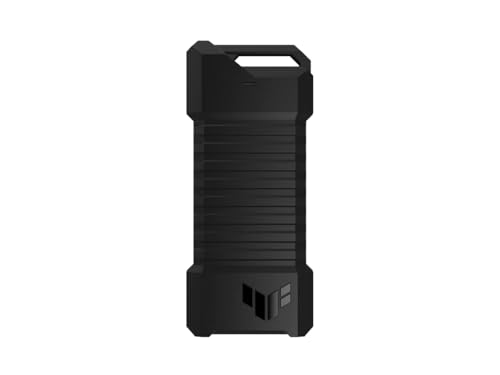
ASUS TUF Gaming A1 Rugged M.2 SSD Enclosure
Best for: rugged external PS5 and PC game storage
- Form Factor
- M.2 (what this guide is about)
- Max Transfer Speed
- Up to 10 Gbps
- Host Interface
- USB-C 3.2 Gen 2x1
- Drive Interface
- M.2 NVMe PCIe, SATA
- Supported Form Factors
- 2242, 2260, 2280
- Installation Style
- M.2 Q-Latch
The ASUS TUF Gaming A1 is an external drive enclosure built for M.2 NVMe and SATA SSDs in 2242, 2260, or 2280 sizes. It connects using a USB-C 3.2 Gen 2x1 port delivering speeds up to 10 Gbps. It carries IP68 water and dust resistance alongside MIL-STD-810H drop protection. This enclosure suits you if you need a rugged drive for outdoor use, portable gaming setups, or storage expansion on your PS5 console.
Pros
- IP68 dust and water resistance with MIL-STD-810H drop rating
- Supports both NVMe PCIe and SATA M.2 drives in 2242, 2260, and 2280 sizes
- Tool-free Q-latch system for mounting SSDs inside
- 10 Gbps USB-C 3.2 Gen 2x1 connection with included cable
Cons
- Limits maximum interface throughput to 10 Gbps
- Heavier than standard enclosures at approximately 0.55 pounds
- Does not fit compact 2230 M.2 SSDs
Good fit if
- You need IP68 ingress protection and drop resistance for portable use.
- You want to swap between NVMe and SATA drives using a tool-free Q-latch.
- You need external USB-C game storage for a PS5 console.
Skip if
- You require transfer speeds faster than 10 Gbps.
- You plan to install a small 2230 form factor SSD.
Verdict: ASUS TUF Gaming A1 M.2 SSD Enclosure delivers durable IP68 and MIL-STD-810H protection alongside dual NVMe and SATA compatibility. It provides dependable 10 Gbps USB-C connectivity for gaming consoles and mobile hardware.
Specifications side by side
| Spec | StarTech M.2 SATA USB-C Enclosure | SSK Dual-Protocol M.2 NVMe and SATA SSD Enclosure | Plugable Tool-Free M.2 NVMe SSD Enclosure | StarTech Rugged M.2 NVMe USB-C Enclosure | SSK Dual-Protocol M.2 SSD Enclosure | SABRENT Tool-Free Thunderbolt 3 M.2 NVMe Enclosure | Sokiwi Tool-Free M.2 NVMe & SATA SSD Enclosure | SABRENT Tool-Free NVMe and SATA M.2 Enclosure | ANYOYO Tool-Free 40Gbps M.2 NVMe Enclosure | SSK Tool-Free M.2 NVMe USB-C Enclosure | Vantec M.2 NVMe RGB USB-C Enclosure | UGREEN 10Gbps M.2 NVMe SSD Enclosure | MAIWO M.2 NVMe and SATA USB-C Enclosure | GODO RGB M.2 NVMe and SATA SSD Enclosure | ASUS TUF Gaming A1 Rugged M.2 SSD Enclosure |
|---|---|---|---|---|---|---|---|---|---|---|---|---|---|---|---|
| Max Transfer Speed | 10Gbps | 10Gbps | Up to 10Gbps | 10Gbps | 10Gbps | Up to 1600 MB/s | 10Gbps | 10Gbps | 40Gbps | 10Gbps | not specified | 10Gbps | 10Gbps | 10Gbps (NVMe), 6Gbps (SATA) | Up to 10 Gbps |
| Host Interface | USB-C, Thunderbolt 3 | USB-C, USB 3.2 Gen 2, Thunderbolt 3 | USB-C, USB4, Thunderbolt 3, TB4 | USB 3.2 Gen 2x1, Thunderbolt 3 | USB-C 3.2 Gen 2 | Thunderbolt 3 | USB 3.2 Gen 2 | USB 3.2 Type-C | Thunderbolt 4/3, USB4 | USB-C 3.2 Gen 2 | USB 3.1 Gen 2x1 Type-C | USB-C 3.2 Gen 2 | USB 3.1 Gen 2x1 Type-C | USB 3.1 Gen 2 Type-C | USB-C 3.2 Gen 2x1 |
| Drive Interface | M.2 SATA | NVMe PCIe & SATA (M-Key, B+M Key) | PCIe NVMe (Gen 3, Gen 4) | PCIe NVMe M-Key | NVMe PCIe, SATA (M-Key, B+M Key) | not specified | NVMe/SATA PCIe M-Key, PCIe B&M Key | PCIe NVMe, SATA | NVMe M-Key, B+M Key | PCIe NVMe M-Key | NVMe | PCIe NVMe M/B+M Key | PCIe NVMe (M-Key), SATA NGFF (B+M-Key) | PCIe NVMe M-Key, B+M Key, SATA | M.2 NVMe PCIe, SATA |
| Supported Form Factors | 30mm, 42mm, 60mm, 80mm | 2242, 2260, 2280 | 2230, 2242, 2260, 2280 | 2230, 2242, 2260, 2280 | 2230, 2242, 2260, 2280 | not specified | 2230, 2242, 2260, 2280 | 2242, 2260, 2280 | 2230, 2242, 2260, 2280 | 2230, 2242, 2260, 2280 | 2242, 2260, 2280 | 2230, 2242, 2260, 2280 | 2230, 2242, 2260, 2280 | 2230, 2242, 2260, 2280 | 2242, 2260, 2280 |
| Drive Bay Count | not specified | not specified | not specified | not specified | not specified | not specified | not specified | not specified | not specified | not specified | not specified | 1 bay | not specified | not specified | not specified |
| Cooling System | Aluminum with ventilation | Aluminum alloy shell, thermal pad | Aluminum case with heatsink fins | Aluminum housing, internal thermal pad | Aluminum alloy shell, thermal pads | Solid Aluminum | Aluminum alloy shell | Aluminum case, thermal pad | Aluminum alloy shell, thermal pad | Aluminum shell, 2 thermal pads | Anodized aluminum | not specified | Aluminum alloy shell, thermal pads | not specified | not specified |
| Maximum Capacity | not specified | not specified | Any capacity | not specified | not specified | not specified | 2TB | not specified | 8TB | not specified | not specified | 8TB | 8TB | 2TB | not specified |
| Installation Style | not specified | not specified | Tool-Free | not specified | Tool-Free | Tool-Free | Tool-Free | Tool-free | Tool-free | Tool-free | not specified | Tool-free | Tool Free | Tool-Free | M.2 Q-Latch |
| Interface | SATA III | SATA III | NVMe | NVMe | SATA III | NVMe | SATA III | SATA III | NVMe | NVMe | NVMe | NVMe | SATA III | NVMe | SATA III |
| Form Factor | M.2 | M.2 | M.2 | M.2 | M.2 | M.2 | M.2 | M.2 | M.2 | M.2 | M.2 | M.2 | M.2 | M.2 | M.2 |
| Compatibility | not specified | not specified | not specified | not specified | not specified | not specified | not specified | not specified | not specified | not specified | not specified | not specified | not specified | not specified | PS5, Gaming |
| Transfer Speed | 10Gbps | 10Gbps | not specified | 10Gbps | not specified | not specified | 10Gbps | not specified | 40Gbps | not specified | not specified | 10Gbps | 10Gbps | 10Gbps | 10Gbps |
| Features | not specified | not specified | Tool-Free | not specified | not specified | Tool-Free | Tool-Free | Tool-Free | Tool-Free | not specified | RGB Lighting | not specified | Tool-Free | Tool-Free, RGB Lighting | not specified |
| Material | Aluminum | not specified | not specified | not specified | not specified | not specified | not specified | not specified | Aluminum | not specified | not specified | not specified | not specified | not specified | not specified |
| Dimensions | 6.3 × 5.12 × 1.18 inches | 4.53 × 1.54 × 0.43 inches | 7.87 × 3.54 × 1.18 inches | 1.8 × 4.1 × 0.6 inches | 4.49 × 1.5 × 0.47 inches | 4 × 1.5 × 0.58 inches | 3.7 × 1.5 × 0.4 inches | 4.59 × 1.24 × 0.5 inches | 3.94 × 2.24 × 0.55 inches | 4.53 × 1.54 × 0.43 inches | 4.2 × 1.76 × 0.66 inches | 4.8 × 1.65 × 0.55 inches | 4.33 × 1.48 × 0.49 inches | 4.35 × 1.56 × 0.53 inches | 4.93 × 2.14 × 0.52 inches |
| Weight | 2.15 ounces | 3.53 ounces | 3.21 ounces | 5.76 ounces | 2.82 ounces | 4.7 ounces | 3.84 ounces | 3.99 ounces | 5.29 ounces | 2.82 ounces | 3.25 ounces | 4.9 ounces | 1.76 ounces | not specified | 8.78 ounces |
| Size | 10Gbps SATA | M.2 2242/2260/2280 | not specified | M.2 NVMe | 10 Gbps | M.2 NVMe | 2230/2242/2260/2280 | 10Gbps NVMe + SATA | TBU401 | M.2 NVMe | not specified | not specified | not specified | not specified | TUF A1|up to 10Gbps |
| Color | Black | Space Gray | Black | Black | Grey | Grey | Gray | BLACK | Space Gray | Silver grey | Black | Grey | Blue | Black | A1|up to 10Gbps |
| Model | SM21BMU31C3 | SHE-C325 PRO | USBC-NVME | M2E1BRU31C | HE-C371 | EC-T3NS | SKUD0501-US | EC-SNVE | TBU401 | HE-C327 | NST-210C3-RGB | Grey | 10Gbps NVMe/SATA Enclosure | MS09-NVMe/SATA | ESD-T1A/BLK/G/AS// |
For kitchen appliance hardware categorized by motor settings instead of storage controllers, you can compare the best juicers with 2 Speeds by operating specifications.
How to Choose the Right M.2 Enclosure
-
Verify Supported Drive Lengths
M.2 SSDs come in multiple lengths, including 2230, 2242, 2260, and 2280 millimeters. You must check the size specifications of your enclosure before purchase. Many standard models fit the common 2280 format, but smaller drives require intermediate mounting standoffs or clips. For instance, the Sokiwi SKUD0501-US lists explicit support across 2230, 2242, 2260, and 2280 sizes. If you plan to repurpose shorter drives pulled from compact laptops or handhelds, verify that the internal chassis contains physical mounting points for those exact dimensions.
-
Choose Tool-Free Mounting Designs
Consider how frequently you plan to swap drives inside the enclosure. Standard enclosures use traditional screws and standoffs to secure the drive, which provides a rigid hold for permanent storage. However, if you regularly change SSDs for backups or data retrieval, look for a tool-free design. The Plugable USBC-NVME features a screwless mechanism that lets you secure the drive without tools. Check the specifications for tool-free or latch mechanisms if you want fast drive swaps, or select fixed screw mounting if the drive remains installed permanently.
-
Check Environmental Durability Ratings
Enclosures intended for outdoor travel or field work require physical protection beyond standard lightweight shells. Check the specifications for environmental certifications if you carry data through rough conditions. Standard aluminum enclosures defend against minor desk bumps, but specialized hardware offers defined resistance ratings. The ASUS TUF Gaming A1 provides certified IP68 water and dust ingress defense alongside MIL-STD-810H drop protection. If your drive stays connected to a stationary workstation, standard housings work well, but field technicians and mobile professionals should verify ruggedness metrics.
-
Review Maximum Drive Capacity
Internal controller chips dictate the maximum drive capacity an enclosure can recognize. Enclosures often list explicit volume ceilings, commonly ranging from 2TB up to 8TB. If you install large multi-terabyte drives for high-capacity media storage, check the capacity rating in the product specifications. For example, the UGREEN 10Gbps M.2 NVMe SSD Enclosure supports drives up to 8TB. Installing a drive that exceeds an enclosure's stated capacity limit can cause partition errors or drive detection failure, so confirm the maximum supported capacity before pairing high-density storage.
-
Assess Material and Heat Dissipation
High-speed M.2 solid-state drives generate substantial heat during sustained file operations. You need an enclosure that dissipates heat away from the controller and flash modules. Examine the material specifications on the product page. Aluminum chassis act as passive heatsinks to transfer heat to ambient air. The StarTech SM21BMU31C3 uses an aluminum build with ventilation slots to assist thermal management. If you write large sequential files, prioritize solid aluminum shells over plastic designs, as metallic construction helps keep operational temperatures stable under continuous read and write loads.
-
Look for Status Feature Options
Diagnostic visibility varies between enclosure designs. Simple enclosures offer standard power LEDs, while specialized units integrate status lighting or RGB systems. The Vantec NST-210C3-RGB provides dedicated controllable RGB lighting on its exterior shell. If you prioritize quick visual feedback on power and data read or write activity, check whether the enclosure includes external status indicators. Desk setups may benefit from lighting synchronization, while minimalist workstations or mobile toolkits function best with compact, non-illuminated designs that focus purely on low profile portability.
Frequently asked questions
Can you use an M.2 SSD enclosure with gaming consoles like the PS5?
Yes, you can connect an M.2 enclosure to a PS5 to store and play supported games via USB. For example, the ASUS TUF Gaming A1 is specifically rated for PS5 and PC gaming setups. It connects via a 10Gbps USB-C host interface and features rugged MIL-STD-810H and IP68 protection to keep your external console storage safe.
What is the maximum storage capacity supported by an M.2 enclosure?
Maximum supported capacities depend strictly on the internal controller of the enclosure. Certain compact models like the Sokiwi SKUD0501-US and GODO MS09-NVMe/SATA support SSD sizes up to 2TB. In contrast, higher-capacity enclosures like the UGREEN 10Gbps, MAIWO, and ANYOYO TBU401 handle internal solid-state drives up to 8TB. You must verify controller specifications before installing large drives.
Do you need tools or screws to install an SSD in an M.2 enclosure?
Not always, because many enclosures use tool-free latching mechanisms instead of traditional mounting screws. Models such as the Plugable USBC-NVME, SABRENT EC-SNVE, and SSK HE-C371 feature tool-free designs that let you install or swap drives by hand. However, heavy-duty enclosures like the StarTech Rugged M2E1BRU31C prioritize certified drop, dust, and water resistance over tool-free swapping.
Does an M.2 enclosure require dedicated drivers or software to function?
No, standard M.2 enclosures operate as plug-and-play storage devices across common operating systems. Enclosures like the Plugable USBC-NVME provide direct access across multiple operating systems immediately upon plugging into your host port. Even units with special features, such as the Vantec NST-210C3-RGB enclosure, manage their lighting via physical controls without needing background software installation.
Can you connect an enclosure requiring Thunderbolt 3 to standard USB ports?
Some dedicated Thunderbolt enclosures will not function on regular USB-only computer ports. For instance, the SABRENT EC-T3NS delivers up to 1600 MB/s throughput but functions strictly on Thunderbolt 3 host systems. Conversely, multi-controller units like the ANYOYO TBU401 utilize JHL7440 and RTL9210 chipsets to maintain compatibility across both high-speed Thunderbolt connections and standard USB host interfaces.
How do aluminum enclosures help with drive thermals?
Aluminum enclosures dissipate heat by acting as a passive heatsink for high-performance internal drives. Solid-state drives generate heat during continuous transfers, and metal chassis designs draw heat away from internal components. Models like the StarTech SM21BMU31C3 and MAIWO enclosure use ventilated aluminum bodies to maintain reliable thermal performance while transferring data over high-speed USB-C connections.
What cables come included with an M.2 SSD enclosure?
Cable bundles vary depending on the target ports of the enclosure. Units such as the SSK HE-C327 include a dual-cable bundle so you can connect to both standard USB-A and modern USB-C host machines out of the box. Other units feature a dedicated USB-C interface to deliver their full 10Gbps throughput directly to compatible host ports.