15 Best Pcie 4.0 Nvme SSDs, Compared
As an Amazon Associate we earn from qualifying purchases. Links on this page are affiliate links.
Selecting a reliable pcie 40 nvme SSD gives your system fast data transfer rates for gaming and heavy workloads. We compared 15 drives based strictly on the specifications published on their product listings.
The Seagate FireCuda 520 1TB PCIe 4.0 SSD earns the top spot because it delivers sequential speeds up to 5000 MB/s for balanced Gen4 performance. This guide helps you evaluate form factors, cooling heatsinks, and storage capacities so you can choose the right SSD for your setup.
Quick picks
The best fit for you
- You want balanced 1TB PCIe 4.0 gaming storage Seagate FireCuda 520 1TB PCIe 4.0 SSD It delivers 1TB capacity with PCIe 4.0 speeds reaching up to 5000 MB/s.
- You need maximum storage capacity for your system Seagate FireCuda 530 4TB PCIe 4.0 SSD It provides 4TB of TLC storage with rated read speeds up to 7300 MB/s.
- You need a compact drive for small handheld devices Micron 2450 1TB M.2 2230 SSD Its compact M.2 2230 form factor fits smaller devices that cannot hold standard drives.
- You want a 2TB drive with built-in cooling Samsung 980 PRO 2TB SSD with Heatsink It combines 2TB of PCIe 4.0 storage with an integrated heatsink for PS5 compatibility.
Our 15 picks

Seagate FireCuda 520 1TB PCIe 4.0 SSD
Best for: balanced PCIe 4.0 gaming and workstation builds
- Interface
- PCIe 4.0
- Storage Capacity
- 1TB
- Max Read Speed
- Up to 5000MB/s
- Max Write Speed
- Up to 4400MB/s
- Compatibility
- Laptop, Desktop, Gaming
- Dimensions
- 3.15 × 0.87 × 0.08 inches
View on Amazon: Seagate FireCuda 520 1TB PCIe 4.0 SSD (paid link)
The Seagate FireCuda 520 is an internal PCIe 4.0 SSD built for desktop and laptop installations. You receive sequential read speeds reaching up to 5000 MB/s alongside sequential write speeds up to 4400 MB/s. It features an NVMe 1.3 protocol, an endurance rating up to 2800TB TBW, a 1.8M-hour MTBF, and a 3-year Rescue Service. This drive suits you if you configure gaming systems or creative workstations requiring steady Gen4 performance.
Pros
- Sequential read speeds up to 5000 MB/s and write speeds up to 4400 MB/s
- High endurance rating with up to 2800TB TBW and 1.8M hours MTBF
- Includes 3-year Rescue Service for data recovery support
- Free Seagate DiscWizard software included for drive cloning
Cons
- Operates on older NVMe 1.3 standard rather than NVMe 1.4
- Sequential read speed of 5000 MB/s falls below maximum PCIe 4.0 ceiling
- Slim 0.08-inch profile does not include a pre-installed heatsink
Good fit if
- You need a PCIe 4.0 drive with sequential read speeds up to 5000 MB/s.
- You want included data recovery coverage via a 3-year Rescue Service.
- You plan to clone an existing storage drive using Seagate DiscWizard.
Skip if
- You require top-tier PCIe 4.0 read speeds exceeding 7000 MB/s.
- You need an SSD built on the newer NVMe 1.4 protocol standard.
- You want a factory-installed heatsink for thermal dissipation.
Verdict: Seagate FireCuda 520 1TB PCIe 4.0 SSD delivers solid Gen4 speeds up to 5000 MB/s paired with strong write endurance and data recovery coverage. It gives you dependable storage for gaming rigs and creative workstations without paying for full bus saturation.

XPG GAMMIX S50 Lite 2TB PCIe 4.0 NVMe SSD
Best for: PCIe 4.0 PCs needing 2TB storage
- Interface
- PCIe 4.0
- Storage Capacity
- 2TB
- Form Factor
- M.2 2280
- Dimensions
- 3.15 × 0.87 × 0.17 inches
- Weight
- 0.35 ounces
View on Amazon: XPG GAMMIX S50 Lite 2TB PCIe 4.0 NVMe SSD (paid link)
The XPG GAMMIX S50 Lite is an M.2 2280 internal solid state drive built on the PCIe 4.0 NVMe 1.4 interface. It provides 2TB of 3D NAND storage with rated speeds of up to 3900 MB/s read and 3200 MB/s write. Designed for systems like AMD X570 setups, it suits you if you need mid-tier Gen4 storage backed by a 5-year manufacturer warranty for your compatible desktop motherboard.
Pros
- PCIe 4.0 NVMe 1.4 interface in a standard M.2 2280 form factor
- Rated transfer speeds up to 3900 MB/s read and 3200 MB/s write
- High-density 3D NAND with 2TB storage capacity
- 5-year manufacturer warranty included
Cons
- Not compatible with Mac systems without additional parts
- Read speeds cap at 3900 MB/s, lower than maximum PCIe 4.0 bandwidth
Good fit if
- You have an AMD X570 or compatible motherboard with an M Key PCIe NVMe slot.
- You want 2TB of high-density 3D NAND storage with a 5-year manufacturer warranty.
- You need balanced PCIe 4.0 transfer speeds up to 3900 MB/s read.
Skip if
- You use a Mac system and require native out-of-the-box drive compatibility.
- You need peak PCIe 4.0 transfer rates beyond 3900 MB/s read and 3200 MB/s write.
Verdict: XPG GAMMIX S50 Lite 2TB NVMe SSD delivers 2TB of PCIe 4.0 storage with rated transfer speeds up to 3900 MB/s read and 3200 MB/s write. It offers a practical Gen4 solution for compatible PC motherboards seeking 3D NAND reliability and a 5-year manufacturer warranty.

Samsung 980 PRO 1TB PCIe 4.0 SSD
Best for: bare-drive PCIe 4.0 system builds
- Interface
- PCIe 4.0
- Storage Capacity
- 1TB
- Form Factor
- M.2
- Dimensions
- 3.21 × 0.87 × 0.09 inches
View on Amazon: Samsung 980 PRO 1TB PCIe 4.0 SSD (paid link)
The Samsung 980 PRO 1TB PCIe 4.0 SSD is an internal M.2 drive built with Samsung V-NAND technology. It uses the PCIe 4.0 interface to deliver bandwidth for graphics, heavy data analytics, and gaming workloads. With a slim 0.09-inch profile and 1TB of storage, you get a compact form factor suited for standard M.2 slots. It fits you well if you need reliable Gen4 storage for primary system drives.
Pros
- PCIe 4.0 interface for high-bandwidth workloads
- Powered by Samsung V-NAND technology
- Slim 0.09-inch profile fits tight M.2 slots
- Lightweight bare-drive form factor under 0.02 pounds
Cons
- Does not include an integrated heatsink
- Capacity limited to 1TB
Good fit if
- You need a 1TB PCIe 4.0 NVMe drive for gaming or data analytics.
- You require a slim M.2 drive without an attached heatsink.
- You want an internal drive using Samsung V-NAND technology.
Skip if
- You need more than 1TB of onboard storage.
- You need an SSD with a pre-installed heatsink.
Verdict: Samsung 980 PRO 1TB PCIe 4.0 SSD delivers high-bandwidth PCIe 4.0 performance and V-NAND reliability in a slim M.2 profile. It provides a solid 1TB foundation for demanding gaming and data applications.

TEAMGROUP CARDEA A440 1TB PCIe 4.0 SSD
Best for: dual-cache performance with modular heatsink options
- Interface
- PCIe 4.0
- Storage Capacity
- 1TB
- Form Factor
- M.2 2280
- Max Read Speed
- 7,000 MB/s
- Max Write Speed
- 5,500 MB/s
- Cache Type
- DRAM, SLC Cache
View on Amazon: TEAMGROUP CARDEA A440 1TB PCIe 4.0 SSD (paid link)
The TEAMGROUP CARDEA A440 is a 1TB PCIe 4.0 M.2 2280 solid-state drive built with TLC 3D NAND and a Phison E18 controller. It features dedicated DRAM and SLC caching, delivering sequential read speeds up to 7,000 MB/s and write speeds up to 5,500 MB/s. You receive two interchangeable cooling options in the box: a thin graphene heatsink and a taller aluminum heatsink. This setup suits you if you want high-speed Gen4 storage with modular thermal management.
Pros
- Sequential read speeds reach up to 7,000 MB/s and writes up to 5,500 MB/s
- Includes both a 3.7mm graphene heatsink and a 12.9mm aluminum heatsink
- Equipped with both DRAM cache and SLC caching architectures
- Uses the Phison E18 controller with 3D TLC NAND flash
Cons
- Sequential write speed tops out at 5,500 MB/s
- Installing the 12.9mm aluminum heatsink in a PS5 requires leaving the bay lid off
Good fit if
- You need an SSD with dedicated SLC and DRAM caching for heavy transfer workloads.
- You want interchangeable low-profile graphene and standard aluminum heatsinks.
- You plan to expand PlayStation 5 storage using the included 3.7mm slim heatsink.
Skip if
- You need sequential write speeds that exceed 5,500 MB/s.
- You want to use the 12.9mm aluminum heatsink inside a PS5 with the slot cover attached.
Verdict: TEAMGROUP CARDEA A440 1TB PCIe 4.0 SSD pairs a Phison E18 controller with dual cache systems and two swappable heatsinks for adaptable cooling.

Mushkin Gamma 2TB PCIe 4.0 NVMe SSD
Best for: high-speed PS5 and PC gaming storage
- Interface
- PCIe 4.0
- Storage Capacity
- 2TB
- Form Factor
- M.2 2280
- Max Read Speed
- 7,175 MB/s
- Max Write Speed
- 6,800 MB/s
- Compatibility
- PS5, Gaming
View on Amazon: Mushkin Gamma 2TB PCIe 4.0 NVMe SSD (paid link)
The Mushkin Gamma is a 2TB PCIe 4.0 internal SSD using the standard M.2 2280 form factor. It pairs a Phison E18 controller with QLC NAND flash to achieve read speeds up to 7,175MB/s and write speeds up to 6,800MB/s. It includes hardware encryption and works in laptops, desktop PCs, and PS5 consoles. This drive suits you if you need high Gen4 transfer rates and multi-terabyte capacity.
Pros
- Sequential read speeds up to 7,175MB/s and write speeds up to 6,800MB/s
- Phison E18 controller
- Built-in hardware encryption
- Compatible with PS5, desktop PCs, and laptops
- 5-year limited warranty
Cons
- Uses QLC NAND flash memory
- Uses NVMe 1.3 protocol rather than NVMe 1.4
- No integrated heatsink included
Good fit if
- You want read speeds up to 7,175MB/s on a PCIe 4.0 interface.
- You need 2TB of storage for a desktop PC, notebook, or PS5.
- You require hardware-based data encryption.
Skip if
- You prefer TLC flash over QLC NAND.
- You require an SSD that adheres to the NVMe 1.4 specification.
- You need a drive that includes a factory-installed heatsink.
Verdict: Mushkin Gamma 2TB PCIe 4.0 NVMe SSD delivers sequential speeds up to 7,175MB/s using a Phison E18 controller and high-capacity QLC NAND. It offers capable Gen4 storage expansion for compatible gaming consoles and PCs.

Seagate FireCuda 530 4TB PCIe 4.0 SSD
Best for: high-capacity PS5 and PC storage upgrades
- Interface
- PCIe 4.0
- Storage Capacity
- 4TB
- Max Read Speed
- 7300 MB/s
- Max Write Speed
- 6900 MB/s
- Form Factor
- M.2
- Compatibility
- PS5
View on Amazon: Seagate FireCuda 530 4TB PCIe 4.0 SSD (paid link)
The Seagate FireCuda 530 is a high-capacity M.2 internal drive running on a PCIe 4.0 x4 NVMe 1.4 interface. It provides up to 7300 MB/s sequential read and 6900 MB/s sequential write speeds using 3D TLC NAND flash. You get 4TB of storage in a standard M.2 form factor compatible with PS5 consoles and PCs. This drive suits you if you need massive storage volume paired with top-tier Gen4 transfer rates.
Pros
- Read speeds up to 7300 MB/s and write speeds up to 6900 MB/s
- High 4TB storage capacity
- PCIe Gen4 x4 NVMe 1.4 interface
- Confirmed PS5 compatibility
Cons
- No integrated heatsink included in specifications
- Advertised 7300 MB/s transfer rates require PCIe 4.0-capable hardware
Good fit if
- You need 4TB of storage for large installations and media files.
- You want read speeds up to 7300 MB/s across a PCIe 4.0 x4 interface.
- You need an M.2 SSD compatible with a PS5 console.
Skip if
- You need an SSD with an included heatsink.
- You only require a low-capacity drive for light workloads.
Verdict: Seagate FireCuda 530 4TB PCIe 4.0 SSD delivers top-tier 7300 MB/s read speeds and massive 4TB capacity for demanding setups. It provides fast PCIe 4.0 x4 performance and PS5 compatibility in a standard bare M.2 form factor.
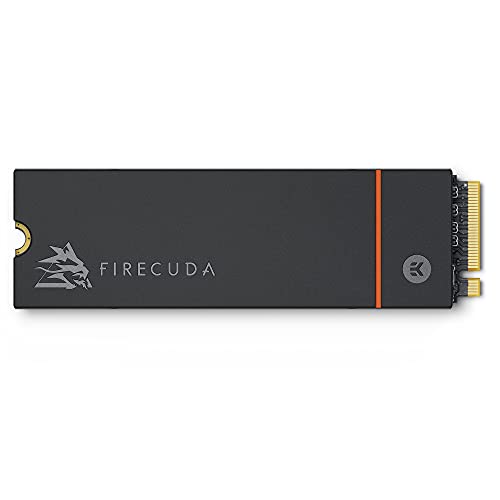
Seagate FireCuda 530 1TB Heatsink SSD
Best for: PS5 storage expansion and high-speed PCIe 4.0 gaming
- Interface
- PCIe 4.0
- Storage Capacity
- 1 TB
- Form Factor
- M.2
- Max Read Speed
- Up to 7300MB/s
- Cooling
- Low-profile heatsink
- Compatibility
- PS5
View on Amazon: Seagate FireCuda 530 1TB Heatsink SSD (paid link)
The Seagate FireCuda 530 is a 1TB PCIe 4.0 NVMe 1.4 M.2 SSD built with TLC NAND flash. It delivers transfer speeds up to 7,300 MB/s and includes an integrated EKWB-designed heatsink for heat dissipation. It also features official PS5 console compatibility. This drive suits you if you need sustained high bandwidth for gaming installations or data-heavy workloads alongside bundled data recovery coverage.
Pros
- Speeds up to 7,300 MB/s over PCIe Gen4 x4 NVMe 1.4
- Custom EKWB low-profile heatsink helps prevent thermal throttling
- Three years of Rescue Data Recovery Services and five-year limited warranty
- Direct compatibility with PS5 console expansion
Cons
- Integrated heatsink limits compatibility with tight laptop M.2 slots
- 1TB capacity provides less space than available 2TB and 4TB variants
Good fit if
- You need transfer speeds up to 7,300 MB/s for PCIe 4.0 systems.
- You want a pre-heatsinked drive designed for PS5 internal storage.
- You value included data recovery services alongside standard warranty coverage.
Skip if
- You need more than 1TB of storage for large game libraries.
- You require a bare M.2 drive without a pre-installed heatsink.
Verdict: Seagate FireCuda 530 1TB Heatsink SSD delivers high-end PCIe 4.0 transfer rates up to 7,300 MB/s paired with integrated EKWB cooling. It functions as a turnkey storage upgrade for desktop PCs and PS5 consoles.

GLOTRENDS U.2 to PCIe 4.0 x4 Adapter Card
Best for: mounting 2.5-inch U.2 enterprise SSDs in desktops
- Interface
- PCIe 4.0
- Form Factor
- 2.5 Inch
- Weight
- 0.63 ounces
View on Amazon: GLOTRENDS U.2 to PCIe 4.0 x4 Adapter Card (paid link)
This GLOTRENDS adapter converts a motherboard PCIe X4, X8, or X16 slot into a dedicated U.2 SFF-8639 port for 2.5-inch NVMe drives. Because it uses a direct-to-CPU connection with no bridge chip, it maintains full PCIe 4.0 X4 bandwidth up to 64Gbps without drive capacity limits. It suits you if you need to install high-capacity enterprise 2.5-inch U.2 storage inside a standard desktop, workstation, or home server.
Pros
- Direct-to-CPU design without a bridge chip maintains full PCIe 4.0 X4 speeds up to 64Gbps
- Compatible with motherboard PCIe X4, X8, and X16 expansion slots
- Has no capacity limit for attached 2.5-inch U.2 NVMe SSDs
- Supports OS booting on motherboards with compatible BIOS or UEFI support
Cons
- Provides no onboard storage and requires purchasing a separate 2.5-inch U.2 SSD
- Intel processors below the 11th generation cannot achieve PCIe 4.0 speeds
- Certain older motherboards only handle the connected drive in storage mode
Good fit if
- You want to mount a 2.5-inch U.2 SSD into an open PCIe expansion slot.
- You run large-capacity enterprise drives up to 4TB, 6TB, or beyond in a server or workstation.
- You require an unthrottled direct-to-CPU connection without an intermediary bridge chip.
Skip if
- You want an all-in-one storage drive rather than a bare host bus adapter card.
- You use an Intel platform older than 11th generation and require native PCIe 4.0 performance.
Verdict: GLOTRENDS U.2 to PCIe 4.0 Adapter links enterprise 2.5-inch U.2 drives directly to motherboard PCIe slots with zero capacity limitations. It gives you a reliable hardware route for operating high-speed server storage inside desktop or workstation builds.

Acer Predator GM7000 2TB PCIe 4.0 SSD
Best for: high-speed PS5 and PC gaming storage
- Interface
- PCIe 4.0
- Storage Capacity
- 2TB
- Form Factor
- M.2 2280
- Max Read Speed
- 7400 MB/s
- Max Write Speed
- 6700 MB/s
- Cache Type
- DRAM cache
View on Amazon: Acer Predator GM7000 2TB PCIe 4.0 SSD (paid link)
The Acer Predator GM7000 is an M.2 2280 PCIe 4.0 internal solid-state drive built for desktop PCs and PS5 consoles. It pairs 3D TLC NAND flash with an onboard DRAM cache, reaching sequential read speeds up to 7,400 MB/s and write speeds up to 6,700 MB/s. If you need sustained high bandwidth for gaming libraries, large file transfers, or heavy operating system workloads, this drive fits your build.
Pros
- Sequential read speeds up to 7,400 MB/s and write speeds up to 6,700 MB/s
- Equipped with dedicated DRAM cache and 3D TLC NAND
- Includes a customized heat spreader and integrated power management unit
- Officially compatible with PS5 consoles
Cons
- Heat spreader height of roughly 0.34 inches prevents fitment in slim laptops
- M.2 2280 length cannot be used in compact handhelds requiring 2230 cards
Good fit if
- You want top-tier PCIe 4.0 sequential read speeds up to 7,400 MB/s for fast loading times.
- You need a 2TB drive with onboard DRAM caching for heavy desktop or PS5 storage tasks.
Skip if
- You need an ultra-short M.2 2230 drive for a compact handheld device.
- You have a laptop slot that lacks vertical clearance for an attached heat spreader.
Verdict: Acer Predator GM7000 2TB PCIe 4.0 SSD delivers fast Gen4 read speeds up to 7,400 MB/s and includes dedicated DRAM caching. Its heat spreader and PS5 support make it a capable upgrade for PCs and modern consoles.

Samsung 980 PRO 2TB SSD with Heatsink
Best for: PS5 storage expansion and desktop gaming
- Interface
- PCIe 4.0
- Storage Capacity
- 2TB
- Form Factor
- M.2
- Cooling
- Heatsink
- Compatibility
- PS5
- Dimensions
- 3.15 × 0.96 × 0.34 inches
View on Amazon: Samsung 980 PRO 2TB SSD with Heatsink (paid link)
The Samsung 980 PRO 2TB SSD with Heatsink is an internal PCIe 4.0 M.2 solid-state drive built for high-demand setups. It features a built-in heatsink with an 8.6mm profile, making it a direct fit for PlayStation 5 consoles and desktop PCs. You get 2TB of storage along with AES 256-bit hardware encryption. It suits you if you want fast Gen4 bandwidth without buying a separate thermal cooler.
Pros
- Integrated 8.6mm heatsink engineered for PlayStation 5 and PC slots
- PCIe 4.0 interface paired with 2TB storage capacity
- Hardware-based AES 256-bit encryption support
- Compatible with Samsung Magician software for drive maintenance
Cons
- Height of 0.34 inches prevents installation in standard laptop slots
- Capacity options max out at 2TB
Good fit if
- You need a PCIe 4.0 drive that fits inside a PlayStation 5 console.
- You want pre-installed heatsink cooling without buying third-party parts.
- You require hardware encryption via AES 256-bit standards.
Skip if
- You need a low-profile drive for a thin laptop.
- You need a single drive capacity larger than 2TB.
Verdict: Samsung 980 PRO 2TB SSD with Heatsink delivers high-speed PCIe 4.0 performance and integrated cooling ready for PS5 consoles and desktop PCs.

Mushkin Vortex 512GB PCIe 4.0 NVMe SSD
Best for: high-read 512GB PS5 and PC storage
- Interface
- PCIe 4.0
- Storage Capacity
- 512GB
- Max Read Speed
- 6,750 MB/s
- Max Write Speed
- 2,635 MB/s
- Form Factor
- M.2 2280
- Compatibility
- PS5
View on Amazon: Mushkin Vortex 512GB PCIe 4.0 NVMe SSD (paid link)
The Mushkin Vortex 512GB is an M.2 2280 internal SSD running on the PCIe Gen4 x4 NVMe 1.4 interface. Powered by an InnoGrit IG5236 controller, it delivers sequential reads up to 6,750 MB/s and writes up to 2,635 MB/s. It suits you if you want a compact 512GB drive for a PlayStation 5, desktop PC, or laptop notebook without needing multi-terabyte storage.
Pros
- Up to 6,750 MB/s sequential read speed
- PCIe Gen4 x4 interface with NVMe 1.4 support
- InnoGrit IG5236 controller
- Compatible with PlayStation 5, desktops, and laptops
Cons
- Sequential write speed tops out at 2,635 MB/s
- Three-year warranty coverage is standard rather than extended
Good fit if
- You need a dedicated 512GB PCIe 4.0 drive for a PS5, desktop, or laptop.
- You prioritize high read performance up to 6,750 MB/s over write speed.
Skip if
- You require more than 512GB of space for your game library or files.
- You need sustained write speeds closer to the 6,750 MB/s read ceiling.
Verdict: Mushkin Vortex 512GB PCIe 4.0 NVMe SSD delivers strong 6,750 MB/s read rates for PS5 and PC builds that only require 512GB of space. Its lower 2,635 MB/s write speed and three-year warranty define its primary trade-offs.

KIOXIA BG6 256GB M.2 NVMe SSD
Best for: basic low-capacity PCIe 4.0 boot drive setups
- Interface
- PCIe 4.0
- Storage Capacity
- 256GB
- Max Read Speed
- 3050 MB/s
- Max Write Speed
- 1550 MB/s
- Form Factor
- M.2 2280
- Dimensions
- 3.2 × 0.9 × 0.1 inches
View on Amazon: KIOXIA BG6 256GB M.2 NVMe SSD (paid link)
The KIOXIA BG6 256GB M.2 NVMe SSD provides entry-level PCIe 4.0 storage in an M.2 2280 form factor. It delivers sequential reads up to 3,050 MB/s and sequential writes up to 1,550 MB/s. Random throughput reaches 355,000 read IOPS and 365,000 write IOPS. This drive suits you if you need a compact, low-capacity boot drive for systems supporting standard M.2 2280 slots.
Pros
- Sequential read speeds up to 3,050 MB/s
- Sequential write speeds up to 1,550 MB/s
- Random throughput up to 355K read and 365K write IOPS
- Standard M.2 2280 form factor
Cons
- Small 256GB capacity
- Sequential speeds lower than top PCIe 4.0 limits
Good fit if
- You need a basic 256GB drive for a primary OS installation.
- You require an M.2 2280 drive reaching up to 3,050 MB/s reads.
Skip if
- You need storage capacity greater than 256GB.
- You need write performance higher than 1,550 MB/s.
Verdict: KIOXIA BG6 256GB M.2 NVMe SSD delivers entry PCIe 4.0 performance in a standard 2280 footprint. It gives you balanced everyday transfer rates for basic installation needs.

Micron 2450 1TB M.2 2230 SSD
Best for: Steam Deck and compact handheld upgrades
- Interface
- PCIe 4.0
- Storage Capacity
- 1TB
- Max Read Speed
- 3500 MB/s
- Max Write Speed
- 3000 MB/s
- Form Factor
- M.2 2230
- Compatibility
- Laptop, Desktop, PS5
View on Amazon: Micron 2450 1TB M.2 2230 SSD (paid link)
The Micron 2450 1TB M.2 2230 SSD is a compact internal drive built on the PCIe 4.0 interface. It delivers sequential read speeds up to 3,500 MB/s and sequential writes up to 3,000 MB/s. It also provides random performance up to 450K read IOPS and 500K write IOPS. This drive suits you if you need to upgrade a handheld console like the Steam Deck or a tablet with a 30mm slot.
Pros
- Compact M.2 2230 form factor measures 30mm in length
- Sequential reads up to 3,500 MB/s and writes up to 3,000 MB/s
- Backward compatible with PCIe Gen3 x4 slots
- Random throughput reaches up to 450K read and 500K write IOPS
Cons
- Maximum sequential read speed reaches 3,500 MB/s rather than full PCIe 4.0 saturation
- Short 30mm length is not native to standard 2280 desktop mounts
Good fit if
- You want a 1TB PCIe 4.0 upgrade for a Steam Deck or Surface tablet.
- You require an ultra-compact M.2 2230 form factor.
Skip if
- You want PCIe 4.0 read speeds higher than 3,500 MB/s.
- You are outfitting a full-size desktop with standard M.2 2280 slots.
Verdict: Micron 2450 1TB M.2 2230 SSD provides balanced Gen4 transfer rates in a tiny 30mm form factor. It is an effective option when your device requires an M.2 2230 drive.

Crucial P3 Plus 4TB Gen4 NVMe SSD
Best for: high-capacity everyday PCIe 4.0 storage
- Interface
- PCIe 4.0
- Storage Capacity
- 4TB
- Max Read Speed
- 4,800 MB/s
- Compatibility
- Laptop, Desktop
- Dimensions
- 3.15 × 0.09 × 0.87 inches
View on Amazon: Crucial P3 Plus 4TB Gen4 NVMe SSD (paid link)
Crucial P3 Plus 4TB NVMe SSD provides large-capacity solid-state storage for desktop and laptop setups. Operating on the PCIe 4.0 interface, it reaches maximum read speeds up to 4,800 MB/s using Micron 3D NAND. It works in PCIe Gen3 slots via backward compatibility and includes cloning software. This drive suits you if you need massive storage volume for everyday file access, programs, and general system use without requiring maximum Gen4 throughput.
Pros
- 4TB storage capacity
- Up to 4,800 MB/s sequential read speed
- Backward compatible with PCIe Gen3 systems
- Rated for over 1.5 million hours MTTF
- Includes Acronis True Image cloning software
Cons
- Max read speed of 4,800 MB/s trails top-tier PCIe 4.0 drives
- No integrated heatsink included
Good fit if
- You need 4TB of capacity for games, media, and daily files.
- You plan to install storage in a PCIe Gen3 or Gen4 laptop or desktop.
- You want included cloning software for migration.
Skip if
- You need read speeds exceeding 4,800 MB/s.
- You require a factory-fitted heatsink.
Verdict: Crucial P3 Plus 4TB NVMe SSD pairs high storage capacity with 4,800 MB/s transfer speeds for PCIe 4.0 systems. It provides an efficient expansion option for everyday laptops and desktops.

Sandisk WD_Black SN850X 2TB SSD
Best for: PCIe 4.0 gaming storage expansion
- Interface
- PCIe 4.0
- Storage Capacity
- 2TB
- Form Factor
- M.2
- Cooling
- Without Heatsink
- Compatibility
- Gaming
- Dimensions
- 5 × 4 × 0.87 inches
View on Amazon: Sandisk WD_Black SN850X 2TB SSD (paid link)
The Sandisk WD_Black SN850X is an internal solid-state drive designed for gaming systems. It uses a PCIe 4.0 interface and an M.2 form factor, providing 2TB of dedicated NVMe storage. If you want to install a high-capacity drive into your gaming setup, this drive connects via standard PCIe 4.0 lanes. The black unit offers substantial space for your games and files.
Pros
- 2TB storage capacity
- PCIe 4.0 interface
- Compact M.2 form factor
- Designed for gaming compatibility
Cons
- Product title specifies no heatsink despite heatsink attribute
- Sequential read and write speeds are not specified in the data
Good fit if
- You need a 2TB internal SSD for gaming storage.
- You have an open M.2 slot supporting PCIe 4.0.
Skip if
- You require verified heatsink hardware included with the drive.
- You need published sequential transfer speeds before purchasing.
Verdict: Sandisk WD_Black SN850X 2TB SSD provides 2TB of PCIe 4.0 storage in an M.2 form factor tailored for gaming builds. It delivers high-capacity internal NVMe expansion for compatible systems.
Specifications side by side
| Spec | Seagate FireCuda 520 1TB PCIe 4.0 SSD | XPG GAMMIX S50 Lite 2TB PCIe 4.0 NVMe SSD | Samsung 980 PRO 1TB PCIe 4.0 SSD | TEAMGROUP CARDEA A440 1TB PCIe 4.0 SSD | Mushkin Gamma 2TB PCIe 4.0 NVMe SSD | Seagate FireCuda 530 4TB PCIe 4.0 SSD | Seagate FireCuda 530 1TB Heatsink SSD | GLOTRENDS U.2 to PCIe 4.0 x4 Adapter Card | Acer Predator GM7000 2TB PCIe 4.0 SSD | Samsung 980 PRO 2TB SSD with Heatsink | Mushkin Vortex 512GB PCIe 4.0 NVMe SSD | KIOXIA BG6 256GB M.2 NVMe SSD | Micron 2450 1TB M.2 2230 SSD | Crucial P3 Plus 4TB Gen4 NVMe SSD | Sandisk WD_Black SN850X 2TB SSD |
|---|---|---|---|---|---|---|---|---|---|---|---|---|---|---|---|
| Storage Capacity | 1TB | 2TB | 1TB | 1TB | 2TB | 4TB | 1 TB | not specified | 2TB | 2TB | 512GB | 256GB | 1TB | 4TB | 2TB |
| Interface | PCIe Gen4 X4 | PCIe Gen4 x4 NVMe 1.4 | PCIe 4.0 NVMe | PCIe Gen4 x4, NVMe | PCIe Gen4 x4, NVMe 1.3 | PCIe Gen4 ×4 NVMe 1.4 | PCIe Gen4 ×4 NVMe 1.4 | PCIe 4.0 X4 | PCIe Gen4×4 | PCIe Gen 4 NVMe | PCIe Gen4 x4 NVMe 1.4 | PCIe Gen4 x4 | PCIe 4.0 Gen4 x4 | PCIe Gen4 | NVMe PCIe 4.0 x4 |
| Form Factor | not specified | M.2 2280 | not specified | M.2 2280 | M.2 2280 | not specified | M.2 | not specified | M.2 2280 | M.2 | not specified | not specified | not specified | not specified | M.2 |
| Max Read Speed | Up to 5000MB/s | not specified | not specified | 7,000 MB/s | 7,175 MB/s | 7300 MB/s | Up to 7300MB/s | not specified | 7400 MB/s | not specified | 6,750 MB/s | 3050 MB/s | 3500 MB/s | 4,800 MB/s | not specified |
| Max Write Speed | Up to 4400MB/s | not specified | not specified | 5,500 MB/s | 6,800 MB/s | 6900 MB/s | not specified | not specified | 6700 MB/s | not specified | 2,635 MB/s | 1550 MB/s | 3000 MB/s | not specified | not specified |
| Cache Type | not specified | not specified | not specified | DRAM, SLC Cache | not specified | not specified | not specified | not specified | DRAM cache | not specified | not specified | not specified | not specified | not specified | not specified |
| Cooling | not specified | not specified | not specified | Graphene & Aluminum Heatsink | not specified | not specified | Low-profile heatsink | not specified | Customized heat spreader | Heatsink | not specified | not specified | not specified | not specified | Without Heatsink |
| Compatibility | Laptop, Desktop, Gaming | not specified | not specified | not specified | PS5, Gaming | PS5 | PS5 | not specified | PS5 | PS5 | PS5 | not specified | Laptop, Desktop, PS5 | Laptop, Desktop | Gaming |
| NAND Type | not specified | not specified | not specified | 3D NAND, TLC | QLC | TLC | TLC | not specified | 3D NAND, TLC | not specified | not specified | not specified | not specified | not specified | not specified |
| Security | not specified | not specified | not specified | not specified | Hardware Encryption | not specified | not specified | not specified | not specified | not specified | not specified | not specified | not specified | not specified | not specified |
| Size | 1TB | 2TB | 1 tb | 1TB | 2TB | 0.1"x0.9"x3.2" | 1 TB | not specified | 2TB | 2TB | 512GB | not specified | not specified | 4TB | not specified |
| Material | not specified | not specified | not specified | Aluminum | not specified | not specified | not specified | not specified | not specified | not specified | not specified | not specified | not specified | not specified | not specified |
| Dimensions | 3.15 × 0.87 × 0.08 inches | 3.15 × 0.87 × 0.17 inches | 3.21 × 0.87 × 0.09 inches | 19.7 × 19.7 × 11 inches | 3.15 × 0.87 × 0.15 inches | 3.2 × 0.9 × 0.1 inches | 0.87 × 0.09 × 3.16 inches | not specified | not specified | 3.15 × 0.96 × 0.34 inches | 3.15 × 0.87 × 0.15 inches | 3.2 × 0.9 × 0.1 inches | 1.18 × 0.86 × 0.1 inches | 3.15 × 0.09 × 0.87 inches | 5 × 4 × 0.87 inches |
| Weight | not specified | 0.35 ounces | not specified | 1.62 ounces | not specified | 0.32 ounces | 0.35 ounces | 0.63 ounces | not specified | 1.12 ounces | not specified | not specified | not specified | not specified | not specified |
| Length | not specified | not specified | not specified | not specified | not specified | not specified | not specified | not specified | 1.24 inches | not specified | not specified | not specified | not specified | not specified | not specified |
| Height | not specified | not specified | not specified | not specified | not specified | not specified | not specified | not specified | 0.34 inches | not specified | not specified | not specified | not specified | not specified | not specified |
| Color | 520 | not specified | Black | A440 | Gen.4 PCIe | Black | Black | Gold,Red | Black | Black | VORTEX | not specified | Black | Black | Black |
| Model | ZP1000GM3A002 | S50 Lite | MZ-V8P1T0BW | TM8FPZ001T0C327 | MKNSSDGA2TB-D8 | 8719706420440 | ZP1000GM3A023 | PU11 | BL.9BWWR.106 | MZ-V8P2T0CW | MKNSSDVT512GB-D8 | KXG60ZNV256G | MTFDKBK1T0TFK | CT4000P3PSSD8 | BLACK SN850X |
Is a PCIe 4.0 SSD worth it for you?
A PCIe 4.0 interface provides high-bandwidth data transfers across compatible desktop PCs, laptops, and PS5 consoles. Based on listed drive specifications, Gen4 hardware supports sequential read speeds ranging from 3,900 MB/s up to 7,400 MB/s. These transfer rates accelerate data movement in creative workstations and meet speed requirements for PS5 storage expansion. If your motherboard or host device includes a PCIe 4.0 slot, this interface supplies the throughput needed for high-speed gaming storage, large file handling, and demanding system tasks.
Worth it if
- You need sequential read transfer rates reaching up to 7,400 MB/s for creative workstations or gaming PCs.
- You want an internal M.2 SSD compatible with a PS5 console storage slot.
Skip it if
- You run a motherboard or system that lacks native PCIe 4.0 interface support.
- You only require basic computing storage where high-bandwidth Gen4 transfer speeds remain unused.
You need a compatible motherboard with pcie 40 to run these solid-state drives at their maximum rated transfer speeds.
How We Picked These Drives
This guide features 15 SSDs for 2026 identified by the PCIe 4.0 interface specification on their Amazon listings. A drive qualifies when the listing states PCIe 4.0 in its title or feature list. Only one capacity or variant per product family is included to keep the comparison distinct. Every detail comes entirely from published specifications, as products are never physically handled or tested.
The list presents products in stock first so you find available drives quickly. You can compare specs like M.2 form factor, controller, DRAM cache, and cooling across the selections to match your system. Stock information updates at least daily on the page.
Choosing the Right PCIe 4.0 NVMe SSD
-
Compare NAND Flash Memory Types
Look closely at the NAND flash specification listed for the drive. Manufacturers typically equip Gen4 drives with either TLC or QLC memory cells. TLC flash stores three bits per cell, while QLC stores four bits per cell. Choosing TLC provides higher write endurance for intensive daily drive operations. QLC enables higher storage density in identical footprints, which suits read-focused libraries and general gaming installations. If your workload involves continuous large file writing, verify whether a drive like the Seagate FireCuda 530 specifies TLC before making your final selection.
-
Check Dedicated Cache Specifications
Review whether an SSD features dedicated onboard cache or relies on system memory. Drives designed with a physical DRAM cache retain mapping tables directly on the board. This onboard cache structure accelerates sustained directory lookups and prevents transfer latency spikes during random file access. Some drives also deploy an SLC cache buffer to accelerate burst write speeds. If your daily workflow involves managing vast file directories, editing video, or multitasking between background applications, prioritize a model that specifies onboard DRAM caching, such as the Acer Predator GM7000.
-
Verify Console Storage Support
Confirm the manufacturer lists explicit host platform compatibility for your intended device. While all Gen4 drives communicate over the PCIe 4.0 interface, firmware and dimensional parameters dictate whether a drive functions inside gaming consoles. Sony specifies that an M.2 drive must meet exact expansion slot clearances and bandwidth targets to work inside a PlayStation 5. If you plan to expand console storage rather than a desktop motherboard, look for verified compatibility tags on the spec sheet, as featured on the Samsung 980 PRO with Heatsink.
-
Evaluate Read and Write Balance
Do not base your evaluation solely on peak sequential read figures. Product listings often promote high read numbers while listing substantially lower sequential write speeds, especially on smaller drive capacities. High read speeds accelerate game load times and system boot durations. However, lower write speeds bottleneck operations when copying large media files, installing software, or capturing uncompressed video streams. Check both metrics side by side. For instance, the Mushkin Vortex 512GB lists a fast 6,750 MB/s read speed alongside a lower 2,635 MB/s write speed, reflecting an asymmetrical data profile.
-
Assess Hardware Security Features
Check the drive specifications for hardware-based security if you store confidential business files or sensitive personal data. Hardware encryption processes cryptographic keys directly on the internal controller without relying on host operating system software. This offloads encryption tasks from your central processor and prevents system performance degradation during file access. Drives lacking this spec require software-level encryption utilities that consume system processing cycles. If protecting stored information from unauthorized hardware extraction is a priority, choose a drive with dedicated hardware encryption, such as the Mushkin Gamma.
-
Match Connector to Drive Format
Standard consumer motherboards feature dedicated M.2 slots, but enterprise storage frequently relies on the 2.5-inch U.2 form factor. Enterprise U.2 drives operate over the PCIe interface but use distinct physical connectors and require dedicated cabled interfaces or expansion adapters. If your storage setup incorporates server-grade U.2 drives into a standard desktop workstation, you must install an add-in card to bridge the hardware gap. Selecting a specialized host adapter, like the GLOTRENDS U.2 to PCIe 4.0 Card, allows your motherboard PCIe slot to communicate directly with 2.5-inch U.2 storage.
Frequently asked questions
Which controllers power high-performance PCIe 4.0 SSDs?
Many high-performance PCIe 4.0 drives utilize specialized controllers like the Phison E18 to handle fast data transfers. In this lineup, both the TEAMGROUP CARDEA A440 and the Mushkin Gamma 2TB rely on the Phison E18 controller. The controller organizes read and write commands across the NAND flash memory while maintaining continuous bus throughput during intensive computing tasks.
What is the purpose of an onboard DRAM cache on an SSD?
A DRAM cache provides dedicated memory to maintain the mapping table of your SSD. Drives like the Acer Predator GM7000 and TEAMGROUP CARDEA A440 include onboard DRAM cache to speed up file location lookups. Having dedicated memory allows the drive to avoid querying slower NAND flash for indexing, which preserves fast access times during heavy random read and write operations.
How do you connect enterprise U.2 drives to a PCIe 4.0 slot?
You can connect a 2.5-inch U.2 enterprise drive to your motherboard using a dedicated PCIe add-in card. The GLOTRENDS PU11 adapter card connects U.2 drives directly to a PCIe 4.0 x4 expansion slot without capacity restrictions. This adapter routes interface lanes properly, enabling you to run server-grade 2.5-inch storage drives inside standard desktop and workstation motherboards.
Which PCIe 4.0 SSD provides hardware encryption security?
Hardware encryption encodes stored data directly on the drive controller without utilizing your host CPU resources. In this selection, the Mushkin Gamma 2TB NVMe SSD includes dedicated hardware encryption specifications. This onboard security feature protects system files and sensitive user data at the hardware level, preventing unauthorized access if the drive is removed or accessed externally.
What cooling options exist for PCIe 4.0 SSD heatsinks?
PCIe 4.0 drives utilize several heatsink styles, including integrated blocks and swappable modular designs. For example, the TEAMGROUP CARDEA A440 includes two interchangeable aluminum heatsinks for adaptable clearance, while the Seagate FireCuda 530 Heatsink model incorporates an integrated EKWB cooling block. These thermal solutions dissipate controller heat during extended data transfers, keeping the drive within safe operating temperature ranges.
How does SLC caching work on an NVMe SSD?
An SLC cache treats a designated portion of the drive's TLC flash as single-level cell memory to accelerate write operations. Drives such as the TEAMGROUP CARDEA A440 implement an SLC cache alongside a DRAM cache. This dual-cache setup absorbs incoming writes rapidly before transferring data into standard storage blocks, maintaining high operational responsiveness during large file transfers.
Can you find PCIe 4.0 NVMe SSDs in capacities smaller than 1TB?
Yes, manufacturers produce PCIe 4.0 SSDs in capacities below 1TB for specialized or entry-level setups. The KIOXIA BG6 offers a 256GB configuration for basic boot environments, while models like the Mushkin Vortex and Micron 2450 provide 512GB options. These smaller sizes let you install an operating system and essential applications on the Gen4 interface without purchasing excess storage volume.